


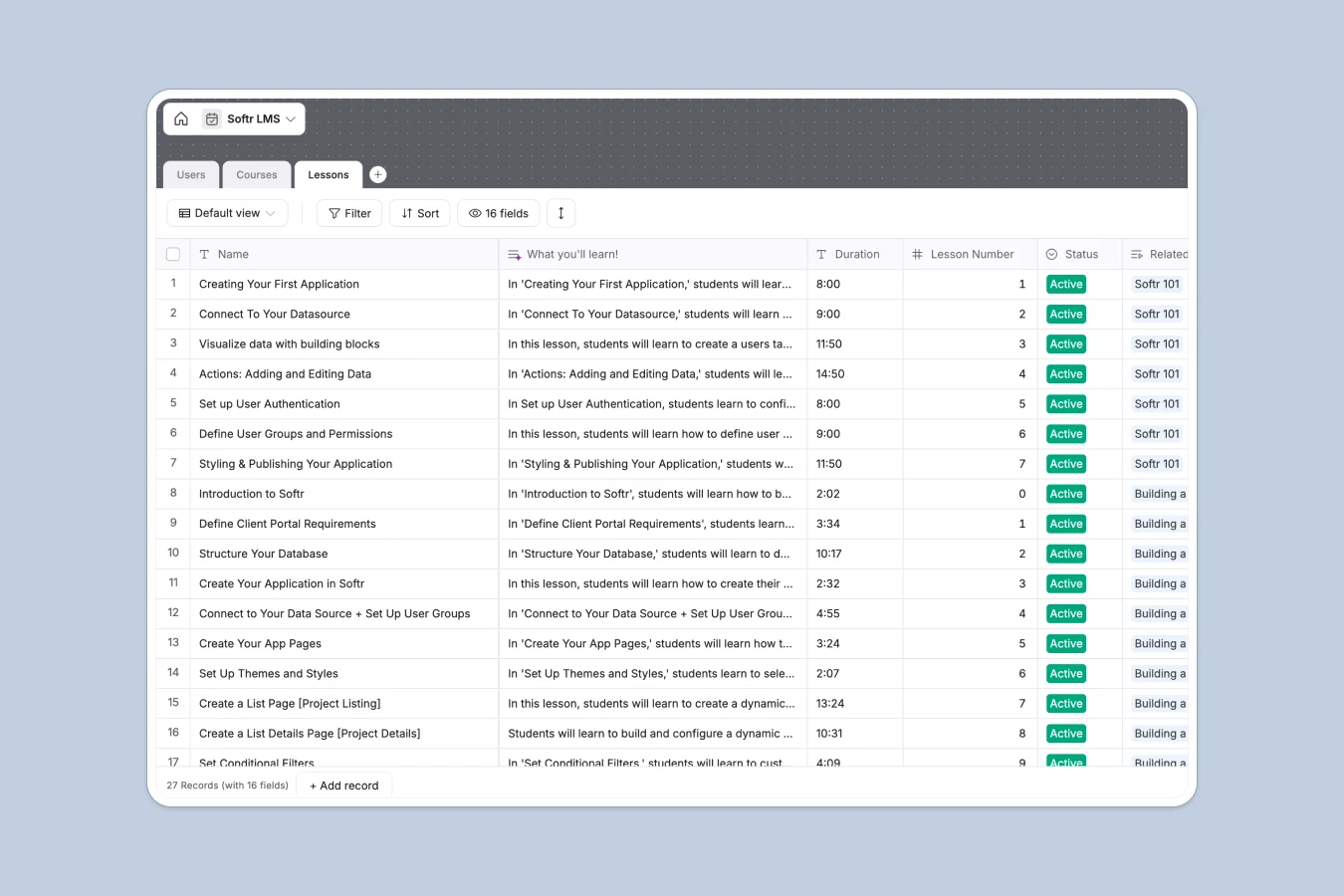
Your LMS Database at a glance
This Learning Management System (LMS) database helps you organize courses and track student progression efficiently. Keep your educational content structured and monitor exactly what your learners are completing.
The template uses three connected tables: Users, Courses, and Lessons. You can instantly link students to the lessons they have taken and automatically calculate overall course progression.
It also features built-in AI text generation to speed up your workflow. When you add a new lesson, the database automatically writes a "What you'll learn" summary based on the lesson's title and description.
Why managing educational content in spreadsheets breaks down
Trying to run an online academy from a spreadsheet quickly turns into a messy web of broken links. Tracking which student finished which video becomes nearly impossible as your curriculum grows.
What a structured database changes
With a real database, every piece of content has a dedicated structure. Video URLs stay as clickable links, and difficulty levels are strictly categorized without typos.
You can easily connect a student to a specific lesson without copying and pasting their name across multiple rows. This is exactly what Softr Databases are designed for.
What you can do with this template
You can immediately structure your curriculum into modules, natively mapping individual lessons to their broader courses. Playback URLs and duration times are kept cleanly organized in one view.
Thanks to integrated Database AI agents, you can stop writing manual lesson summaries. The system automatically drafts them for you the moment you upload a new video description.
-
Users
Manage student profiles with learning levels, activity logs and lesson progress
-
Courses
Organize educational programs with rankings, status tracking and lesson structure
-
Lessons
Store video content with AI-generated learning summaries to focus pupil outcomes
Who is this LMS Database for
This template is built for educators, founders, and team leads who need a reliable way to manage learning materials.
- Course Creators: Organize video URLs, set difficulty levels, and sequence lessons logically.
- HR Managers: Track internal employee training progression and completion rates efficiently.
- Community Builders: Offer structured educational paths and live build recordings to your members.
- Coaches: Keep your clients focused by clearly defining lesson scopes and next steps.
How to take it further
You can easily customize this database natively to fit your exact curriculum. Add new course types, adjust the learning levels, or create new fields to directly track student assignments.
If you already have a student list or course catalog, bring it all in instantly. You can upload a CSV to populate your users and existing lessons in seconds without any data loss.
Once your content is organized, you can easily build an interface to give students their own customized learning portal. A well-structured database makes launching a full-stack educational app incredibly easy and fast.
By setting up users and permissions, you securely control who sees what on the front end. Beginners only see introductory courses, while experts get full access to your entire catalog.
-
1
-
2
-
3
-
4
Frequently asked questions
-
What is an LMS database?
-
Why use a no-code database to build an LMS system?
-
How can AI help managing data for an LMS?
-
Can I build an app with an LMS database?
-
Is this LMS database free?
-
How does an LMS database beat spreadsheets for course tracking?
Start building today. It's free!
Build and launch your first app in under 30 minutes.