


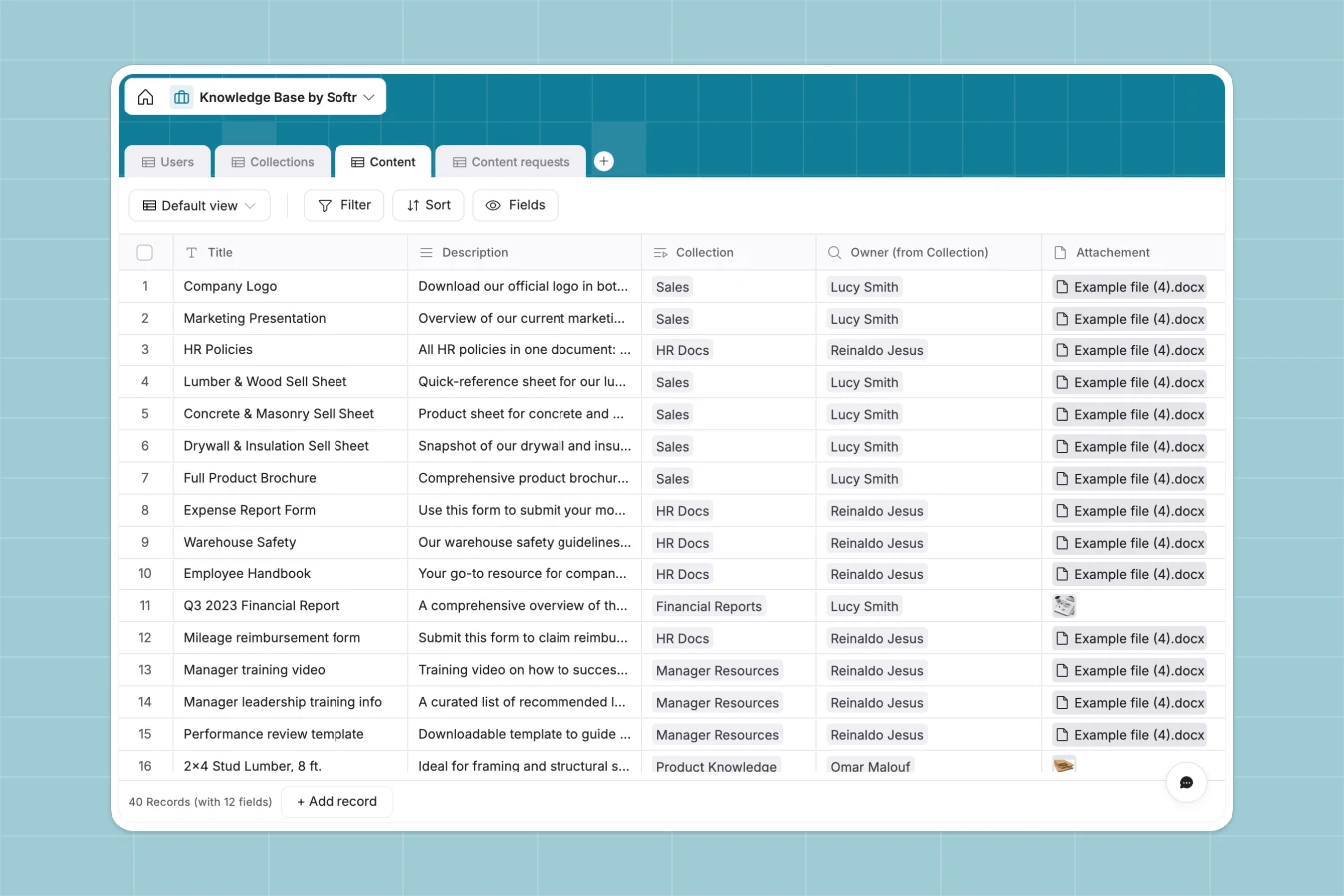
Your Knowledge Base database at a glance
This template centralizes your team's resources, making it easy to categorize articles, track updates, and process new content requests.
It links four main tables—Users, Collections, Content, and Requests—so you can instantly see who owns which collection and access related files or URLs. Every article is tied to an owner and categorized by product, keeping information strictly structured and accessible.
Why managing a knowledge base in spreadsheets breaks down
Storing company documentation in spreadsheets quickly turns into a maze of broken links, outdated text blobs, and missing file attachments.
What a structured database changes
In a database, files stay attached to their specific records and categories remain consistent without manual typing. You can link a content piece directly to its owner or collection without replying on fragile formulas.
This is exactly what Softr Databases are designed for. Your data stays highly structured, meaning rich text, attachments, and URLs all live harmlessly side by side.
What you can do with this template
Group your documentation into distinct collections and automatically assign owners to hold teams accountable.
You can also let users log specific content requests, ensuring your knowledge base grows based on actual team needs.
-
Users
Manage team members with departmental roles, contact info and bios
-
Collections
Group knowledge assets into thematic folders managed by designated owners
-
Content
Store technical product data and files organized by category and SKU
-
Content requests
Log user inquiries and detailed feedback for new knowledge base entries
Who is this Knowledge Base database for
This template provides a clean, well-structured home for internal documentation and resource sharing.
- Operations Leads: Maintain a single source of truth for company policies and team updates.
- Customer Service Managers: Group support articles by product category to help reps find answers fast.
- IT Teams: Track technical documentation and manage software access requests efficiently.
- Sales Enablement: Organize pitch decks, battle cards, and URLs so reps are always prepared.
How to take it further
You can easily tweak this database to fit your exact needs. Add new product categories to the Content table or modify user roles to match your internal hierarchy.
Bring in your existing documentation in minutes. Upload a CSV of your current articles or use the API to sync live links from your current tools.
When your documentation grows, you shouldn't have to navigate raw tables. You can use Softr's interface builder to turn this knowledge base into a searchable, self-serve team portal.
By setting up users and permissions, you can ensure that only Managers or Admins can edit articles, while Employees have read-only access. A perfectly structured database makes building these highly dynamic apps seamless.
-
1
-
2
-
3
-
4
Frequently asked questions
-
What is a knowledge base database?
-
Why use a no-code database to build a knowledge base?
-
How can AI help managing data for a knowledge base?
-
Can I build an app with this knowledge base database?
-
Is this Knowledge Base database free?
-
How is a knowledge base database different from spreadsheets?
Start building today. It's free!
Build and launch your first app in under 30 minutes.