


Overview
This jobboard database organizes every aspect of your hiring process—from job postings and company profiles to candidate applications and recruitment pipelines. Instead of juggling spreadsheets, emails, and separate tools, everything lives in one structured system where recruiters can manage openings, candidates can track their applications, and hiring teams can collaborate efficiently.
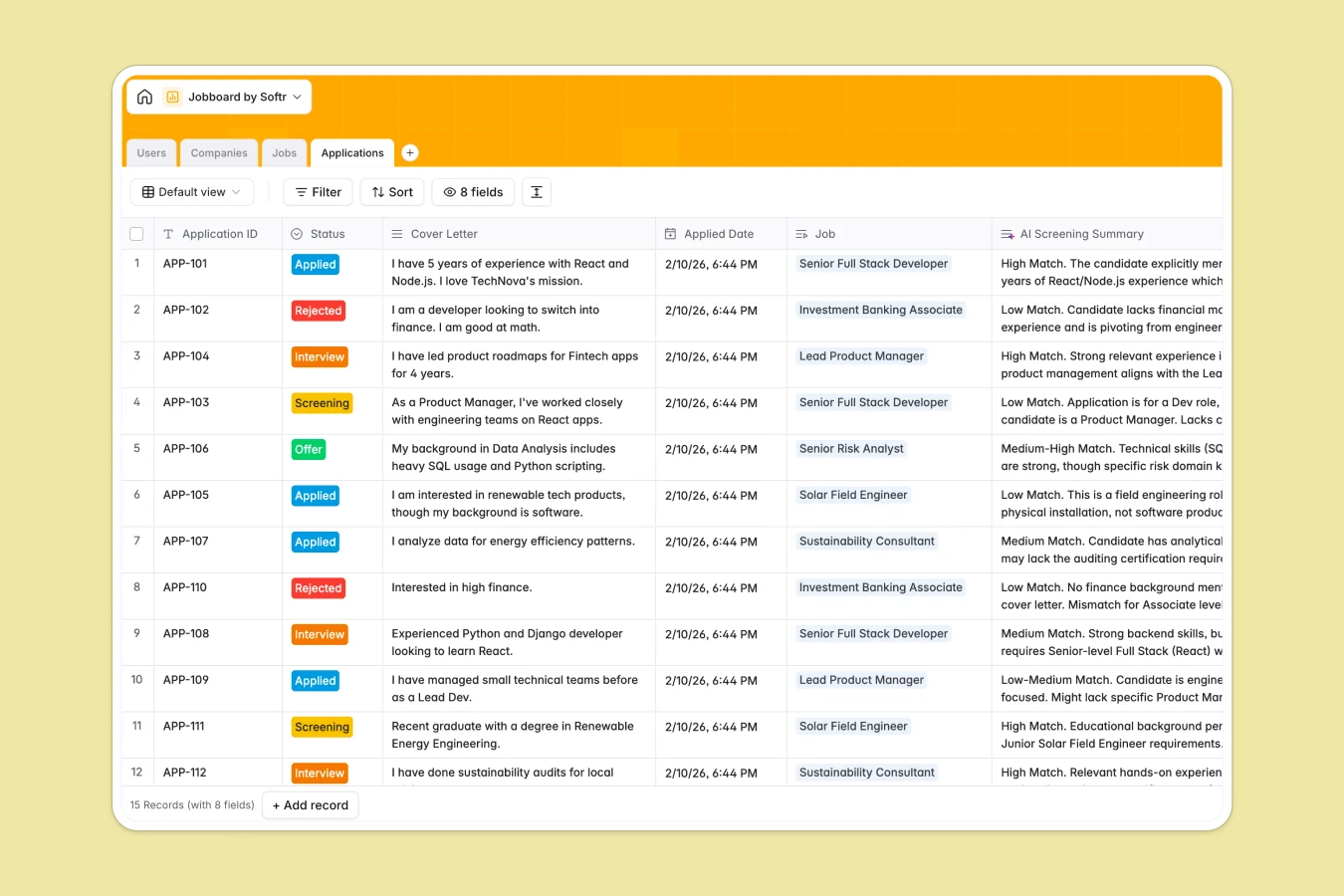
The database consists of four interconnected tables: Users (candidates, recruiters, and admins), Companies (employer profiles with logos and locations), Jobs (listings with status, seniority, and employment type), and Applications (submissions linking candidates to specific jobs). These tables connect through relational links—recruiters manage companies, companies post jobs, candidates submit applications—creating a complete hiring workflow where data flows naturally between stages.
AI agents enhance the database by automatically classifying company industries through web research, generating detailed company bios from website content, writing job descriptions based on titles and seniority levels, and creating candidate fit summaries by analyzing cover letters against job requirements. These automations eliminate manual data entry and provide instant insights during screening.
Why use this jobboard database (instead of spreadsheets)
Spreadsheets quickly become unmanageable for recruitment: you end up with separate sheets for active jobs, closed positions, candidates by role, and interview schedules—all requiring manual updates and fragile cross-references. As your hiring scales, navigation becomes difficult and data integrity suffers when fields contain mixed types or formulas break.
The power of Softr Databases
Softr Databases enforce structure through typed columns—select fields for application status, created-at dates for submission tracking, and linked records connecting candidates to jobs. Instead of error-prone VLOOKUPs between sheets, you get native relationships: one user connects to multiple applications, each application links to one job, and jobs roll up to their company. This follows the principle of one table per object type, making your data immediately app-ready. You also get API access for integrations and a foundation for building full recruitment portals.
Core features and functionality
This template handles multi-user workflows with separate candidate and recruiter roles, tracks applications through stages (Applied, Screening, Interview, Offer, Rejected), and maintains company profiles with industry classification. Database AI agents work across multiple fields: researching company industries, generating job descriptions automatically, and creating AI-powered screening summaries that analyze candidate fit. These agents trigger when records are added or updated, enriching your database without manual effort.
-
Users
Manage candidate and recruiter profiles with contact info and roles
-
Companies
Store company profiles with AI-generated bios and industry research
-
Jobs
Manage job openings with AI-drafted descriptions and seniority status
-
Applications
Track job submissions with AI-powered candidate screening summaries
Who is this jobboard database for
This database serves anyone managing recruitment workflows:
- Recruiting teams: Centralize job postings, candidate pipelines, and application tracking across multiple roles and locations.
- Growing startups: Build a structured hiring process before scaling, ensuring consistency and visibility as headcount grows.
- HR departments: Maintain company profiles, job listings, and candidate records in one system with proper audit trails.
- Agencies: Manage placements across multiple client companies with clear ownership and application status tracking.
- Internal mobility programs: Track employees applying for internal positions with structured workflows and automated screening.
How to take it further
Customize the database: Modify select field values to match your recruitment stages—add "Phone Screen" or "Technical Assessment" to application statuses, adjust seniority levels for your company structure, or expand employment types to include internships and apprenticeships. As a native Softr Database, you can rename fields, add custom columns, and refine taxonomies directly without technical complexity.
Import your existing data: Use CSV import to bulk upload existing job listings, candidate records, or company profiles from your current system. For ongoing sync with your ATS or HRIS, connect via API to keep records updated automatically.
Build an app on top: Transform this database into a full recruitment portal where candidates browse jobs, submit applications, and track their progress—while recruiters manage pipelines, screen applications, and collaborate on hiring decisions. With Softr's interface builder, you create different views for each user type: public job boards for candidates, internal dashboards for recruiters, and admin panels for HR teams. Control exactly what each user sees and can edit with users and permissions. Since Softr combines Database + Interface + Workflows in one platform, your structured data becomes the foundation for building production-ready hiring software that adapts as your recruitment needs evolve.
-
1
-
2
-
3
-
4
Frequently asked questions
-
What is a jobboard database?
-
Why use a no-code database to build a jobboard system?
-
How can AI help managing data for recruitment?
-
Can I build an app with this jobboard database?
-
Is this jobboard database free?
-
How is a jobboard database different from spreadsheets?
Start building today. It's free!
Build and launch your first app in under 30 minutes.