


Overview
This investor portal database centralizes everything venture capital and private equity firms need to manage their portfolio: companies, funding rounds, limited partners, people, and communications. It replaces fragmented spreadsheets with a structured system where all data connects logically.
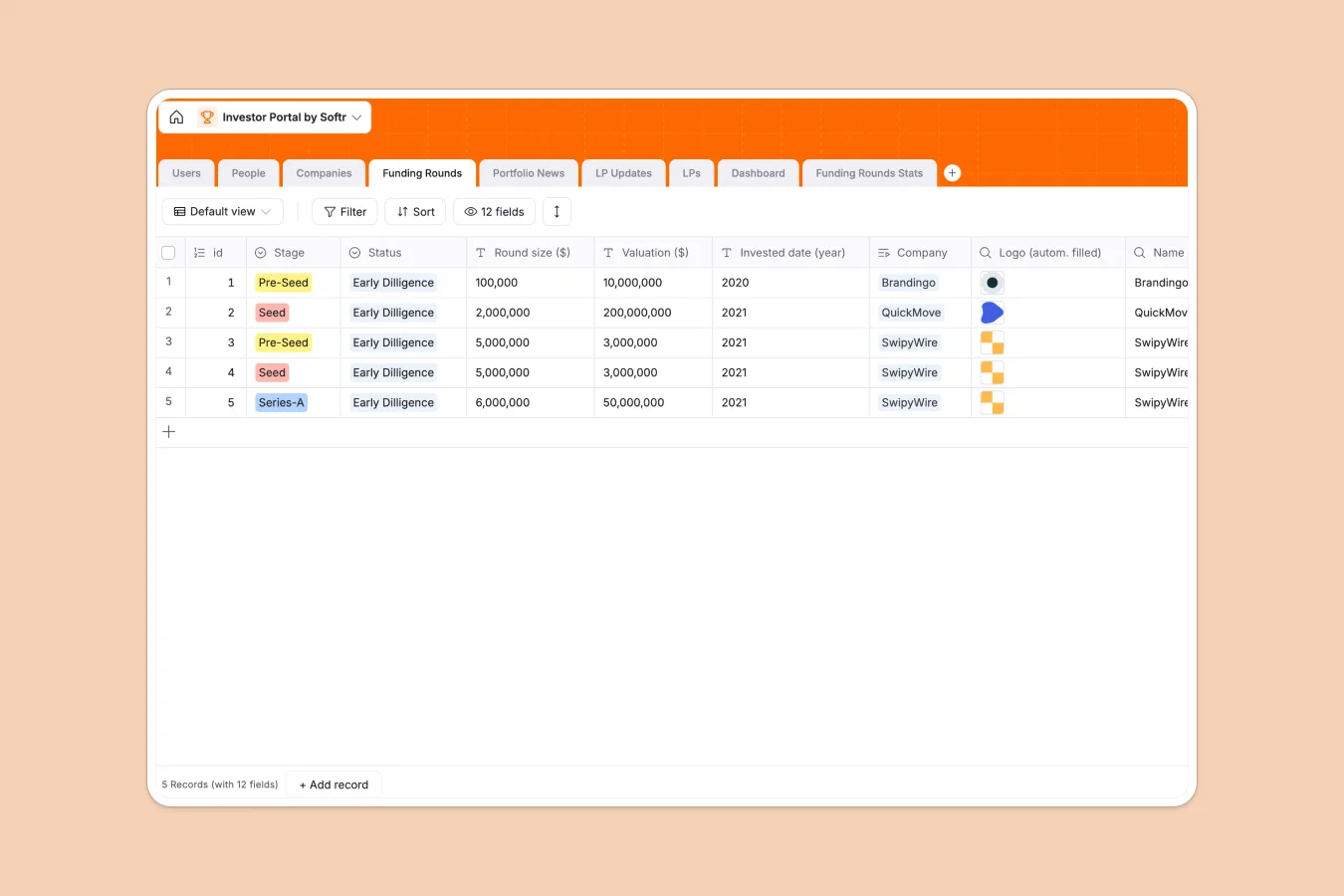
The database includes nine interconnected tables: Companies store portfolio details with industry, location, and exit information; Funding Rounds track stages, valuations, and investment dates; LPs maintains limited partner records and their portfolio exposure; People connects individuals to their companies and LP relationships; Portfolio News aggregates media coverage; and LP Updates manages investor communications with status tracking. Lookups and formulas automatically pull data across tables—company names appear in funding rounds, LP relationships surface in company records, and full names auto-populate from first and last name fields.
Related records create a complete view of your portfolio. Link multiple funding rounds to one company, connect LPs to their portfolio companies, and associate people with both their employers and LP entities. This structure means you can see which LPs are exposed to which companies, track funding history per portfolio company, and maintain accurate contact records—all without manual cross-referencing.
Why use this investor portal database (instead of spreadsheets)
Most firms start with spreadsheets for portfolio tracking, but this approach breaks down as portfolios grow. Multiple tabs for the same data, fragile VLOOKUP formulas linking company information to funding rounds, and inconsistent column types (dates mixed with text, numbers stored as strings) create maintenance nightmares and unreliable reporting.
The power of Softr Databases
Softr Databases enforce proper structure through typed columns: dates stay dates, numbers calculate correctly, and select fields prevent typo variations in values like funding stages. Instead of brittle VLOOKUPs, you use native related records—linking funding rounds to companies, companies to LPs, and people to both creates a relational system where changes propagate automatically. The one table = one object principle keeps your data clean: Companies table stores only company data, Funding Rounds stores only round data, with lookups pulling connected information as needed. This structure makes your data immediately app-ready and accessible via API.
Core features and functionality
The database tracks complete funding history with stage, status, valuation, and date fields per round, all connected to portfolio companies through related records. LP management links limited partners to their portfolio exposure, with dedicated LP Updates tracking communications and distribution schedules. Formula fields auto-format currency displays, lookups surface company names and LP relationships across tables, and attachment fields store logos, documents, and quarterly reports. This creates a single source of truth where portfolio performance, LP relationships, and operational data stay synchronized without manual updates.
-
Users
Manage portal access with names, emails and specific system roles
-
People
Store individual contact details for stakeholders with linked companies
-
Companies
Track portfolio startup profiles including industry, location and status
-
Funding Rounds
Record investment stages, valuation data and due diligence status
-
Portfolio News
Monitor external media coverage and articles related to portfolio brands
-
LP Updates
Manage communication logs and document sharing for limited partners
Who is this investor portal database for
This database serves firms and teams managing investment portfolios and LP relationships:
- VC and PE firms: Maintain portfolio company data, track funding rounds, and manage LP communications in one system.
- Fund administrators: Organize investor records, portfolio exposure, and compliance documentation with proper structure.
- Investment teams: Monitor deal pipeline, due diligence status, and portfolio performance without spreadsheet complexity.
- IR and LP relations: Streamline quarterly updates, track distribution schedules, and maintain accurate LP contact information.
- Solo GPs and emerging managers: Start with clean data structure that scales as your portfolio and LP base grows.
How to take it further
Customize the database
Modify select field values to match your workflow—adjust funding stages beyond Pre-Seed through Series-C, add industries relevant to your thesis, or expand status options for due diligence tracking. Add custom fields for ownership percentages, board seats, or investment committee decisions. The database structure adapts to your firm's processes while maintaining relational integrity.
Import your existing data
Bring portfolio data from spreadsheets via CSV import or sync from your CRM and deal flow tools through Softr's API. Bulk upload company records, funding history, and LP information to eliminate manual data entry. This gets you operational immediately with your existing portfolio intact.
Build an app on top
Once your data is structured, build a full-stack investor portal application for both internal team access and LP self-service. Create an internal dashboard where your team views portfolio metrics, funding pipeline, and company performance—filtered by stage, industry, or investment date. Build a separate LP portal where limited partners log in to see only their portfolio exposure, download quarterly reports, and access company updates. Set granular permissions so associates see deal pipeline data while LPs only view their holdings, and portfolio company founders access their own company records. In Softr, your database, interfaces, and permissions connect seamlessly—full-stack apps without code. A well-structured investor portal database like this one makes building these applications straightforward, since your relationships and data types are already properly defined.
-
1
-
2
-
3
-
4
Frequently asked questions
-
What is an investor portal database?
-
Why use a no-code database to build an investor portal?
-
How can AI help managing data for investor portals?
-
Can I build an app with an investor portal database?
-
Is this investor portal database free?
-
How is an investor portal database different from spreadsheets?
Start building today. It's free!
Build and launch your first app in under 30 minutes.