


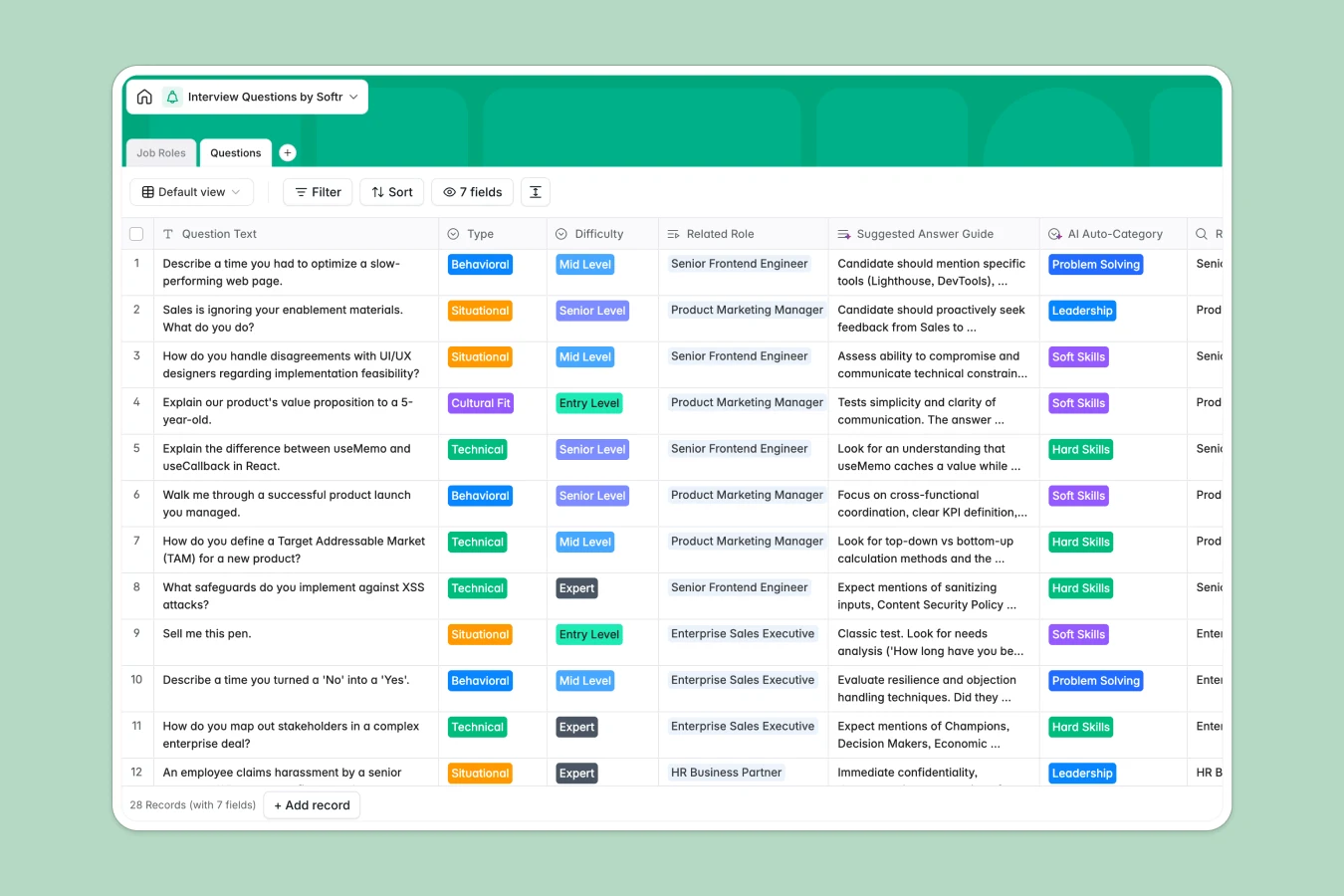
Your Interview Questions database at a glance
This template lets you store, categorize, and track every interview question your hiring team needs. It gives you a single source of truth to ensure every candidate is evaluated fairly.
It works by connecting two simple tables: Job Roles and Questions. When you add a new question, you instantly link it to a specific department without ever duplicating entries.
It even includes AI capabilities that automatically categorize questions into areas like "Hard Skills" or "Soft Skills". This keeps your repository perfectly structured as your hiring volume grows.
Why managing interview questions in spreadsheets breaks down
Keeping interview questions in a spreadsheet quickly turns into a messy list of endless columns and duplicated rows. Evaluating candidates consistently becomes impossible when hiring managers can't find the right questions for their specific roles.
What a structured database changes
A true database solves this by enforcing strict structure on your data. Difficulty levels, question types, and departments stay locked into clean dropdowns instead of relying on manual data entry.
You can also link a specific question to multiple job roles effortlessly without copying and pasting entirely new rows. This is exactly what Softr Databases are designed for, keeping your hiring data organized as your team scales.
What you can do with this template
You can instantly organize thousands of questions by difficulty level and behavioral type. Tracking the exact number of questions assigned to each job role is automatically handled by native database rollups.
You can also use Database AI agents to automatically tag new questions or draft suggested answer guides in real time. This means your hiring managers always have the exact context they need before walking into an interview.
-
Job Roles
Define specific positions to categorize and organize interview content
-
Questions
Store interview questions with AI auto-categorization for skill mapping
Who is this Interview Questions database for
This template is perfectly suited for growing teams that need to standardize their interviewing process securely.
- HR Managers: Centralize question banks and track which formats are being used across departments.
- Hiring Managers: Quickly filter questions by "Technical" or "Behavioral" tags to prepare for interviews faster.
- Recruitment Agencies: Standardize roles and suggested answer guides to ensure all interviewers are aligned.
How to take it further
Start by customizing the database structure to fit your exact hiring criteria. You can easily add new departments to the select fields or adjust the difficulty levels to match your company's unique needs.
Next, import your existing question banks in seconds. Just upload a CSV file and watch your scattered lists instantly turn into a structured, easily searchable catalog.
Once your data is perfectly organized, you can easily build an internal hiring portal using an interface builder. This transforms your basic database into a full-scale recruitment application.
You can then configure users and permissions to ensure HR teams can edit the questions while interviewers only see the questions assigned to them. Starting with a well-structured database makes building this entire system completely seamless.
-
1
-
2
-
3
-
4
Frequently asked questions
-
What is an interview questions database?
-
Why use a no-code database to build an interview questions tool?
-
How can AI help managing data for interview questions?
-
Can I build an app with an interview questions database?
-
Is this Interview Questions database template free?
-
How does this template replace spreadsheets for hiring teams?
Start building today. It's free!
Build and launch your first app in under 30 minutes.