


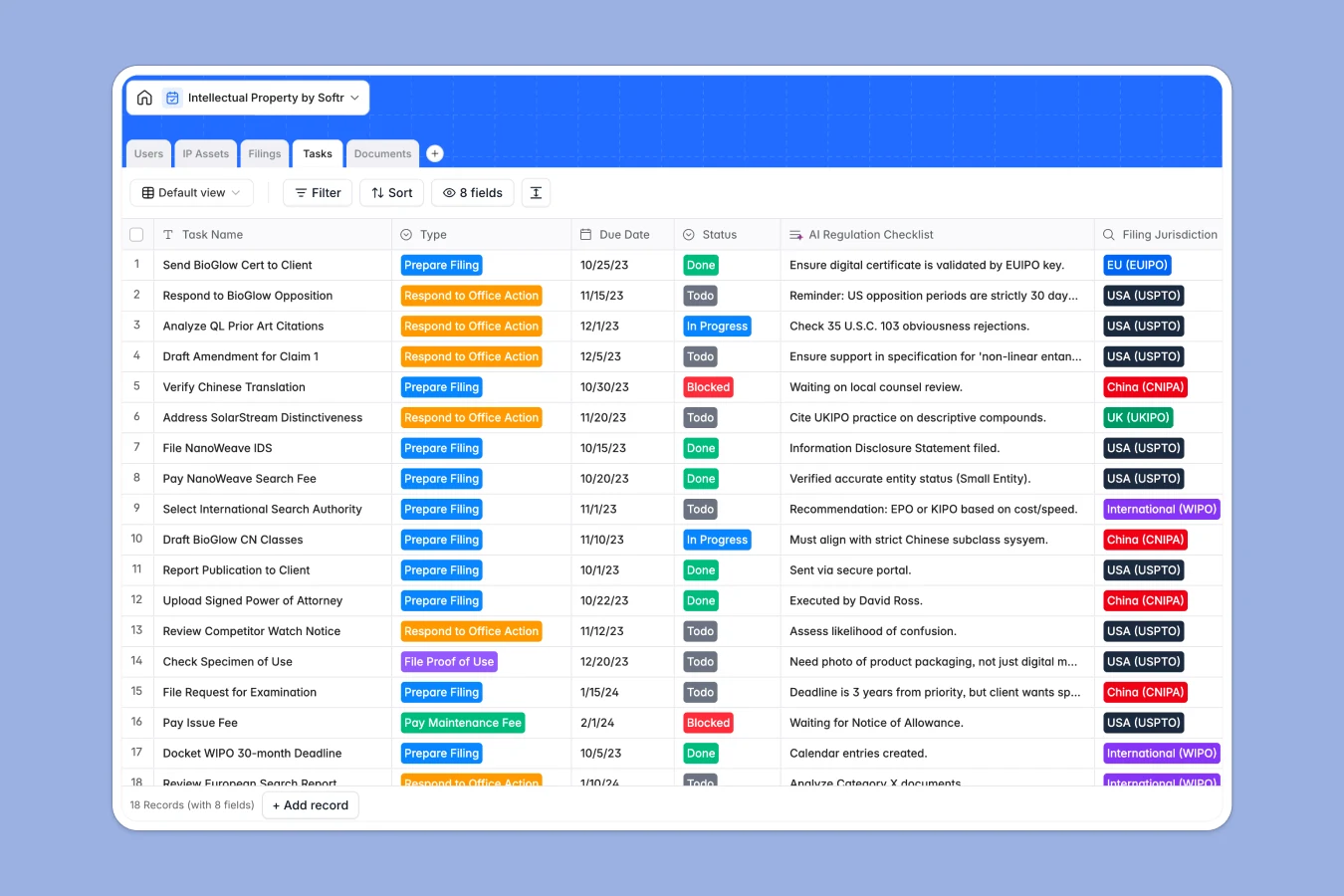
Your Intellectual Property database at a glance
This template gives you a centralized, secure system to track your entire intellectual property portfolio. It ensures your trademarks, patents, copyrights, and trade secrets are properly cataloged and protected globally.
The system natively connects your core IP Assets directly to specific Filings across multiple jurisdictions. You can cleanly assign upcoming Tasks—like responding to an office action or paying maintenance fees—to specific attorneys or paralegals, while reliably attaching all document correspondence directly to the record.
Because this template is AI-enabled, it can routinely scan for issues and run preliminary conflict checks on new assets natively. It also generates tailored regulation checklists for your specific filing jurisdictions without any manual data entry.
Why managing IP portfolios in spreadsheets breaks down
Tracking intellectual property across borders gets incredibly messy in spreadsheets. When you try to link one single patent to five different international filings, separate renewal deadlines, and dozens of legal documents, your rows quickly fracture and critical deadlines slip through the cracks.
What a structured database changes
A structured setup means your data behaves exactly how it should: dates always format as dates, status fields use clean dropdowns, and files attach properly to the single items they belong to. You can link one client directly to multiple trademarks without relying on fragile, easily broken VLOOKUPs.
This is exactly what Softr Databases are designed for. Everything fits together cleanly, ensuring your legal team relies on a single source of truth instead of twenty disconnected, error-prone tabs.
What you can do with this template
You can effortlessly map an asset’s entire lifecycle from application filed to registered, tracking WIPO or USPTO deadlines proactively. Missing a renewal date becomes virtually impossible with centralized datetime tracking and clear task ownership.
Additionally, you can leverage native Database AI agents to speed up tedious paralegal work. Have your database automatically summarize long official correspondence attachments or generate compliance briefs the moment a new filing is logged.
-
IP Assets
Store core IP records and use AI conflict checks to evaluate asset validity
-
Users
Manage staff and client roles while tracking billable rates and assignments
-
Filings
Monitor legal applications and status updates across global jurisdictions
-
Tasks
Track legal deadlines with AI-generated checklists for regulatory compliance
-
Documents
Centralize legal certificates and official files with categorized records
Who is this Intellectual Property database for
This system is built specifically for modern legal teams and IP professionals who need structured, reliable visibility into their assets.
- In-house Legal Counsel: Maintain a single, permanent repository for all company-owned trademarks, patents, and trade secrets.
- Law Firms & Attorneys: Manage multiple client portfolios natively, tracking billable tasks, task completion, and global filing statuses securely.
- Paralegals & IP Managers: Keep track of crucial office actions, maintenance fee deadlines, and necessary official correspondence strictly in one place.
How to take it further
Customize the database
This foundation is completely adaptable to your firm's workflows. Add new international jurisdictions, modify the status stages for copyright filings, or adjust attorney hourly rate fields in seconds.
Import your existing data
You don't have to start from scratch to get immediate value. Upload your current trademark list and application numbers via a simple CSV import, or use our API to automatically sync live public patent databases directly into your records.
Build a full app around it
When your firm is ready to scale, you can transform this raw legal data into a secure client-facing portal. Softr perfectly unites your database, intuitive interfaces, and automated workflows into one single, cohesive platform.
By layering on powerful users and permissions, you can confidently ensure that clients only view their specific trademark applications, while your legal team sees the entire global pipeline. Starting with a structured database makes building these secure legal apps entirely effortless.
-
1
-
2
-
3
-
4
Frequently asked questions
-
What is an intellectual property database?
-
Why use a no-code database to build an IP management tool?
-
How can AI help manage data for intellectual property?
-
Can I build an app with this intellectual property database?
-
Is this intellectual property database free?
-
How does managing IP in a database compare to spreadsheets?
Start building today. It's free!
Build and launch your first app in under 30 minutes.