


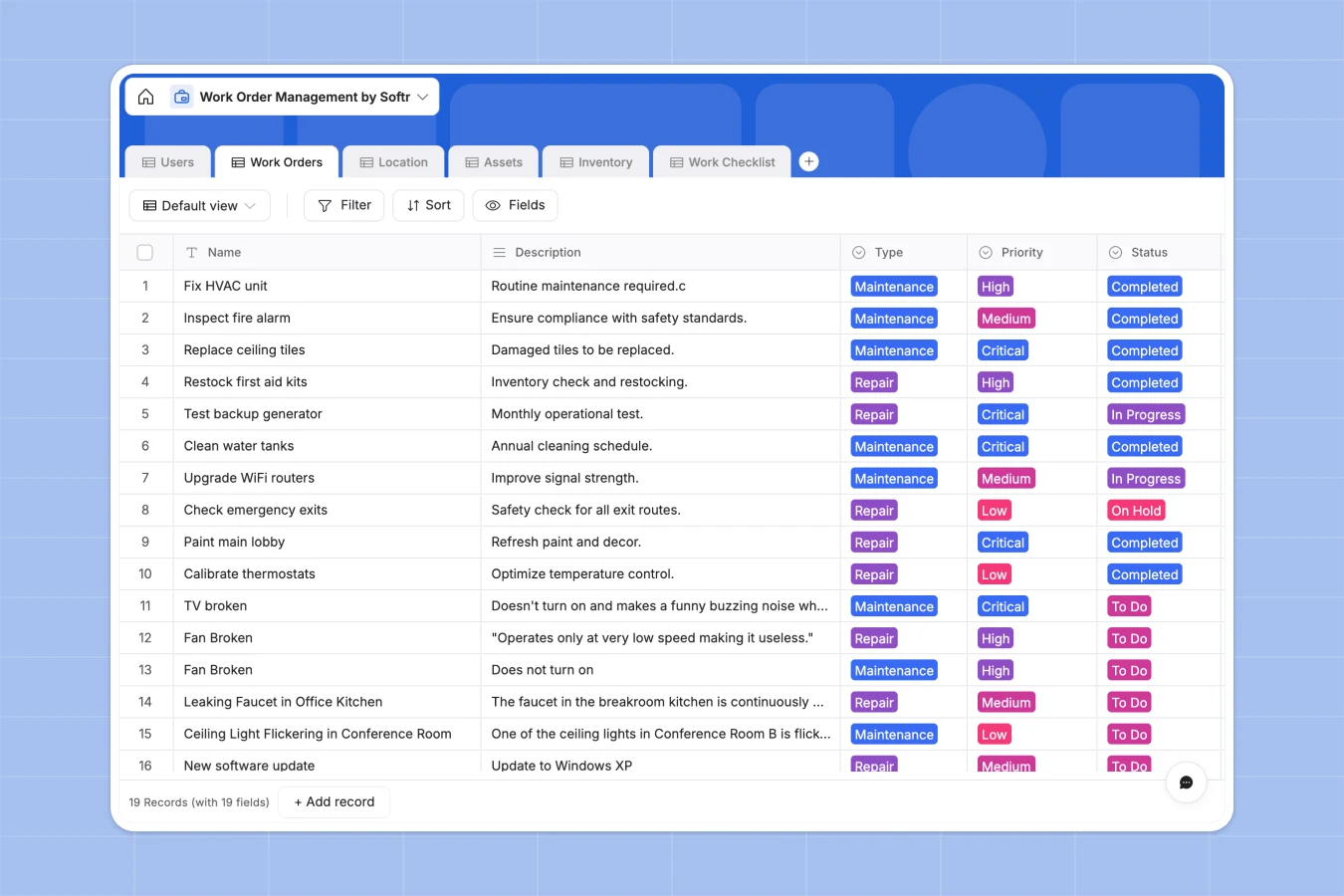
Your Work Order Management database at a glance
This template gives you a reliable, ready-to-use structure to track maintenance requests, assign technicians, and monitor parts effortlessly. Say goodbye to scattered data and broken spreadsheets.
It works by connecting six relational tables to keep your data perfectly aligned. Work orders link directly to specific users, physical locations, facility assets, and the exact inventory consumed.
Why work order management gets messy in Google Sheets
Managing facility repair and maintenance in spreadsheets usually results in scattered requests, broken formulas, and lost track of critical inventory.
What a structured database changes
Instead of typing asset IDs by hand, a relational database lets you link a maintenance ticket straight to a specific asset and its location in one click.
Stock levels update cleanly when parts are linked to jobs, without relying on fragile VLOOKUPs. This is exactly what Softr Databases are designed for.
Every detail, from technician assignments to step-by-step completion checklists, stays organized and scales without breaking as your company grows.
What you can do with this template
Assign incoming repair requests to specific team members and track hours spent against expected duration metrics.
Build distinct workflows by linking detailed task checklists to their parent work order to ensure standard operating procedures are met.
Monitor inventory availability and reorder thresholds clearly so you never run out of essential supplies.
-
Users
Manage technicians and staff roles with assignment logs and team details
-
Work Orders
Oversee maintenance tasks with priority status, timelines and asset links
-
Location
Organize physical site data including building zones and related assets
-
Assets
Track equipment condition, maintenance cycles and physical site placement
-
Inventory
Monitor stock levels of spare parts and supplies with reorder thresholds
-
Work Checklist
Detail granular step-by-step tasks required to complete parent work orders
Who is this Work Order Management database for
This foundation is built specifically for operational teams that need to keep facilities running smoothly without fighting software.
- Facility Managers: Track building repairs and log long-term asset conditions across multiple campuses.
- Maintenance Technicians: See clearly assigned tasks, log hours, and check off safety lists from the field.
- Operations Leads: Keep a close eye on consumed inventory and ensure critical spare parts are always in stock.
How to take it further
Customize your fields
Easily adapt the priority levels, add custom HVAC asset types, or adjust team roles in seconds. Because this is a native structure, changes apply instantly without breaking your records.
Import your existing operations
Upload your current asset catalog or historical Google Sheets data via CSV. You can start dispatching new jobs against your existing equipment immediately.
Build a full maintenance app
When your team needs easier access, you can build an app directly on top of this data. You can create a self-serve portal for everyday employees to submit and track facility requests.
By leveraging users and permissions, you can ensure that technicians only see the specific repair jobs assigned to them. Starting with a perfectly connected database makes launching your custom internal tool effortless.
-
1
-
2
-
3
-
4
Frequently asked questions
-
What is a work order management database?
-
Why use a no-code database to build a work order system?
-
How can AI help managing data for work orders?
-
Can I build an app with this work order management database?
-
Is this Work Order template free?
-
Why is a database better than work order tracking in Google Sheets?
Start building today. It's free!
Build and launch your first app in under 30 minutes.