


Overview
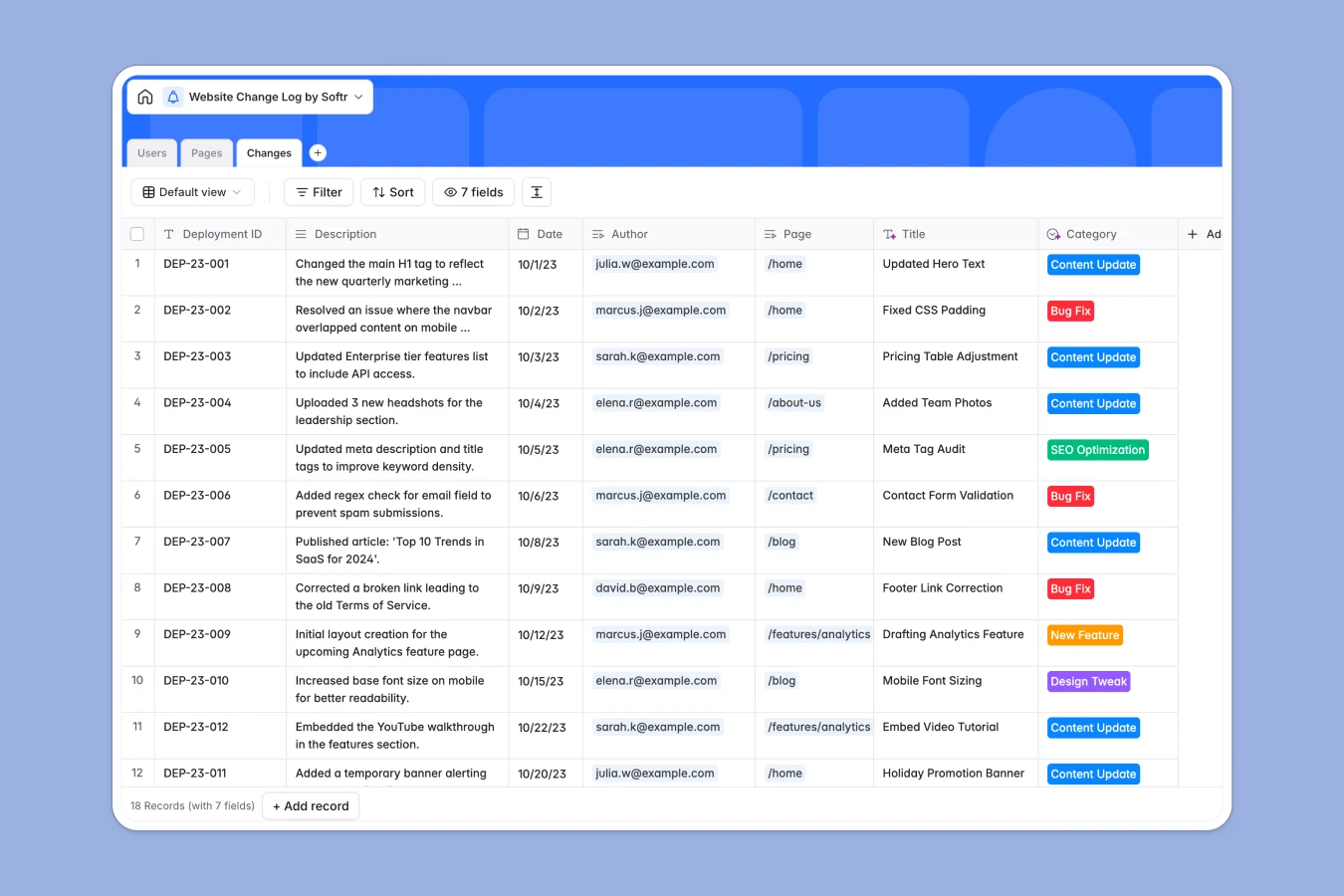
This Website Change Log database tracks every update made to your website—from content tweaks to bug fixes—across all pages. It connects three tables: Pages (your site structure), Changes (detailed log entries with dates and descriptions), and Users (team members making updates). Each change links to the specific page it affects and the person who made it, so you always know what changed, when, and by whom.
The database automatically rolls up metrics like "Last Updated" and "Total Changes" per page, giving you instant visibility into your site's edit history. You can filter changes by category (Content Update, Bug Fix, SEO Optimization, etc.), track deployment IDs, and maintain a complete audit trail without manual tracking.
Why choose a website change log database over Google Sheets
Google Sheets forces you into flat, fragmented tracking where maintaining relationships between pages, changes, and authors becomes a mess of VLOOKUPs that break whenever someone moves a row. As your change history grows, filtering, navigating, and pulling insights becomes exponentially harder.
The power of Softr Databases
Softr Databases enforce proper structure with typed columns—dates stay dates, linked records connect automatically, and rollups calculate totals without fragile formulas. Instead of repeating page URLs and author names in every row, you connect records directly: one Pages table, one Users table, one Changes table—all linked natively. Related records and lookups make it effortless to see all changes for a specific page or all edits by a particular team member, while the one table = one object principle keeps your data app-ready.
Core features and functionality
This template gives you automatic rollups that count total changes per page and surface the last update date without manual formulas. Linked records connect each change entry to its page and author instantly, so filtering your changelog by person, page, or category takes seconds. Status fields on Pages let you track which URLs are live, archived, or 404ing, while categorized changes (Content Update, Bug Fix, New Feature) make reporting and accountability seamless.
-
Pages
Registry of unique website pages with URLs, status, and summaries
-
Users
Authorised team members with specific roles and access to log site updates
-
Changes
Chronological log of website updates, deployment IDs, and author details
Who is this website change log for
This database helps anyone managing website updates track edits clearly and maintain accountability:
- Marketing teams: See exactly what content changed, when campaigns went live, and who edited landing pages.
- Development teams: Log bug fixes and feature deployments with deployment IDs so rollbacks are traceable.
- Agencies: Maintain client audit trails showing every update made across multiple sites or pages.
- Product managers: Track design tweaks and SEO optimizations without digging through Git logs or CMS histories.
How to take it further
Customize the database. Modify the Category select field to match your workflow—add "Security Patch" or "A/B Test" if relevant. Adjust the Page Status choices to include "Under Review" or "Staging" if you have multi-stage deployments. Because this is a native Softr Database, editing field values and adding columns takes seconds.
Import your existing data. Upload past change logs via CSV to backfill history, or connect via API to sync deployment data automatically from your CMS, GitHub commits, or project management tools. This brings all historical context into one structured place immediately.
Build an app on top. Turn this database into an internal changelog portal where team members can submit new changes through a form, view full edit histories filtered by page or author, and see real-time dashboards of recent updates. Using Softr's interface builder, you can create views with permissions so Editors can log changes while Viewers only see read-only histories. A well-structured changelog database like this makes building a functional audit tool straightforward—full-stack apps in Softr connect Database + Interface + Workflows seamlessly, so your change log becomes a living, queryable system instead of a static spreadsheet.
-
1
-
2
-
3
-
4
Frequently asked questions
-
What is a website change log database?
-
Why use a no-code database to build a website change log?
-
How can AI help managing data for a website change log?
-
Can I build an app with this website change log database?
-
Is this website change log template free?
-
How is a website change log database different from Google Sheets?
Start building today. It's free!
Build and launch your first app in under 30 minutes.