


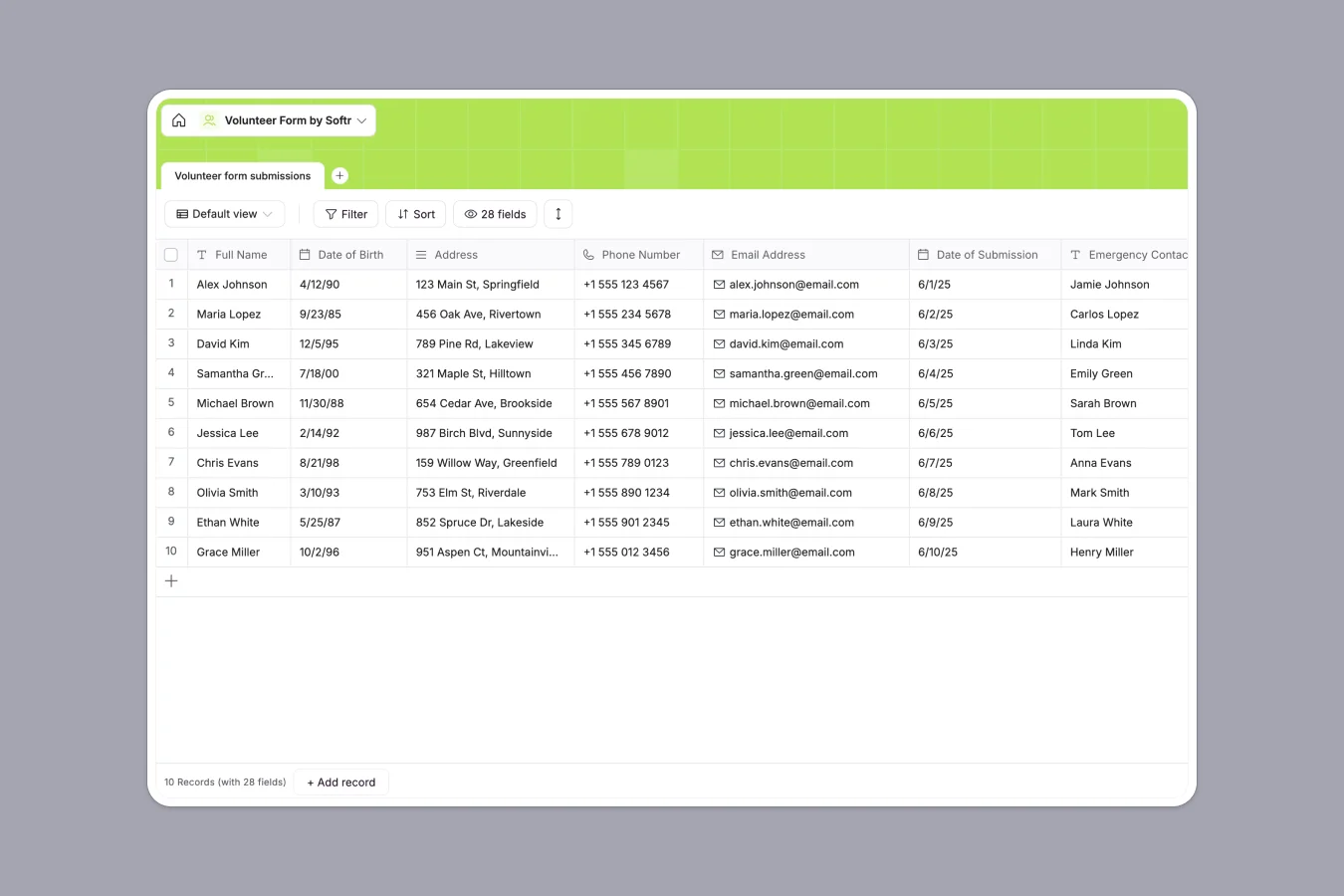
Your Volunteer database at a glance
This template centralizes volunteer sign-ups, emergency contacts, availability, and certifications in a single, structured system. It eliminates messy form responses so coordinators can review applicant qualifications and schedule shifts quickly.
Every record keeps contact details, food handling certifications, dietary restrictions, and preferred shifts organized with strict field types. You always know exactly who is available to help and when.
When volunteer forms outgrow a shared grid
Google Sheets is easy to share with a team, but it was never designed to protect sensitive personal records or handle volunteer logistics. When everyone has access to the full sheet, private emergency contacts, medical limitations, and phone numbers are exposed to every editor.
What a structured database changes
In a standard spreadsheet, someone sorting a column can misalign medical notes with applicant names, or type text into a date field and break your views.
A dedicated database enforces strict data types, ensuring phone numbers, dates of birth, and single-select shift times stay accurate and uniform.
This is exactly what Softr Databases are designed for, giving you a reliable backend that scales without formula errors.
What you can do with this template
Filter instantly by days available, food handling certifications, or specific skills to fill critical volunteer slots in seconds.
Automate applicant intake with Database AI agents that can summarize relevant volunteer experience or flag special accommodations as new submissions arrive.
Start with a production-ready structure that keeps volunteer information safe, organized, and ready for scheduling.
-
Volunteer form submissions
Capture volunteer applications with contact details, availability, and skills
Who is this Volunteer database for
This template helps organizations manage volunteer intake and availability without administrative friction.
- Volunteer coordinators: Screen incoming applicants, review food safety certifications, and track weekly availability easily.
- Food banks and pantries: Match volunteer skills and physical limitations to specific warehouse or distribution tasks.
- Nonprofit operations teams: Keep emergency contacts, terms agreements, and contact details organized in one secure place.
- Community event managers: Organize shift coverage across morning, afternoon, and evening slots without double-booking.
How to take it further
Customize the database in seconds by adding custom single-select options for new volunteer departments, or adjusting the certification requirements to fit your program.
Import your existing volunteer lists instantly using CSV upload, or sync live records using the API to keep your database current.
When your team is ready, build an app on top of this database using Softr's AI Co-Builder to generate a custom volunteer portal with customized users and permissions. Shift leads can view scheduling details while sensitive medical notes remain visible only to core coordinators.
-
1
-
2
-
3
-
4
Frequently asked questions
-
What is a volunteer database?
-
Why use a no-code database to build a volunteer management system?
-
How can AI help managing data for volunteers?
-
Can I build an app with this Volunteer database?
-
Is this Volunteer database template free?
-
How is this database different from volunteer Google Sheets?
Start building today. It's free!
Build and launch your first app in under 30 minutes.