


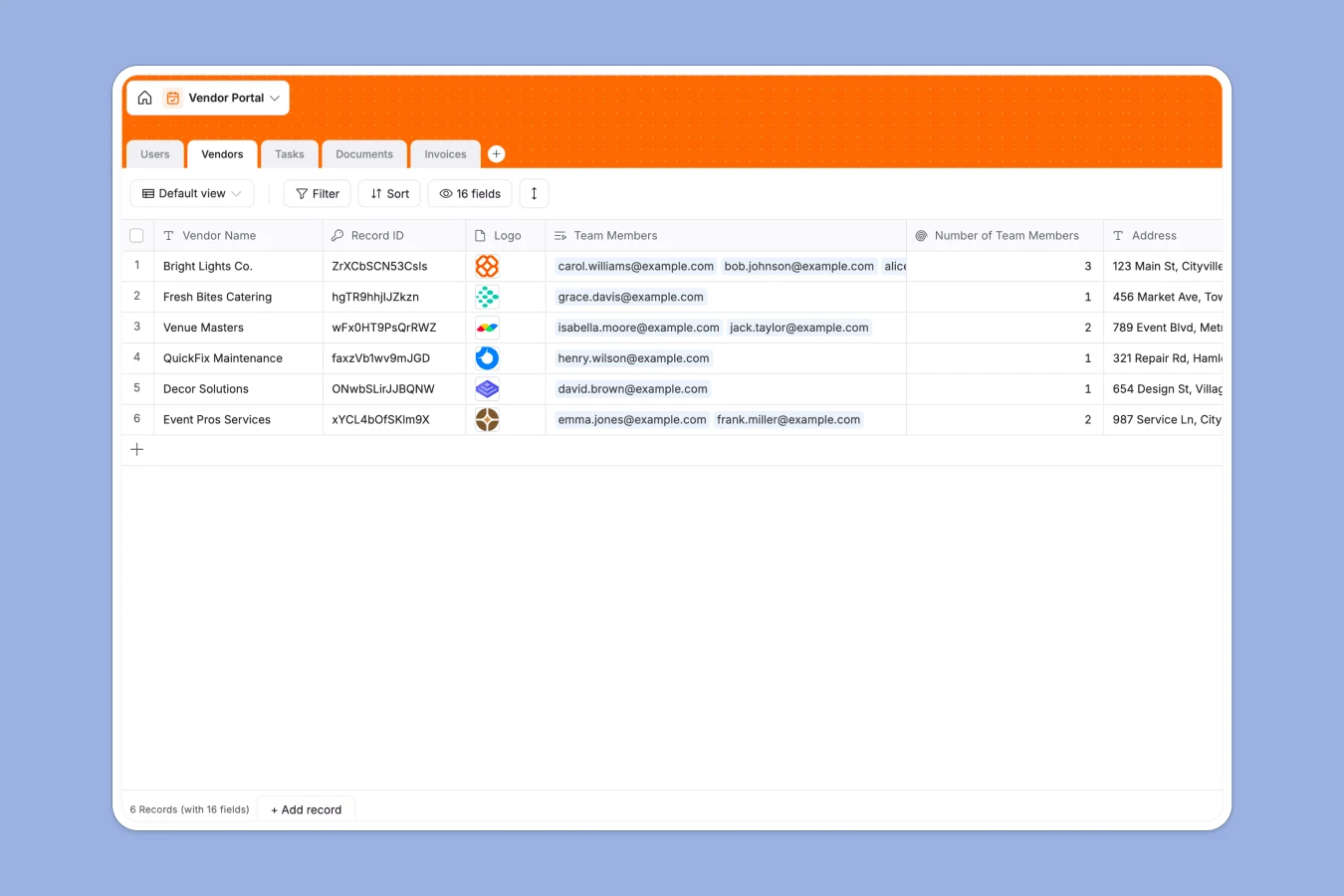
Your Vendor Portal database at a glance
This template keeps supplier relationships, compliance documents, and billing records organized in a single workspace. It connects vendors directly to their team members, assigned tasks, compliance documents, and outstanding invoices so everything stays visible.
Built-in AI agents handle routine classification tasks automatically, such as categorizing vendor descriptions and extracting invoice amounts from uploaded files. This structure replaces scattered spreadsheets with a reliable system of record.
Why relational structure beats a static vendor spreadsheet
Managing suppliers across disposable files leads to broken formulas, missing compliance documents, and outdated contact lists. When vendors submit invoices or update details in separate tabs, maintaining a single source of truth becomes nearly impossible.
What a structured database changes
Using typed columns means dates stay dates, file attachments stay secure, and linked records connect vendors directly to their invoices without manual copy-pasting. Native relations eliminate the risk of mismatched tabs and broken lookups as your supplier base grows.
This is exactly what Softr Databases are designed for, giving you a robust foundation that goes far beyond traditional file storage.
What you can do with this template
Track vendor approval statuses, monitor open tasks assigned to specific team members, and review submitted invoices instantly. Automated fields categorize incoming supplier descriptions and extract data from documents without manual data entry.
Database AI agents work quietly in the background to keep your records consistent and up to date across every table.
-
Users
Manage vendor and admin portal accounts with role permissions and contacts
-
Vendors
Track vendor profiles, approval status, and AI-predicted category tags
-
Tasks
Coordinate action items with assignees, due dates, and AI-generated titles
-
Documents
Store vendor files and legal paperwork with AI classification support
-
Invoices
Process vendor billing and track payment statuses with AI amount extraction
Who is this Vendor Portal database for
- Operations Teams: Maintain complete oversight of vendor onboarding, compliance documents, and active contracts in one place.
- Finance Departments: Track vendor invoices, due dates, and payment statuses without sorting through email chains.
- Procurement Leads: Evaluate new vendor requests, manage category taxonomies, and monitor task assignments effortlessly.
How to take it further
Customizing your database takes seconds, allowing you to easily adjust select field choices for vendor categories or document types to match your internal terminology.
Import your existing supplier directory via CSV upload to populate your records immediately, or connect external tools to keep data synchronized as new vendors join.
When your team is ready to scale up, you can build an app on top of this exact structure. Describe what you need in plain language, and the AI Co-Builder generates the interface, user groups, and workflows automatically.
Control exactly who sees what using granular users and permissions, giving suppliers access only to their own invoices and tasks while internal teams retain full administrative control.
-
1
-
2
-
3
-
4
Frequently asked questions
-
What is a vendor portal database?
-
Why use a no-code database to manage vendors?
-
How can AI help manage vendor data?
-
Can I build an app with this vendor portal database?
-
Is this Vendor Portal database free?
-
How do I import my existing vendor list?
Start building today. It's free!
Build and launch your first app in under 30 minutes.