


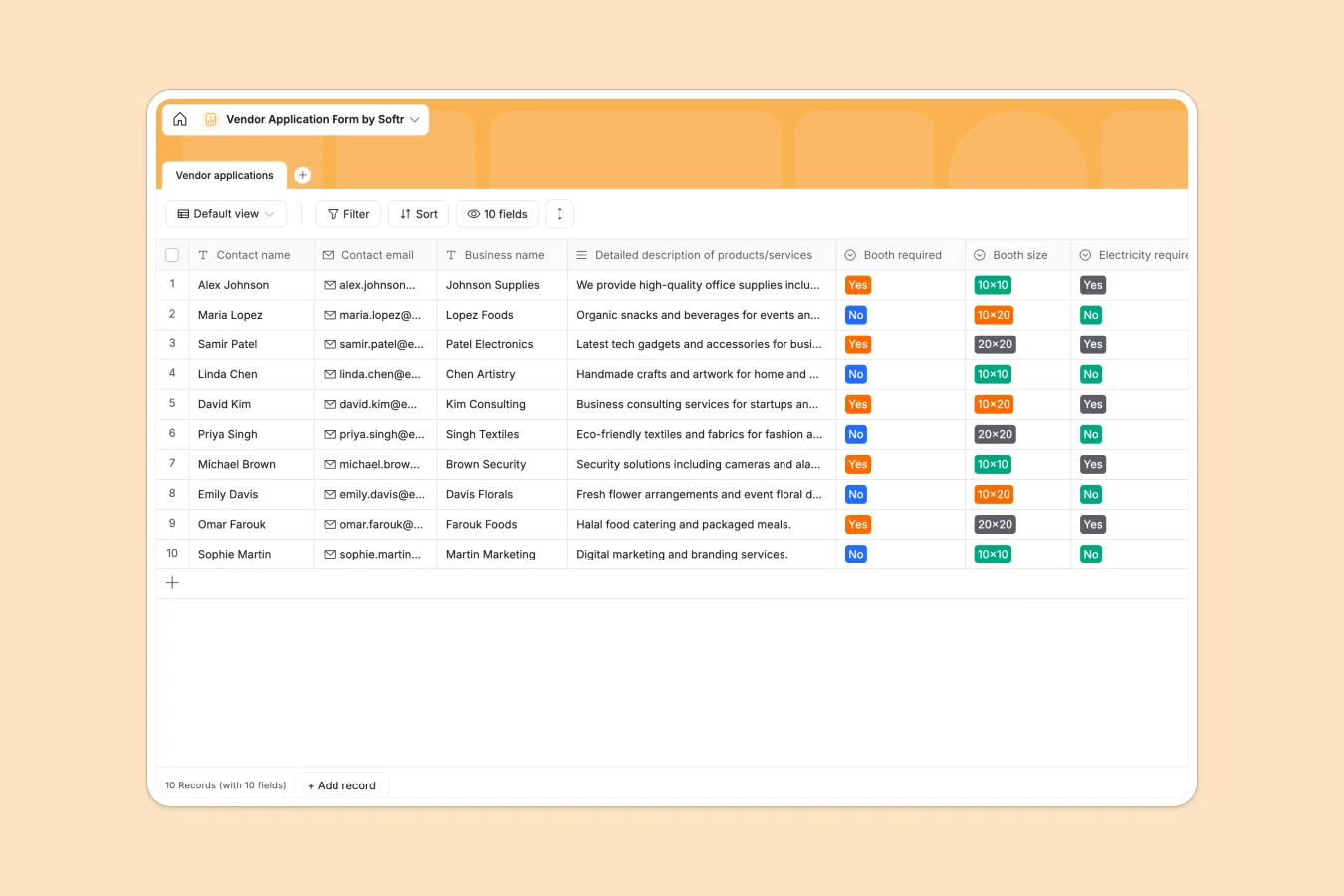
Your Vendor Application Database at a glance
This template gives you a ready-to-use system to track incoming event participants and their specific needs. It eliminates email clutter by keeping all vendor details structured and accessible.
The database features a main table that organizes every applicant's contact information, business description, and specific logistics. It clearly tracks required booth dimensions, electricity needs, and keeps attached signature files neatly linked to the right business.
Why vendor applications get messy in Google Sheets
Google Sheets quickly becomes chaotic when managing complex applications, especially as you start dealing with file attachments, signature records, and changing venue requirements.
What a structured database changes
A structured database enforces clean data collection from day one. Dropdowns restrict booth sizes to exact available dimensions, emails stay formatted safely as emails, and signatures attach natively to the vendor's record without floating away in shared folders.
You never have to worry about rows getting accidentally deleted or columns containing a messy mix of comments and numbers. This is exactly what Softr Databases are designed for.
What you can do with this template
Standardize your incoming vendor requests instantly. You can lock in valid choices for electricity and booth footprints so participants cannot invent their own unmanageable configurations.
You can also add Database AI agents to automatically summarize long product descriptions. The agent can categorize new vendors as soon as a record is added, saving you hours of manual review.
-
Vendor applications
Process incoming vendor requests with booth specs, contact info and documentation
Who is this Vendor Application database for
This system is built for organizers who need a reliable way to manage event, market, or exhibition logistics.
- Event Organizers: Centralize venue requests and booth blueprints in one clean view.
- Farmers Market Managers: Track electricity needs and artisan details without digging through long email threads.
- Exhibition Coordinators: Securely collect and store agreement signatures attached directly to the vendor's profile.
How to take it further
You can easily customize this database to fit your exact venue. Modify the existing booth sizes, add new fields for payment status, or adjust electricity options to match your site's power capacity.
It is simple to import your existing historical data. Just upload a CSV of past vendors to populate the structure instantly, allowing you to easily invite last year's participants to return.
When your team is ready, you can build a complete vendor portal around this data. Using a simple interface builder, you can create clean submission forms where vendors apply directly into your database.
From there, you can easily configure users and permissions so each approved vendor can log in securely to view only their assigned booth numbers and active invoices.
-
1
-
2
-
3
-
4
Frequently asked questions
-
What is a vendor application database?
-
Why use a no-code database to build a vendor management tool?
-
How can AI help managing data for vendor applications?
-
Can I build an app with this vendor application database?
-
Is this Vendor Application database free?
-
How is a vendor application database different from Google Sheets?
Start building today. It's free!
Build and launch your first app in under 30 minutes.