


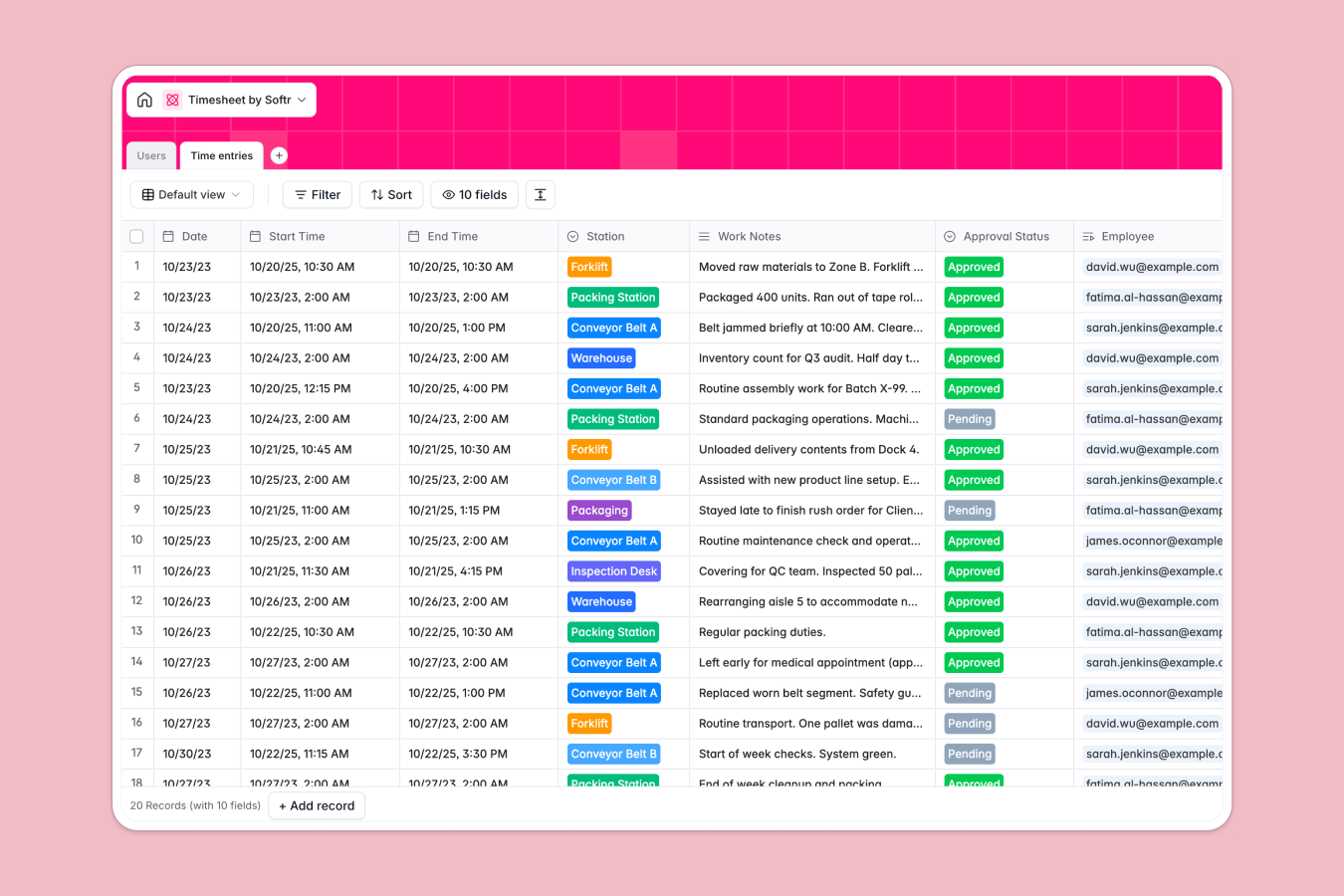
Your Timesheet Database at a glance
This template gives you a structured way to log shifts, track hours, and manage manager approvals in one central location. It eliminates the manual math and messy rows that cause weekly payroll headaches.
It includes two main tables: Users to manage your team's roles and rates, and Time entries to record specific shifts and stations. The database automatically connects employees to their time logs and cleanly calculates total hours worked per shift.
It also features built-in AI that monitors shift notes in real time. The system automatically scans daily reports to flag machinery issues or safety risks, keeping operations secure without extra oversight.
Why tracking timesheets in Google Sheets breaks down
Managing weekly hours in spreadsheets quickly becomes a nightmare as your workforce grows. Tying an employee to their historical shifts requires fragile formulas that inevitably break when someone sorts a column wrong.
What a structured database changes
In a database, data types are strictly enforced so dates stay dates and hours calculate flawlessly. You simply link a shift entry directly to an employee profile without copying and pasting across messy tabs.
This is exactly what Softr Databases are designed to handle. As your team grows, your attendance records remain perfectly clean, searchable, and instantly ready for payroll processing.
What you can do with this template
Instantly deploy a ready-to-use shift tracker with built-in statuses for fast manager approvals. Team members can select specific workstations—like the warehouse or assembly line—for highly transparent operational tracking.
You can also leverage native Database AI agents to automatically analyze work notes for compliance. It reviews daily logs as they are submitted, ensuring no critical safety hazard slips through the cracks.
-
Users
Manage factory personnel with roles, department links and compensation rates
-
Time entries
Log employee shifts and use AI to detect safety risks from operational notes
Who is this Timesheet database for
This ready-to-use system is perfect for operations handling multiple shifts, hourly workers, and continuous workflows.
- Factory Managers: Track daily attendance across the assembly line and warehouse effortlessly.
- Payroll Administrators: Calculate total shift hours and hourly rates with perfect accuracy every pay period.
- Safety Officers: Monitor operational notes and ensure compliance checks happen instantly upon submission.
How to take it further
It is incredibly easy to customize the database to fit your exact operational structure. You can instantly modify the select field choices to reflect your own unique departments, workstations, or employee roles.
Bring your historical attendance records in right away to get immediate value. You can easily import existing employee data and past time logs via CSV to get up and running in minutes.
When you are ready, you can transform this foundation into a fully functional operational portal using the interface builder. Give employees a simple frontend app to clock in, log notes, and review their approved shifts from their phones.
With native users and permissions, you securely control who sees what on that app. Employees only see their own specific time entries, while assigned managers gain full dashboard access to approve shifts and monitor total payroll hours.
-
1
-
2
-
3
-
4
Frequently asked questions
-
What is a timesheet database?
-
Why use a no-code database to build a time tracking tool?
-
How can AI help managing data for timesheets?
-
Can I build an app with this timesheet database?
-
Is this Timesheet template free?
-
How is a Timesheet database different from Google Sheets?
Start building today. It's free!
Build and launch your first app in under 30 minutes.