


Overview
This team wiki database centralizes everything your team needs to stay informed and connected. It maintains an employee directory with contact details and locations, publishes company news and announcements, organizes team-specific resources with download links, and collects employee feedback with review status tracking.
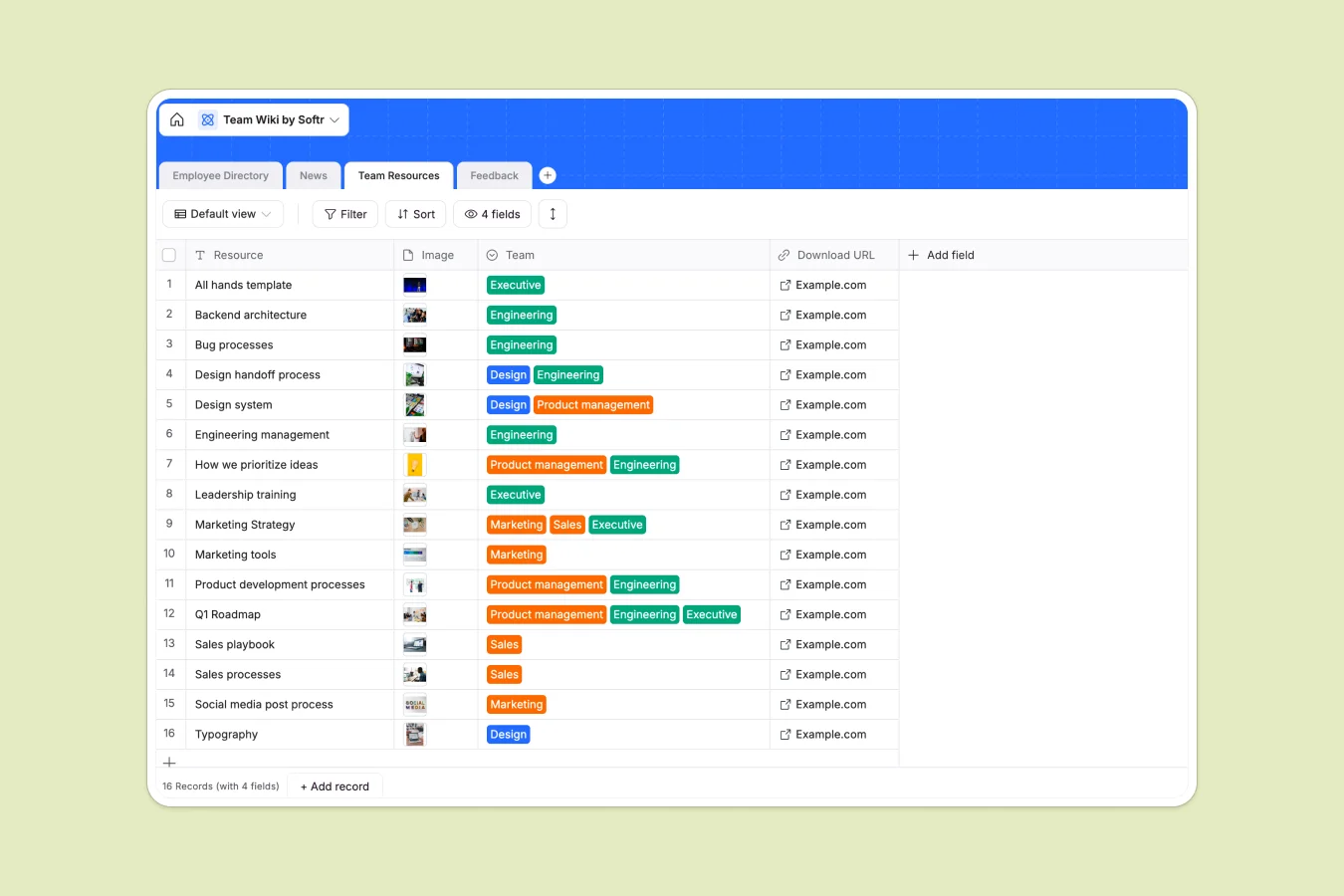
The structure includes four interconnected tables: Employee Directory stores profiles with departments and locations; News tracks company updates by type and publish date; Team Resources organizes files and links by department; and Feedback connects employee submissions directly to directory records. The linked relationship between Employee Directory and Feedback ensures every comment ties back to a specific person, making it easy to track and respond to input.
Why choose a team wiki database over Google Sheets
Google Sheets becomes unwieldy as team information grows, forcing you to create multiple spreadsheets for the same data types or struggle with complex filtering. Columns often contain mixed data—dates, comments, and text lumped together—making reliable reporting nearly impossible.
The power of Softr Databases
Softr Databases enforce proper structure with typed columns: dates stay dates, emails validate automatically, and select fields maintain consistent values across records. Instead of fragile VLOOKUP formulas that break when someone inserts a column, you get native relationships—like connecting employee feedback directly to directory records through linked records. This relational approach follows the principle of one table per object type, making your data app-ready and scalable without the navigation headaches of sprawling spreadsheets.
Core features and functionality
The Employee Directory uses select fields to maintain consistent department and location taxonomies, while linked records automatically surface all feedback tied to each person. Team Resources organizes files by department with direct download URLs, eliminating the version control chaos of shared drives. The Feedback table tracks review status and creation dates automatically, giving leadership visibility into employee input without manual timestamp tracking. This structure makes it simple to filter views, generate reports, and build custom interfaces on top.
-
Employee Directory
Maintain detailed staff profiles with contact info, roles, and office locations
-
News
Log internal updates and announcements across various media types and dates
-
Team Resources
Store shared project assets and downloadable documents categorized by team
-
Feedback
Monitor internal feedback submissions linked to employees with review status
Who is this Team Wiki Database for
This template works for any organization that needs structured team information:
- HR teams: Maintain accurate employee records with contact details, locations, and feedback in one system.
- Department heads: Access team-specific resources instantly without searching through shared drives or email threads.
- Internal communications: Publish company news with consistent categorization and track what's been shared when.
- Leadership: Review employee feedback with clear status tracking and direct connection to who submitted what.
- Remote-first companies: Keep distributed team information accessible and organized across locations and time zones.
How to take it further
Customize the database. Modify the Department and Location select fields to match your organization's structure—add offices, adjust team names, or include additional contact fields like Slack handles or manager relationships. The native Softr Databases structure makes editing straightforward.
Import your existing data. Upload your current employee list, news archive, and resource library via CSV for bulk imports, or connect through API to sync automatically from your HRIS or file storage systems. This gets you operational immediately without manual data entry.
Build an app on top. Create an internal team portal where employees can browse the directory, read company news, download department resources, and submit feedback directly. Softr's interface builder connects to this database, letting you build a full-stack app—Database + Interface + Workflows—all in one platform. Use permissions to control who can edit records versus just view them, ensuring HR maintains directory accuracy while giving everyone access to the information they need. A well-structured database like this makes app development straightforward because your data relationships are already defined and ready to power any interface you design.
-
1
-
2
-
3
-
4
Frequently asked questions
-
What is a team wiki database?
-
Why use a no-code database to build a team wiki?
-
How is a team wiki database different from Google Sheets?
-
Can I build an app with this team wiki database?
-
Can I customize this team wiki database?
-
How do I import existing employee data into this template?
Start building today. It's free!
Build and launch your first app in under 30 minutes.