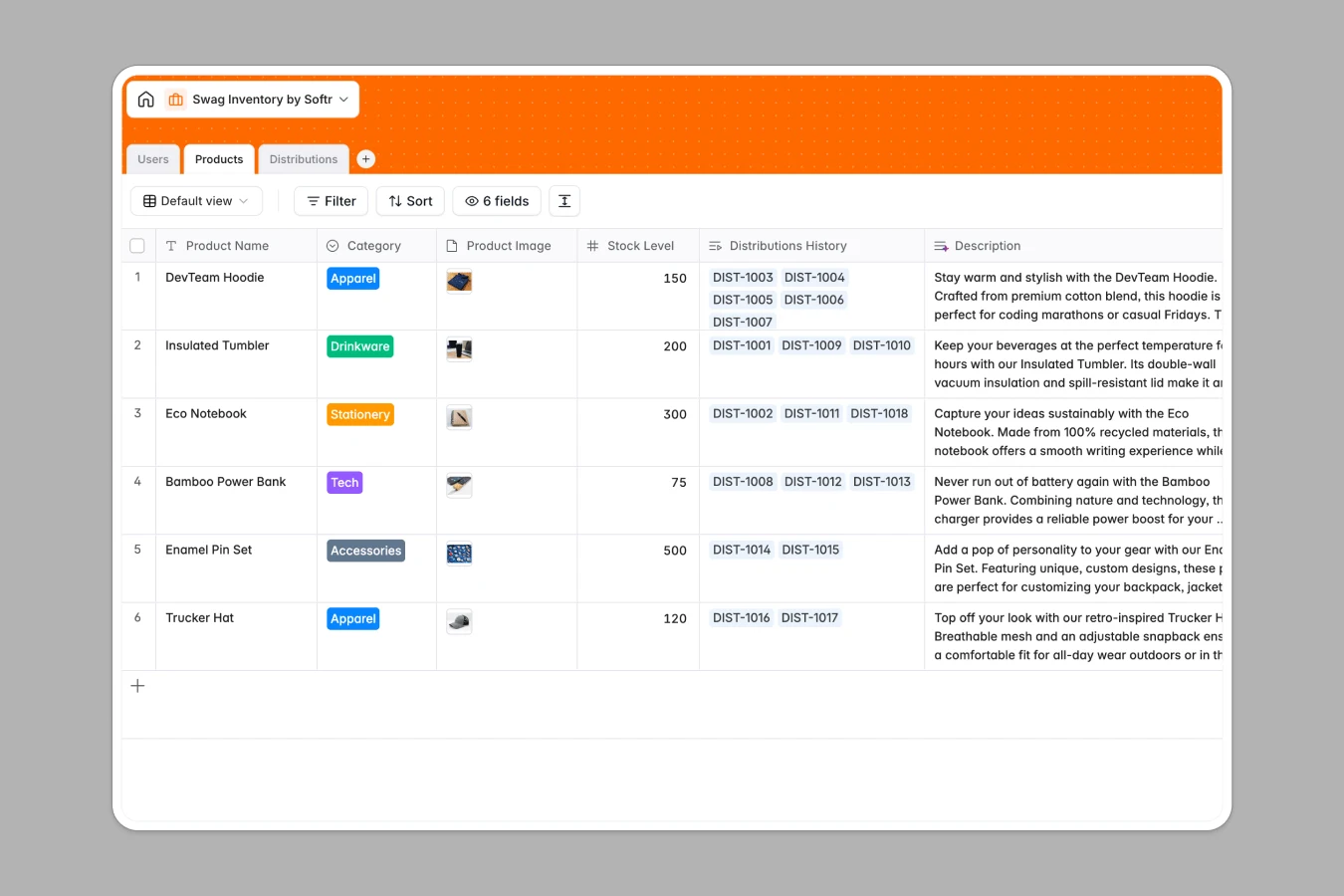
This swag inventory database helps you track promotional items, manage distributions to customers and team members, and maintain accurate stock levels. Instead of scattered spreadsheets where inventory counts drift out of sync and distribution history gets lost in multiple tabs, everything lives in one connected system.
The database consists of three related tables: Products stores your swag items with categories, stock levels, and images; Users manages recipients (admins and customers) with their distribution history; Distributions logs every shipment with status tracking, quantities, and automatic lookups that connect recipients to items. When you distribute a t-shirt to a customer, the system links that transaction to both the product record and the user record—no manual cross-referencing needed.
Google Sheets forces you into fragile workarounds that break as your swag program grows. You end up with multiple sheets for the same data (one for current inventory, another for distributions, a third for recipients), complex VLOOKUP formulas that stop working when someone adds a column, and no reliable way to see a customer's complete distribution history without manually searching.
Softr Databases enforce proper structure with typed columns—stock levels stay numbers, distribution dates stay dates, and status values stay consistent. Instead of fragile VLOOKUPs that break when your sheet structure changes, you get native relational connections: link a distribution record directly to both a product and a recipient, then use lookups to automatically pull item names and recipient details. This follows the principle of one table = one object (Products, Users, Distributions), making your data app-ready and scalable. You also gain API access for automated stock updates and the foundation to build full-stack apps with proper user permissions.
This template gives you real-time stock tracking across product categories (Apparel, Drinkware, Stationery, Tech, Accessories), complete distribution logging with status updates (Processing, Shipped, Delivered), and automatic relationship tracking between recipients and items through lookups. Unlike Google Sheets where you'd manually update inventory counts and search across tabs to find who received what, the connected structure keeps everything synchronized—when a distribution is logged, you can instantly see the recipient's full history and the product's distribution record without hunting through cells.
Manage administrative staff and customer profiles with roles and contact info
Track swag inventory levels across various categories with images and details
Log individual swag assignments to recipients with real-time status tracking
This database is built for teams managing promotional items and customer gifts:
Customize the database to match your swag program. Modify the Category select field to reflect your actual inventory types (add "Event Kits" or "Limited Edition" categories), adjust Status values in Distributions to match your fulfillment process (add "Backordered" or "Ready for Pickup"), or add custom fields like Unit Cost or Supplier to Products for budget tracking.
Import your existing data using CSV upload for bulk inventory imports—bring in your current product list with stock levels and descriptions in one go. For ongoing synchronization, use the API to connect your fulfillment system or e-commerce platform so inventory updates flow automatically without manual entry.
Build an app on top of this database to create an internal swag portal where team members can request items, or an external customer portal where clients view available swag and submit distribution requests. Full-stack apps in Softr connect your database directly to the interface, so admins can manage inventory and approve distributions while customers see only their own request history. With proper permissions, you control who can edit stock levels versus who can only browse available items—all built on the same structured database that makes app development straightforward because your data relationships are already defined.
A swag inventory database tracks promotional items, branded merchandise, and company swag in a structured system. It records product details (names, categories, stock levels, images), manages distributions to recipients (customers, employees, event attendees), and maintains accurate inventory counts. Unlike scattered spreadsheets, it connects products to distribution records and recipients through relational links, giving you complete visibility into what you have, who received it, and when.
No-code databases let you deploy a production-ready swag tracking system in minutes without technical skills or custom development costs. You get proper data structure, relational connections, and the ability to maintain and modify the system yourself—no waiting for developer availability. Changes like adding new product categories or adjusting distribution statuses happen instantly, giving your team autonomy to adapt the system as your swag program evolves.
AI streamlines swag inventory through two capabilities: the Database co-builder follows your prompts to create tables, set up relationships, and write formulas automatically—ask it to "add a low stock alert" and it configures the logic. Database AI agents act as configurable fields that perform tasks like categorizing new products based on descriptions, extracting supplier details from uploaded documents, or researching market pricing for similar items by browsing the web. You control when agents run—trigger them when new products are added or when stock levels change—so they work only when needed.
Yes, using Softr's interface builder to create connected apps directly on this database. Build an internal admin portal where your team manages inventory, approves distribution requests, and updates stock levels. Or create an external customer portal where clients browse available swag, submit requests, and track their shipment status. Permissions ensure admins see full inventory controls while customers only access their own distribution history—all powered by the same structured database underneath.
Yes, this database is free to get started. Databases are included in Softr's free plan, and higher-tier plans offer increased database capacity as your inventory grows. All plans include unlimited collaborators, so your entire team can manage swag inventory, process distributions, and update stock levels without additional user fees.
Google Sheets struggles with swag inventory because it forces you into multiple disconnected sheets (one for products, another for distributions, a third for recipients) with fragile VLOOKUP formulas that break when structure changes. Databases enforce proper column types—stock levels stay numbers, dates stay dates—and use native relational links instead of formulas. When you log a distribution, it automatically connects to the recipient and product records through lookups, eliminating manual cross-referencing and giving you instant visibility into distribution history without searching across tabs.