


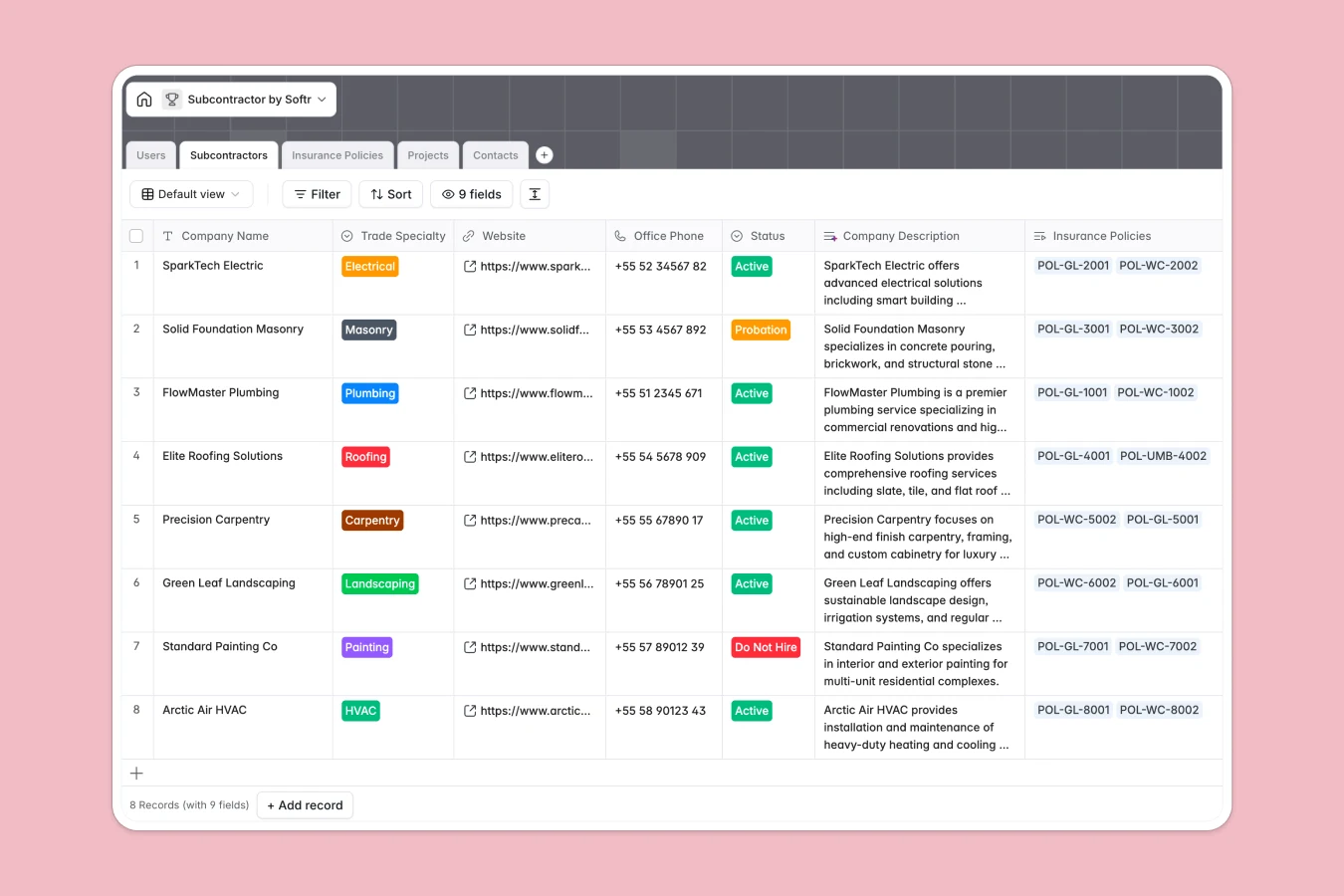
Your Subcontractor database at a glance
This template gives you a central command center to manage trade partners, verify compliance documents, and staff projects without operational blind spots.
Everything connects natively: Subcontractors link directly to their individual Contacts, active Insurance Policies, and assigned Projects managed by your team.
Built-in Database AI agents research subcontractor websites to generate company summaries and analyze policy coverage notes for potential risk gaps automatically.
Why trade assignments break down in flat tables
When managing specialty contractors, tracking insurance certificates and job site assignments in disconnected rows leads to expired coverage and miscommunication.
What a structured database changes
A structured database enforces strict data integrity across your entire directory. Dates remain true timestamps, phone numbers stay formatted, and insurance attachments link directly to the trade partner they protect.
Instead of duplicating trade details across multiple job sheets, you link one subcontractor record directly to multiple projects. This is exactly what Softr Databases are designed for.
What you can do with this template
You can monitor policy expiration dates in real time, categorize contractors by trade specialty, and assign qualified teams to active jobs with complete confidence.
Automated AI fields scan incoming policy notes to highlight risk gaps instantly, helping your project managers maintain safety and compliance across every job site.
-
Users
Manage system users, roles, permissions, and assigned project responsibilities
-
Subcontractors
Track subcontractor firms, specialties, compliance, and AI web descriptions
-
Insurance Policies
Monitor policy documents, coverage limits, and AI-powered risk gap evaluations
-
Projects
Coordinate jobs, subcontractor assignments, timelines, and AI project codes
-
Contacts
Store individual subcontractor staff details, phone numbers, and job titles
Who is this Subcontractor database for
This database is designed for operations teams that coordinate multiple specialty trades across varied job sites.
- General Contractors: Keep trade partners, active agreements, and insurance records organized in one centralized hub.
- Construction Project Managers: Assign vetted trade crews to active jobs while tracking site contacts.
- Compliance Officers: Monitor policy expiration dates, coverage limits, and potential risk gaps automatically.
- Trade Coordinators: Maintain updated directories of master electricians, plumbers, and specialty contractors.
How to take it further
1. Customize the database
Tailor the template to your specific operations in minutes. Add custom trade specialties like Solar or Framing, adjust subcontractor status tags, or add fields for safety ratings and payment terms.
2. Import your existing data
Bring your existing directory over instantly using CSV import or connect via API to sync contractor details from your accounting or procurement systems.
3. Build a full app around it
When you are ready, use Softr's AI app generator to turn this database into a custom trade directory or subcontractor portal. Describe what you need in one prompt, and Softr generates the interface, workflows, and users and permissions directly on top of your data.
-
1
-
2
-
3
-
4
Frequently asked questions
-
What is a subcontractor database?
-
Why use a no-code database to build a subcontractor directory?
-
How can AI help managing data for subcontractor?
-
Can I build an app with subcontractor database?
-
Is this Subcontractor database free?
-
How do I import existing trade partners into this template?
Start building today. It's free!
Build and launch your first app in under 30 minutes.