


Overview
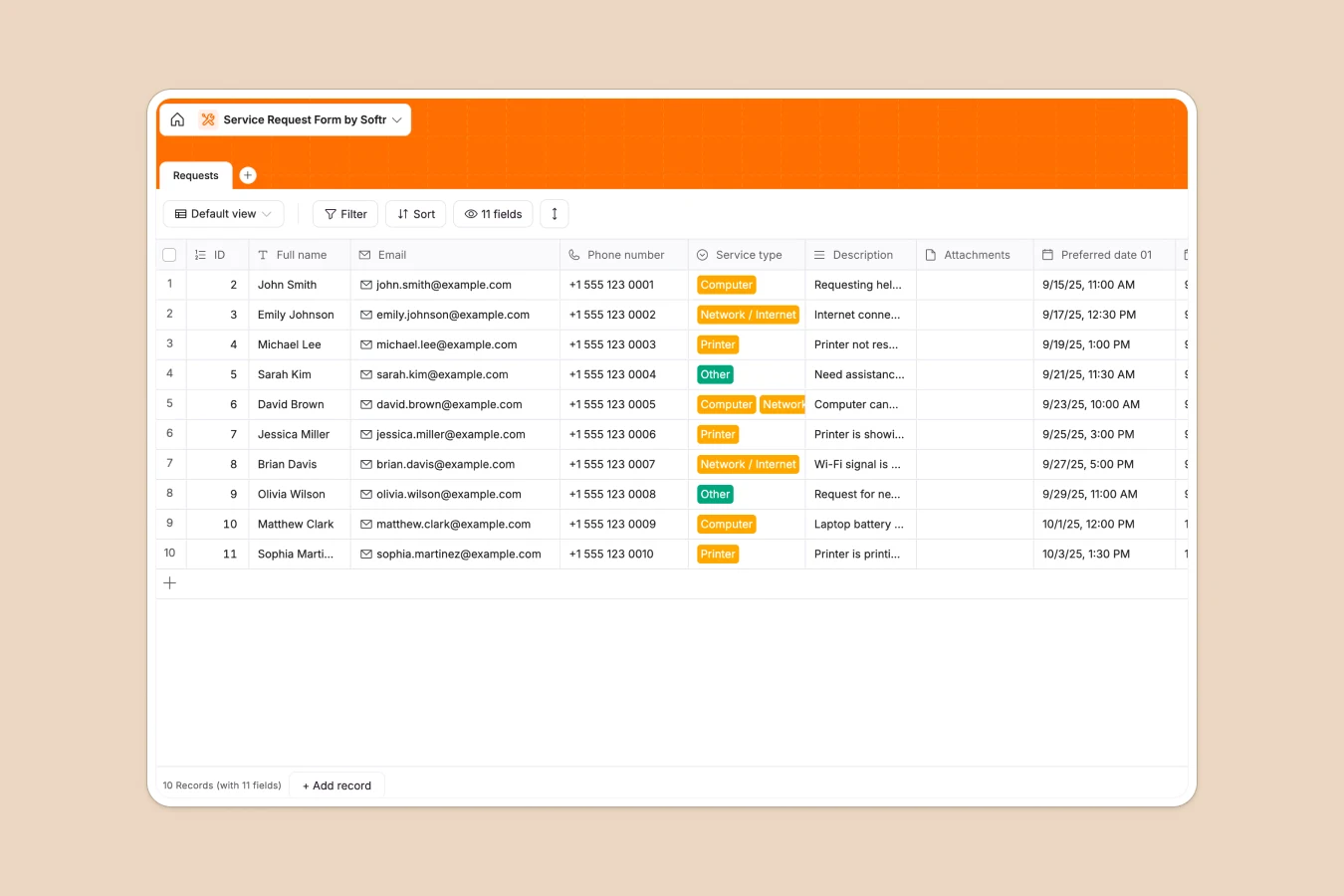
This Service Request template provides a centralized system to capture, track, and manage incoming support tickets without the chaos of email threads or unstructured spreadsheets. It is designed to help teams log issues, maintain clear records of submitter details, and ensure every request is addressed efficiently.
The database consists of a primary "Requests" table that stores all critical information, including the submitter's contact details, the "Service type" (such as Computer, Network, or Printer), and specific "Preferred dates" for service. Key features include a dedicated "Attachments" field for screenshots or documents and structured text fields for detailed usage descriptions, ensuring support teams have all the context they need to resolve issues.
Why choose a Service Request database over Google Sheets
While Google Sheets is often the default choice for logging lists, it quickly becomes unmanageable for tracking active service workflows. Rows get accidentally deleted, cell formatting breaks, and managing file attachments within cells is clumsy and disorganized.
The power of Softr Databases
Softr Databases provide the improved structure that service teams need. Unlike spreadsheets where any data can go in any cell, this database enforces strict column types—ensuring emails are valid, dates follow a format, and attachments are stored securely as files, not just text links. This "one table = one object" principle ensures data integrity and makes it easy to filter requests by type or date without breaking formulas or views.
Core features and functionality
This template goes beyond simple row tracking by offering categorized "Service type" selection to standardize incoming data. You can also leverage Database AI agents to automatically summarize complex issue descriptions or route requests to specific team members based on the category, turning a static list into an automated support engine.
-
Requests
Log incoming technical service inquiries with contact info and urgency
Who is this Service Request database for
This template is ideal for operational teams who need to manage intake processes efficiently:
- IT Support Teams: Log hardware and network issues while keeping track of user contact details and screenshots.
- Facility Managers: Manage repair requests, maintenance scheduling, and on-site service preferences in one place.
- HR Departments: Track employee equipment requests or internal service tickets without losing data in emails.
- Customer Service: Organize incoming inquiries and categorize them by urgency or topic for faster resolution.
How to take it further
1. Customize the database
Since this is a native Softr Database, you can easily adapt it to your workflow. Consider adding a "Status" single-select field (with values like Open, In Progress, Resolved) or creating a "Priority" column to help your team triage urgent issues effectively.
2. Import your existing data
If you are currently tracking requests in Excel or Google Sheets, you can switch immediately by exporting your data to CSV and importing it directly into this template. This allows you to migrate your history in seconds and start using a more robust system instantly.
3. Build a client portal on top
The true power of this database is its ability to power a full-stack application using the interface builder. You can build a secure portal where users log in to submit requests via a form and view the status of their own tickets. By setting up users and permissions, you ensure clients see only their own data while your internal team sees the full queue, transforming a simple database into a professional support desk.
-
1
-
2
-
3
-
4
Frequently asked questions
-
What is a service request database?
-
Why use a no-code database to build a service request system?
-
How can AI help managing data for service requests?
-
Can I build an app with a service request database?
-
How is this database different from Google Sheets?
-
Is this Service Request template free?
Start building today. It's free!
Build and launch your first app in under 30 minutes.