


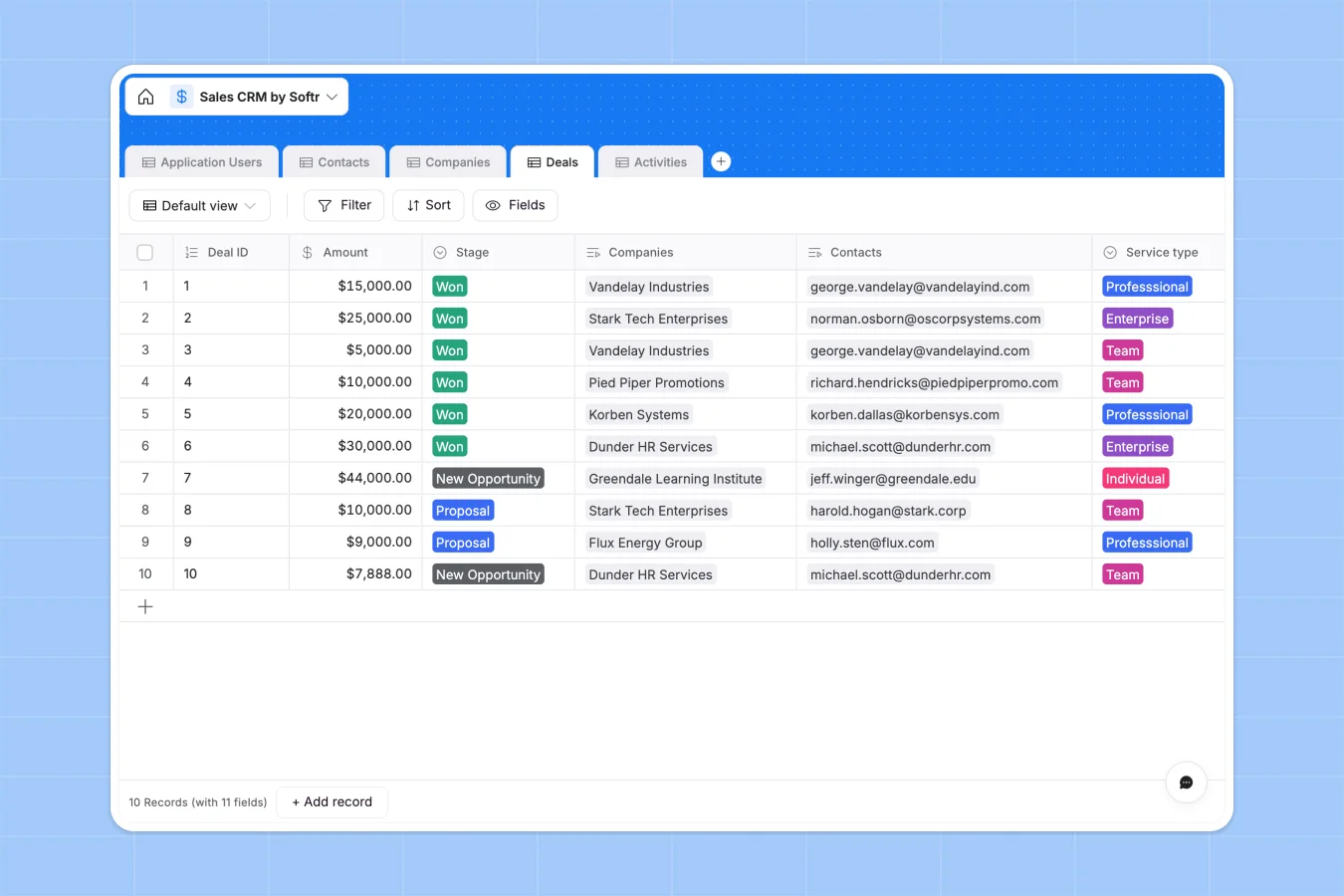
Your Sales CRM database at a glance
This Sales CRM template gives you a clean, structured way to track deals, companies, and communications. It perfectly organizes your entire pipeline in one central hub.
The database uses uniquely connected tables so every contact links directly to their company, deal stages, and past activities. You will never have to copy-paste an account manager's email across rows again.
You can easily add AI capabilities to automatically enrich company web data or summarize meeting notes. This keeps your CRM cleanly updated without tedious manual data entry.
Why a sales CRM gets messy in Google Sheets
Tracking your sales pipeline in spreadsheets works smoothly until your team grows. Soon, you are dealing with duplicated contacts, broken formulas, and missing contract files.
What a structured database changes
A structured database enforces rules so your pipeline stays pristine as it scales. Deal amounts stay perfectly formatted as currency, and contracts remain securely stored as file attachments.
More importantly, records connect naturally across your entire system. You can link multiple contacts to one company or view all activities for a specific deal without writing a single VLOOKUP.
This is exactly what Softr Databases are designed for. You get the simplicity of a spreadsheet grid combined with the power of a real, scalable backend.
What you can do with this template
Instantly log phone calls, emails, and in-person meetings while tying them back to the correct prospect and account manager.
Move continuous deals through pipeline stages and instantly see your total revenue value with native rollup fields.
You can even leverage Database AI agents to automatically research and extract public information regarding new companies added to your pipeline.
-
Application Users
Manage team members with roles, contact info, and assigned sales accounts
-
Contacts
Store individual lead and client info including job titles and histories
-
Companies
Centralize corporate client data, industry tags, and account management
-
Deals
Track sales opportunities with stage progress, amounts, and contracts
-
Activities
Log communication history including emails and meetings with stakeholders
Who is this Sales CRM database for
This template is built for teams ready to move beyond fragile spreadsheets to reliably manage their revenue.
- Sales Leaders: Track pipeline stages, forecast revenue, and monitor team activities in real time.
- Account Managers: Keep a beautifully clean log of related contacts, meetings, and contract attachments.
- Founders & Operators: Consolidate your company relationships and deals into a single source of truth.
How to take it further
Start by customizing the database perfectly to match your specific sales cycle. You can easily adjust the predefined deal stages, add new industry categories, or create completely custom tags.
Next, seamlessly import your existing prospects in seconds. You can upload a CSV file of your current leads or connect via API to sync new contacts directly from your website forms.
Finally, turn your data into a fully functional application when your team is ready. By using an interface builder, you can quickly create a secure, custom portal for your sales reps.
From there, you can configure users and permissions to ensure account managers only see their assigned deals and companies. A well-structured database makes this kind of app development effortless.
-
1
-
2
-
3
-
4
Frequently asked questions
-
What is a sales crm database?
-
Why use a no-code database to build a sales CRM?
-
How can AI help managing data for sales CRM?
-
Can I build an app with this sales CRM database?
-
Is this Sales CRM template free?
-
How is a sales CRM database different from Google Sheets?
Start building today. It's free!
Build and launch your first app in under 30 minutes.