


Overview
This SaaS Customer Portal database centralizes everything you need to manage customer relationships: company details, contracts, support requests, onboarding tasks, and training resources. It connects customers to their assigned CSMs, tracks plan types and pricing, and maintains a complete history of interactions and requests in one structured system.
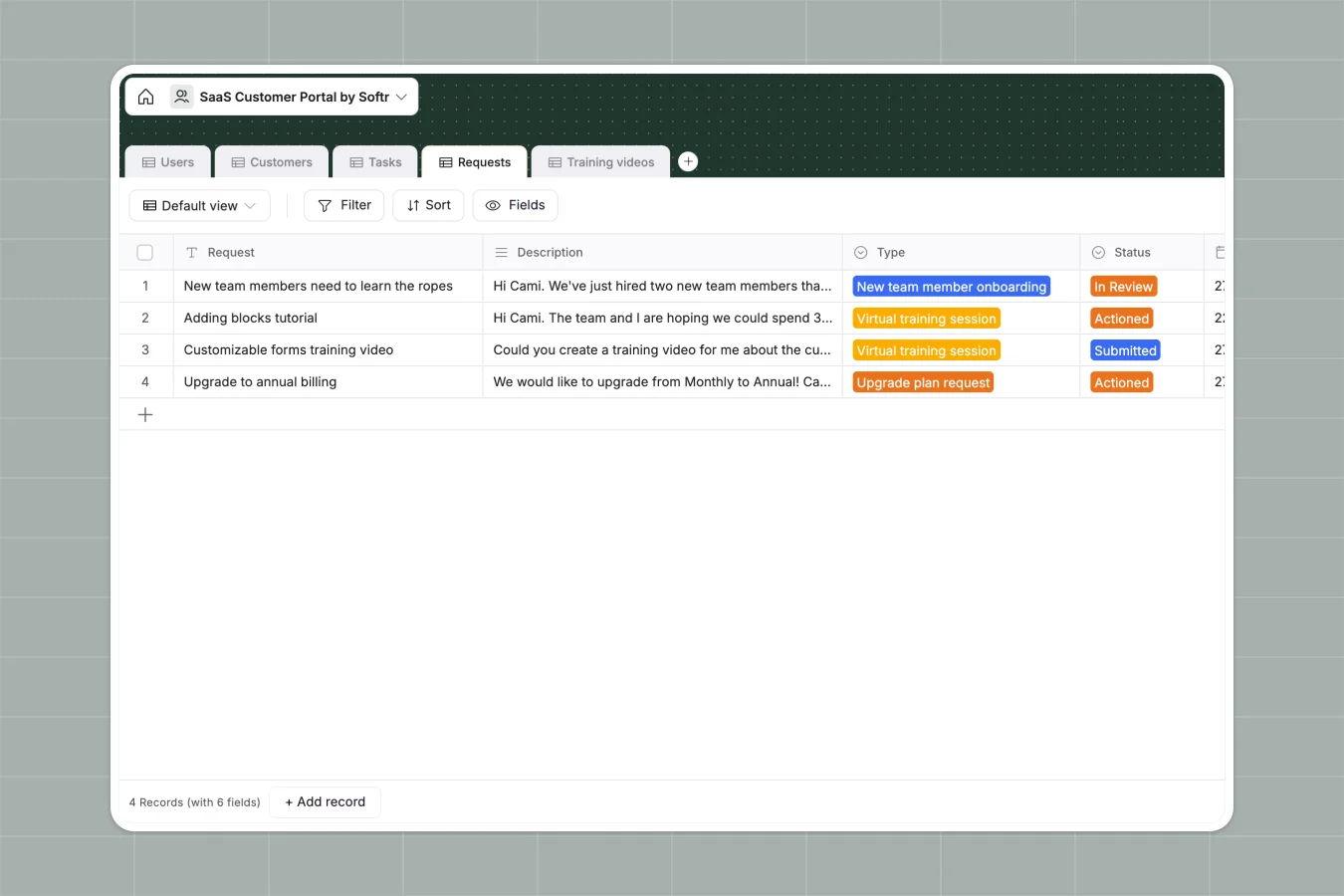
The database includes five interconnected tables: Users (both customers and CSMs), Customers (company records with contracts and plan details), Tasks (onboarding and implementation work), Requests (support tickets and training requests with status tracking), and Training Videos (educational content you can share with specific customers or all users). These tables link together naturally—customers connect to their contacts and CSMs, tasks and requests link back to specific customers, and training videos can be assigned to tasks or made available to select customers.
Why choose a SaaS customer portal database over Google Sheets
Google Sheets creates data chaos when managing customer relationships at scale. You end up with multiple tabs for the same information (one for active customers, another for renewals, another for support requests), mixed data types in the same columns (dates alongside text notes), and VLOOKUPs that break when you add a column or rename something.
The power of Softr Databases
Softr Databases enforce structure that keeps customer data reliable. Each column has a defined type—dates stay dates, currency fields calculate correctly, and select fields maintain consistent values across your team. Instead of fragile VLOOKUPs, you get native connections between tables: link customers to their CSMs, connect support requests to company records, and associate training videos with specific tasks. This relational structure follows one table = one object, making your data app-ready and eliminating the navigation nightmare of endlessly scrolling spreadsheet tabs.
Core features and functionality
This database maintains complete customer records including contracts, plan types, and pricing, while tracking all support requests with automatic timestamps and status progression. The linked table structure means you can instantly see which customers have open requests, what onboarding tasks are pending, and which training resources are available to each company—without writing a single formula or managing complex sheet references.
-
Users
Manage customer profiles and success managers with roles and bios
-
Customers
Store client company data, contract terms, and assigned success staff
-
Tasks
Track project milestones and progress linked to customer training goals
-
Requests
Manage support tickets and onboarding requests from client organizations
-
Training videos
Centralize educational video resources for specific customer onboarding
Who is this SaaS Customer Portal database for
This database works for any SaaS company managing customer relationships and support:
- Customer Success teams: Track all customer interactions, contracts, and requests without losing context in spreadsheet tabs.
- Support teams: Manage incoming requests with clear status tracking and automatic timestamps for response times.
- Onboarding specialists: Organize implementation tasks by customer and link them directly to training resources.
- Account managers: Maintain contract details, renewal dates, and pricing information in one reliable system.
- Growing SaaS companies: Scale customer management beyond spreadsheets before data chaos slows your team down.
How to take it further
Customize the database: Adjust the Plan type field to match your actual product tiers, modify Request types to reflect your support categories, or add custom fields like MRR, health score, or renewal probability. As a native Softr Database, every field and relationship is immediately editable to match your specific customer success workflow.
Import your existing data: Upload your current customer list via CSV to populate company records, contracts, and contact information in bulk. Use API connections to sync data automatically from your CRM or billing system, ensuring contract dates and pricing stay current without manual updates.
Build an app on top: Turn this database into a full customer portal where customers can submit support requests, view their tasks, access training videos, and track their onboarding progress. Using Softr's interface builder, create separate views for customers (showing only their company's information and requests) and CSMs (displaying all assigned customers with open tasks and pending requests). Set up permissions so customers only see their own data while your internal team gets complete visibility. A well-structured database makes building these tailored interfaces straightforward—each user group automatically sees the right information based on their role and company relationship.
-
1
-
2
-
3
-
4
Frequently asked questions
-
What is a SaaS customer portal database?
-
Why use a no-code database to build a SaaS customer portal?
-
How is a SaaS customer portal database different from Google Sheets?
-
Can I build an app with this SaaS customer portal database?
-
Is this SaaS Customer Portal database free?
-
Can I customize this SaaS customer portal database?
Start building today. It's free!
Build and launch your first app in under 30 minutes.