


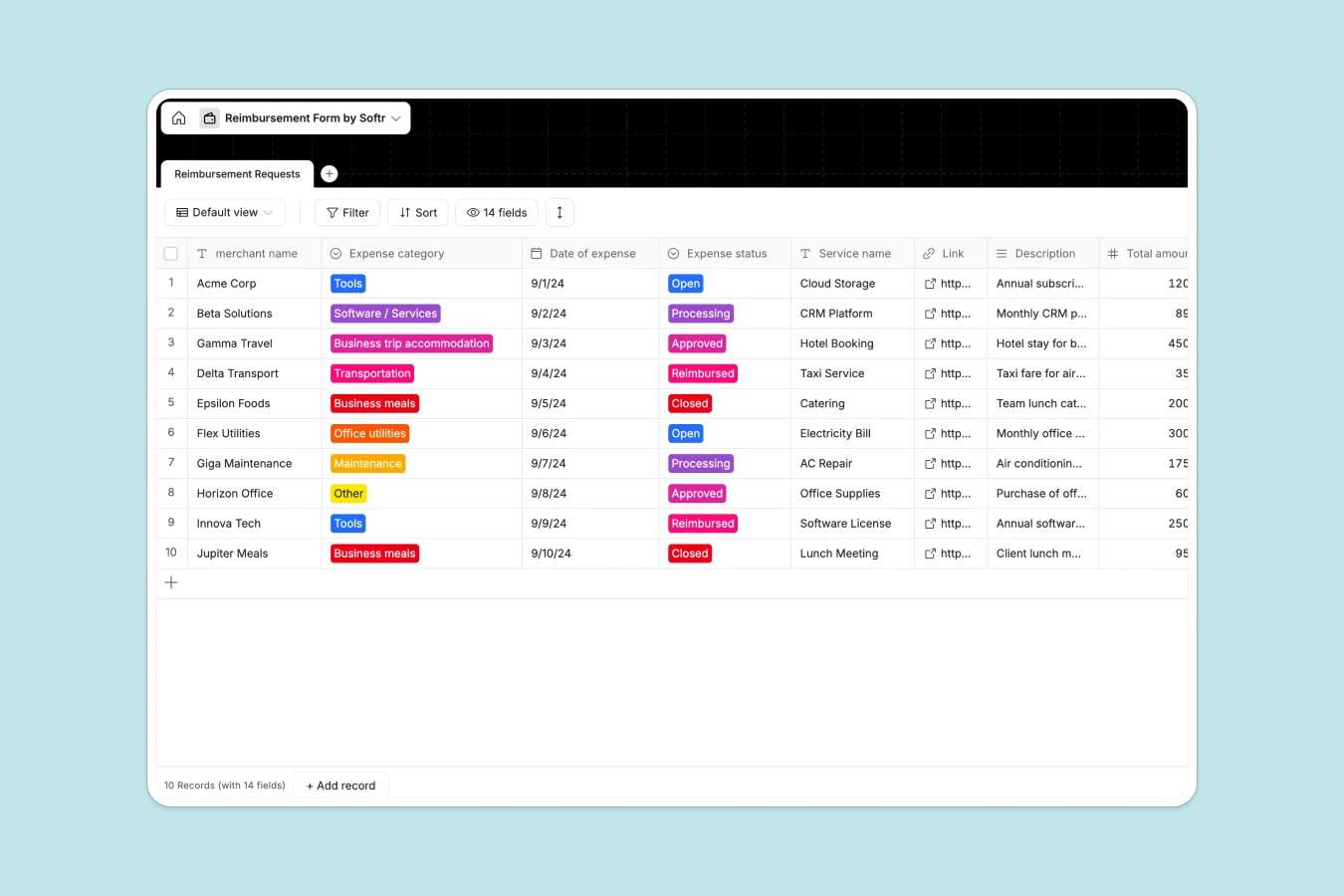
H2: Your Reimbursement Database at a glance
This template provides a centralized system to collect, track, and process employee expense requests efficiently. Instead of chasing email threads or loose receipts, you get a standardized record for every claim.
Employees can submit details like merchant name, amount, and receipt files directly into the Reimbursement Requests table. Finance teams can then view the Expense status, approve claims, and mark them as reimbursed in a few clicks.
You can also run automated workflows to notify employees when their status changes from "Processing" to "Approved."
H2: Why tracking reimbursements gets messy in Google Sheets
Managing expenses in spreadsheets usually leads to broken formulas and scattered files. You end up pasting Google Drive links into cells to store receipts, making it impossible to view the document and the data side-by-side.
H3: What a structured database changes
A structured database keeps your financial data clean by enforcing specific formats for currencies, dates, and categories. Unlike spreadsheets, you can store actual files—like images or PDFs of receipts—directly in the record next to the transaction details.
This is exactly what Softr Databases are designed for. By treating every expense as a distinct object, you prevent accidental deletion of rows and maintain a reliable audit trail.
H3: What you can do with this template
You can standardize how every dollar is categorized using the Expense category select field. This ensures your reporting is consistent across departments without manual cleanup.
With Database AI agents, you can even automate data entry. For example, an agent could analyze the uploaded Receipt file and automatically fill in the Total amount, Merchant name, and Date of expense for you.
-
Reimbursement Requests
Manage employee expense claims with vendor details, status tracking and receipts
#### H2: Who is this Reimbursement Database for
- Finance Teams: Centralize incoming claims and ensure every request has a valid receipt attachment.
- Operations Managers: Monitor team spending on tools, travel, and office utilities in real time.
- Small Business Owners: manage cash flow and reimbursements without expensive accounting software.
H2: How to take it further
1. Customize the database
Update the Expense category options to match your company's specific accounts chart. You can also add a "Reason for rejection" text field to provide feedback on denied claims.
2. Import your existing data
If you have a history of expenses in a CSV file, you can import them in one click. This populates your database immediately so you can start tracking trends.
3. Build a full app around it
Turn this database into a secure employee portal where staff can only see their own requests while finance admins see everything. With Softr's interface builder, you can create simple forms for submission and a dashboard for approvals.
By adding users and permissions, you ensure sensitive financial data is only accessible to the right people.
-
1
-
2
-
3
-
4
Frequently asked questions
-
What is a reimbursement database?
-
Why use a no-code database instead of Google Sheets for expenses?
-
How can AI help manage reimbursements?
-
Can I build an app with this reimbursement database?
-
Is this Reimbursement Database template free?
-
How do I handle multi-currency expenses?
Start building today. It's free!
Build and launch your first app in under 30 minutes.