


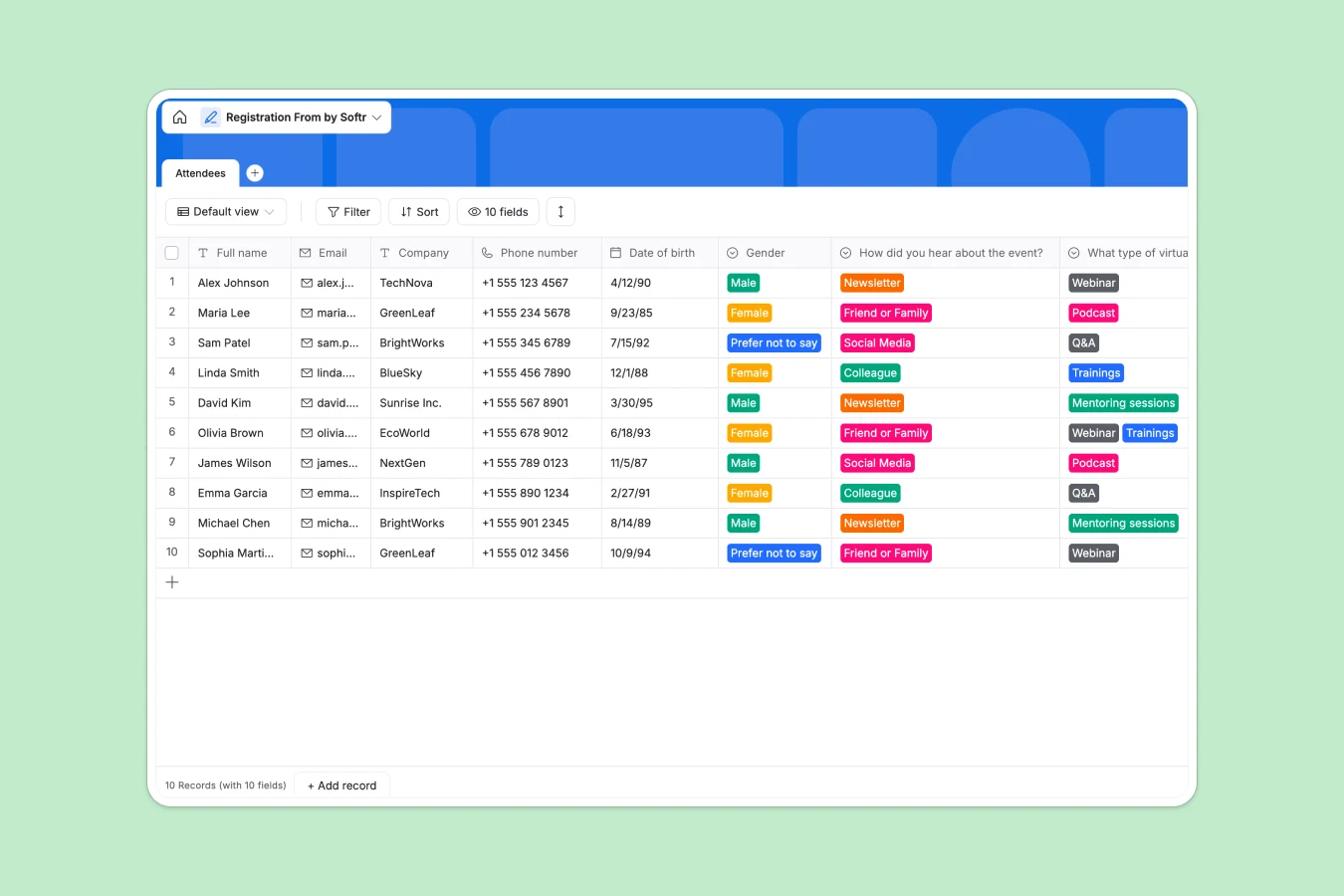
Your Registration Database at a glance
Securely collect, store, and organize attendee details for your upcoming events in one clearly structured place.
A single table natively tracks everything from names and emails to marketing sources and future event preferences without mixing data types.
Why event sign-ups get messy in Google Sheets
When hundreds of people register, spreadsheet rows quickly become an unmanageable mess of accidental edits and inconsistent formatting.
What a structured database changes
Every column forces a strict data type, meaning dates stay as true dates and multiple-choice preferences remain perfectly categorized.
You completely eliminate the risk of accidental deletions or broken formulas when filtering through thousands of attendees. This is exactly what Softr Databases are designed for.
What you can do with this template
Instantly collect clean registration data with mandatory checkboxes for terms and conditions and auto-generated timestamp fields.
Easily sort your audience by how they heard about you or what alternative virtual events they want to attend next.
-
Attendees
Manage event participant profiles with contact details and preference surveys
Who is this Registration Database for
This template provides an immediate tracking foundation for teams coordinating physical or virtual events.
- Event Managers: Track incoming attendees, company configurations, and demographic splits instantly.
- Marketing Teams: Identify top acquisition channels by seeing exactly how registrants found your event.
- Community Builders: Plan future content by analyzing what formats your audience actually wants to join.
How to take it further
Customize the database structure in seconds to fit your specific needs. Easily modify the dropdown options for future event types or marketing sources to accurately match your active campaigns.
Bring in your past events effortlessly by importing historical attendee records via CSV, keeping your entire audience history central and accessible.
Give this structured data a true front-end experience when your event scales. Building a full app around this data lets you securely share check-in portals with your ground staff.
Well-structured data naturally accelerates app development. You can simply apply users and permissions to ensure external partners only interact with the guest lists they are explicitly authorized to view.
-
1
-
2
-
3
-
4
Frequently asked questions
-
What is a registration database?
-
Why use a no-code database to build a registration tracker?
-
How can AI help managing data for event registrations?
-
Can I build an app with this registration database?
-
Is this registration database free?
-
How is a registration database different from Google Sheets?
Start building today. It's free!
Build and launch your first app in under 30 minutes.