


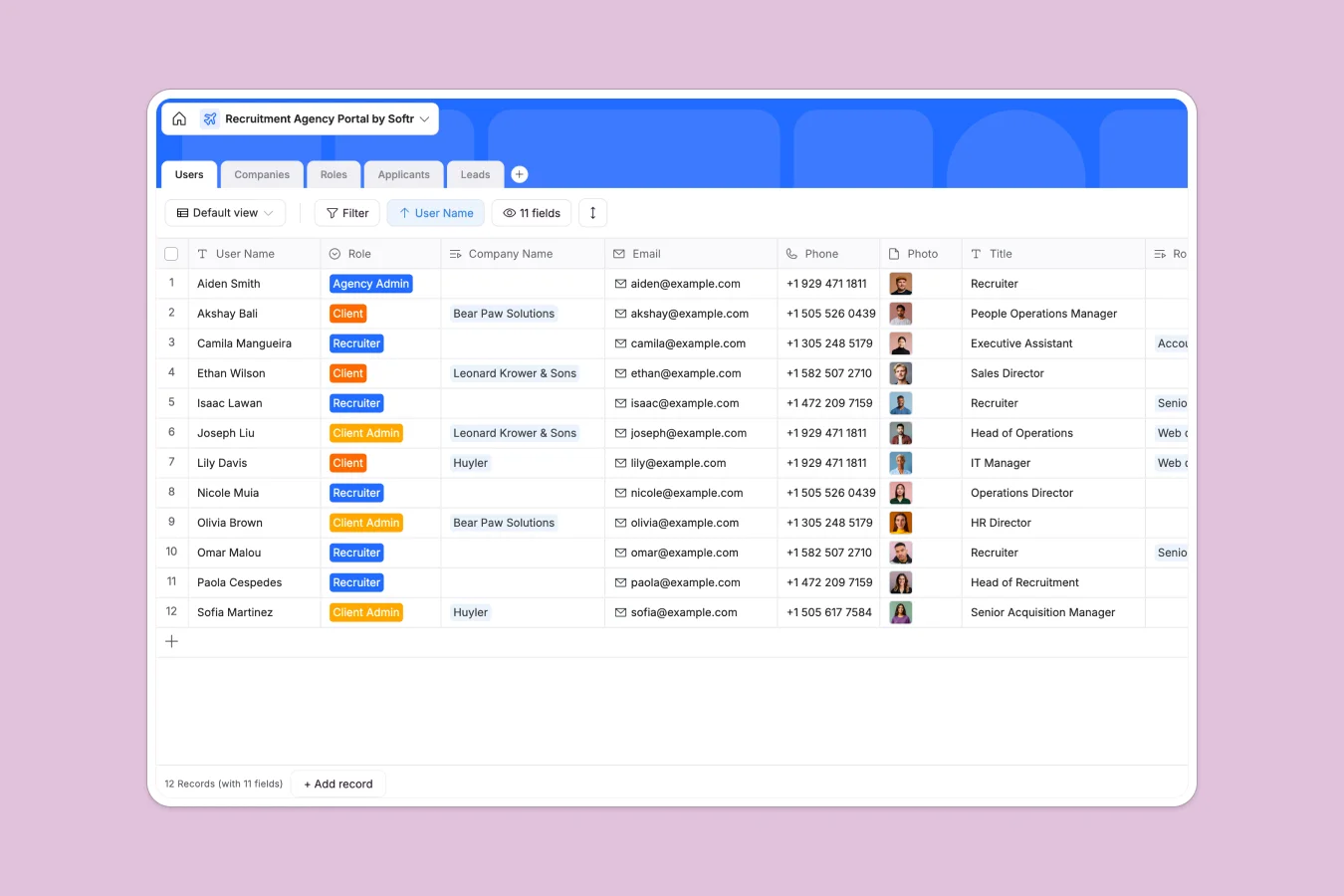
Your Recruitment Agency Portal database at a glance
This template centralizes your entire recruiting pipeline, helping you track candidates, manage open job requirements, and monitor inbound agency leads.
It automatically links applicants to specific roles, roles to client companies, and internal recruiters to their specific assignments. Instead of toggling between isolated documents, your team gets a clear, connected view of every hiring stage.
Why recruitment agency portals get messy in Google Sheets
Tracking multiple client companies, open roles, and hundreds of candidate resumes across spreadsheet tabs quickly turns into a disorganized mess.
What a structured database changes
In a spreadsheet, connecting a candidate to a specific role or client relies on fragile formulas that break easily when rows are moved. Columns frequently mix up candidate status updates, interview notes, and broken attachment links, making it impossible to scale.
A robust relational structure fixes this instantly by ensuring every piece of data has a strict format, securely storing resumes and interview dates exactly where they belong. This reliable foundation is exactly what Softr Databases are designed for.
What you can do with this template
Track applicants through every stage of the hiring pipeline, from the initial phone screen to a signed offer, while natively storing resume files in the exact same view.
Easily assign recruiters to particular roles and instantly see how many candidates are currently interviewing for each client company.
-
Users
Manage agency staff and client accounts with roles and contact details
-
Companies
Centralize client organization profiles with logos and linked job openings
-
Roles
Track specific job vacancies with status, location and hiring timelines
-
Applicants
Monitor candidate progress through the hiring funnel with resumes and notes
-
Leads
Capture and qualify potential new business with company size and status
Who is this Recruitment Agency Portal database for
This template is designed for recruiting teams and staffing agencies that need to move fast without losing track of details.
- Agency Owners: Monitor lead pipelines, client requests, and the overall volume of open roles in real time.
- Recruiters: Track application statuses, attach resumes, and match candidates to the right job openings efficiently.
- Client Admins: Keep an eye on the hiring progress for their specific company without navigating complex internal agency files.
How to take it further
Easily customize the database by renaming application stages, adding specific fields for candidate skills, or adjusting the lead status dropdowns to match your agency's exact process. Because everything is natively structured, you can adapt these tables without breaking existing records.
Bring in your existing candidate lists and client company rosters instantly to get started faster. You can upload via CSV or use an API connection to sync data from webforms and job boards directly into your new table.
When your team is ready, you can transform this foundation into a secure client portal using Softr's interface builder. This lets you move beyond internal tracking to share live hiring updates securely with your clients.
By configuring strict users and permissions, you can ensure that clients only see candidates applying to their own companies, while internal recruiters focus purely on their active assignments.
-
1
-
2
-
3
-
4
Frequently asked questions
-
What is a recruitment agency portal database?
-
Why use a no-code database to build a recruitment system?
-
How can AI help managing data for recruitment?
-
Can I build an app with this recruitment database?
-
Is this Recruitment Agency Portal database free?
-
How is a database different from Google Sheets for recruitment?
Start building today. It's free!
Build and launch your first app in under 30 minutes.