


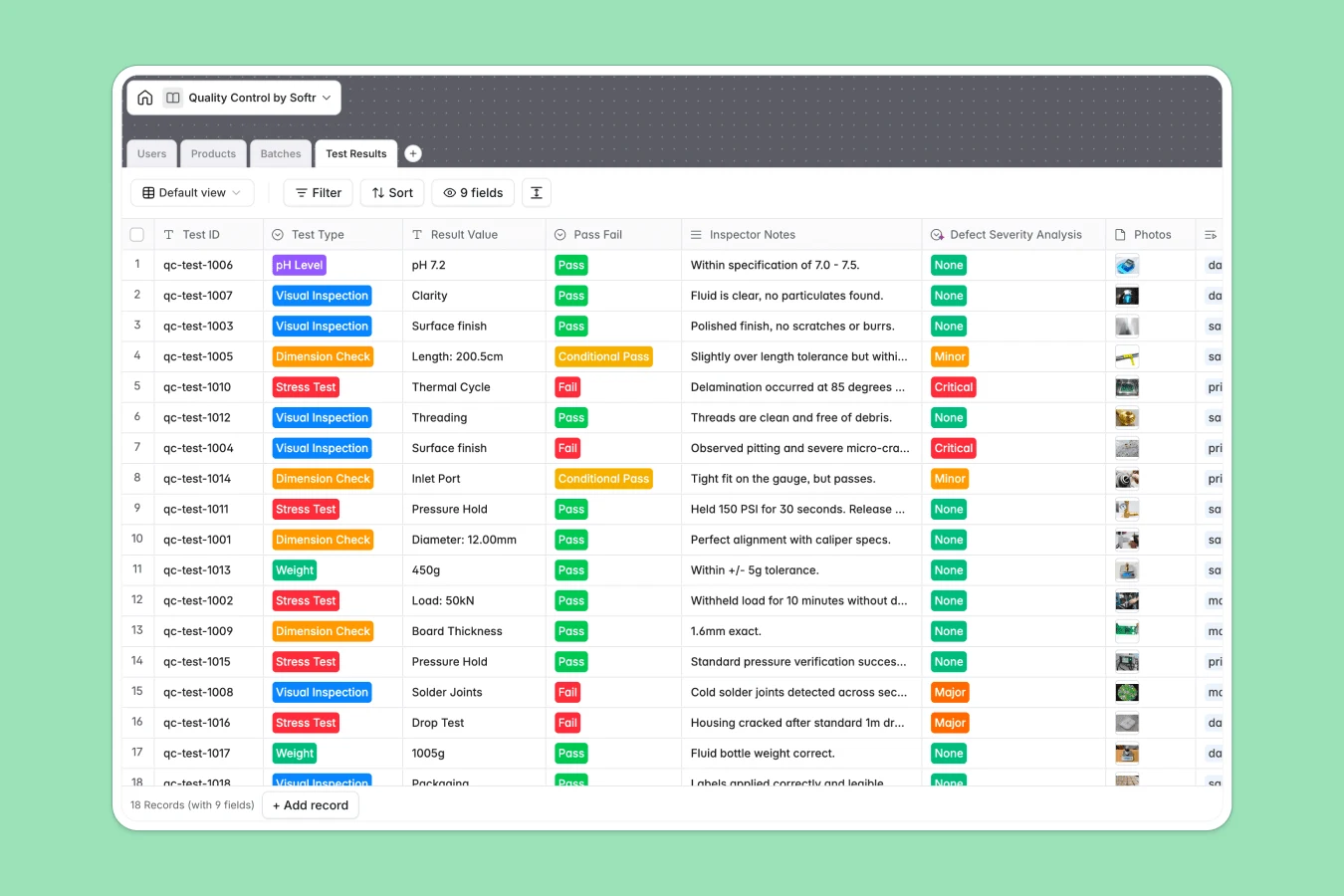
Your Quality Control database at a glance
This template gives your team a centralized system to log inspection results, monitor defect severities, and approve production batches without data entry errors.
It connects Batches directly to Products, Test Results, and assigned Inspectors, ensuring every check is linked to the right run and accountable team member.
When a shared inspection sheet breaks your batch traceability
Google Sheets makes sharing inspection logs easy, but real-time production testing quickly exposes its limits as an operational backend. Anyone can accidentally overwrite a batch status, paste text into a numeric tolerance cell, or break formulas connecting tests to batch releases.
What a structured database changes
In a dedicated database, every field enforces its own type: dates stay dates, test types remain standardized, and high-resolution defect photos attach directly to records rather than external drive links.
Instead of messy lookup formulas across tabs, Batches natively link to Test Results and calculate totals automatically. This is exactly what Softr Databases are designed for, giving you data integrity out of the box while still letting you connect an existing Google Sheet if needed.
What you can do with this template
Standardize your testing protocols across visual inspections, dimension checks, and stress tests while capturing pass or fail outcomes instantly.
Keep production moving by flagging critical defects in real time and automatically tracking total tests completed before releasing any batch from quarantine.
-
Users
Manage inspectors and managers with access roles and contact details
-
Products
Maintain manufactured item catalog with specifications and safety sheets
-
Batches
Track production runs with release statuses and compliance certificates
-
Test Results
Record quality checks with defect severity metrics and photo evidence
Who is this Quality Control database for
A structured testing system built for manufacturing and operations teams that need reliable compliance tracking.
- Quality Inspectors: Log test values, upload defect photos, and record inspection notes directly from the floor.
- Production Managers: Monitor batch quarantine statuses, review critical defects, and authorize batch releases quickly.
- Operations Leads: Maintain complete audit trails of product specs, safety sheets, and inspector assignments.
-
1
-
2
-
3
-
4
Frequently asked questions
-
What is a Quality Control database?
-
Why use a no-code database to build a Quality Control system?
-
How can AI help managing data for Quality Control?
-
Can I build an app with Quality Control database?
-
Is this Quality Control database free?
-
How is a Quality Control database different from Google Sheets?
Start building today. It's free!
Build and launch your first app in under 30 minutes.