


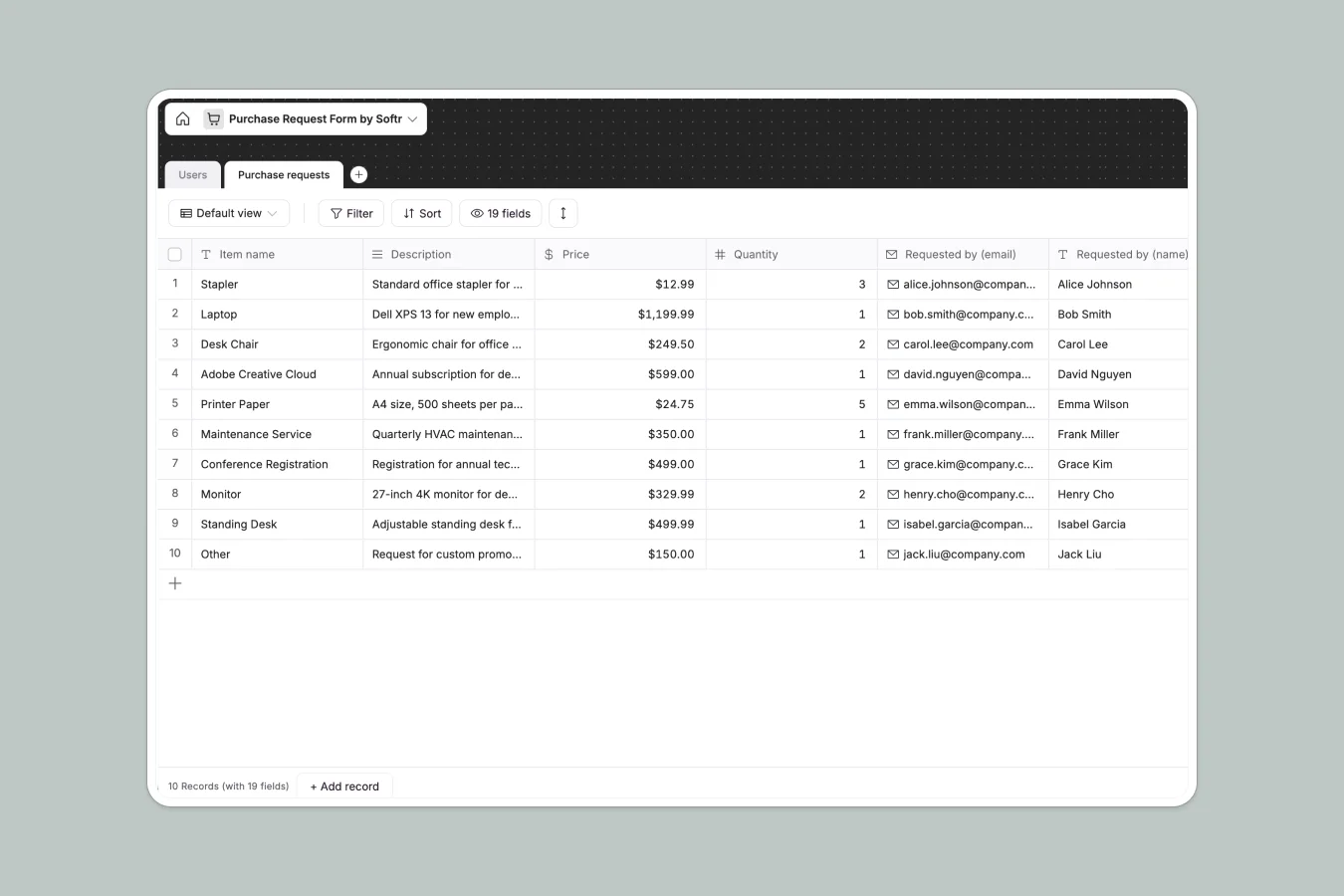
Your Purchase Request database at a glance
This template gives you a clean, structured way to track employee spending requests, vendor details, and approval statuses in one system. It moves you away from scattered emails into a centralized workflow where nothing gets lost or delayed.
It connects user roles directly to their specific purchase requests, keeping pricing, categories, and attachments neatly organized. Managers can instantly see what needs approval, while the system securely stores all vendor URLs, addresses, and receipts.
Why tracking purchase requests in Google Sheets breaks down
Managing company spending in spreadsheets quickly turns into a mess of undocumented approvals, lost receipts, and broken formulas.
What a structured database changes
Spreadsheets let anyone overwrite critical vendor details or accidentally delete a row containing an approval status. With a structured approach, every column strictly enforces data types like currency limits, submission dates, and specific status dropdowns.
You can securely attach invoices directly to a request and automatically link employees to their submissions. This is exactly what Softr Databases are designed for, keeping your financial workflows clean and scalable.
What you can do with this template
Log new hardware or software requests with precise vendor details, service websites, and category tags without ever duplicating entries.
Move items instantly from "Awaiting approval" to "Approved" with a strict status change, giving operations teams clear, real-time visibility into team spending.
-
Users
Manage employee profiles with contact details, roles, and access permissions
-
Purchase requests
Log procurement needs with budget details, vendor info, and approval status
Who is this Purchase Request database for
This centralized system is built for teams that need to standardize how company spending gets logged and approved.
- Operations Managers: Keep track of office supplies, furniture, and maintenance costs in a single, predictable view.
- IT Departments: Monitor software subscriptions, track hardware requests, and store vendor agreements easily.
- Finance Teams: Review incoming expenses, verify attached receipts, and maintain a clear audit trail of who approved what.
How to take it further
1. Customize the database
Easily adapt the category dropdowns to match your specific departments or add entirely new columns for budget codes. Because this is a native Softr Database, all fields are infinitely editable without any complex configuration.
2. Import your existing data
If you have previous requests sitting in generic spreadsheets, simply upload them via CSV. You'll instantly bring all your historical spending data and vendor contacts into a properly structured format.
3. Build a full app around it
When your organization scales, you can easily transition from managing raw data to launching a dedicated internal employee portal. By connecting this database to an interface, staff can securely log in to submit requests without seeing the entire admin backend.
You can also configure strict users and permissions to ensure employees only view their own requests, while managers can approve everything. A clean, structured database makes launching these custom company apps incredibly fast.
-
1
-
2
-
3
-
4
Frequently asked questions
-
What is a purchase request database?
-
Why use a no-code database to build a purchase management system?
-
How can AI help managing data for purchase requests?
-
Can I build an app with this purchase request database?
-
Is this purchase request template free?
-
How is a purchase request database different from Google Sheets?
Start building today. It's free!
Build and launch your first app in under 30 minutes.