


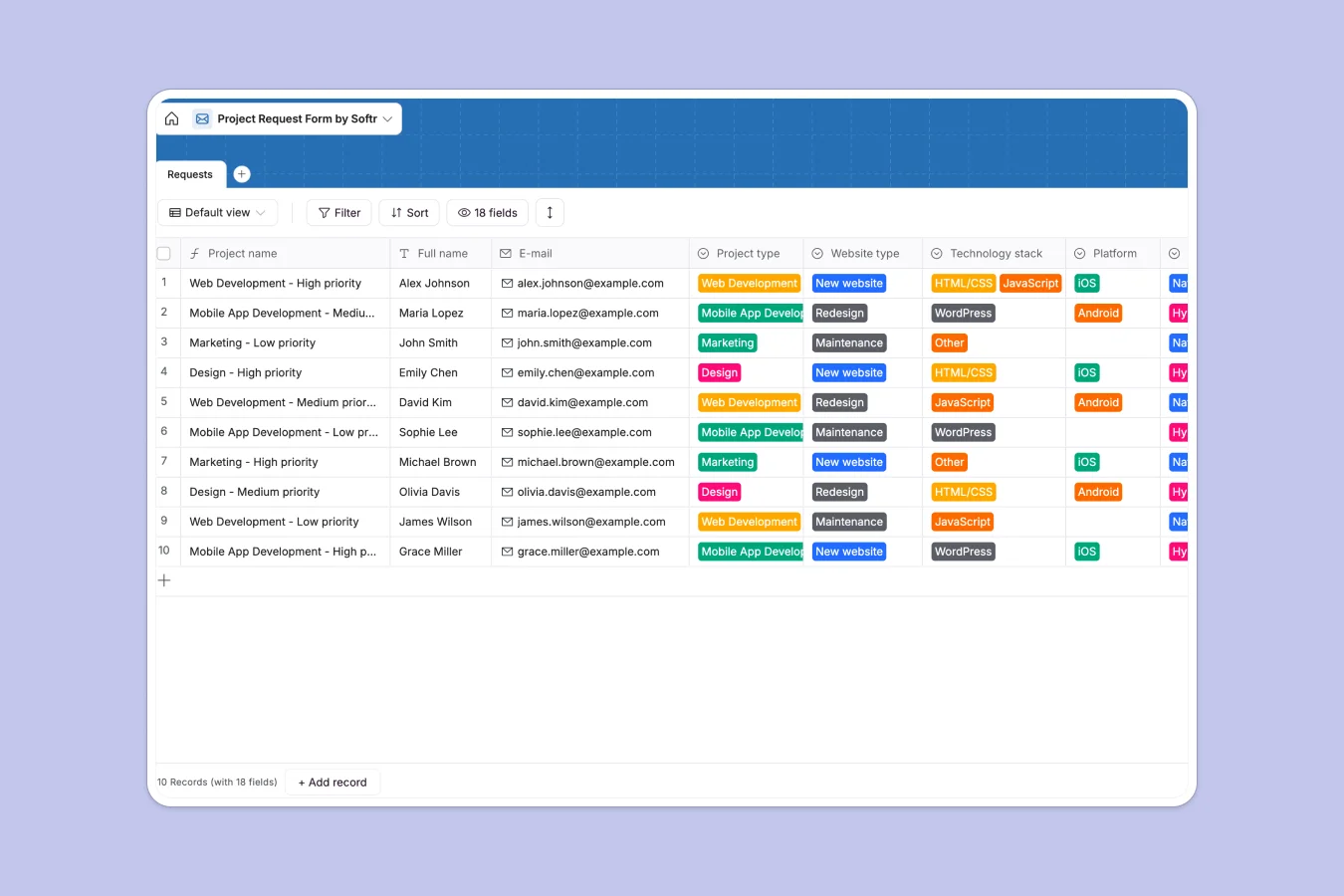
Your Project Request Database at a glance
This template provides a clear, reliable system to capture and organize incoming work. It brings project types, specific technical requirements, budgets, and priority levels into a single, clean overview.
The database uses a single, robust table that centralizes everything from requested tech stacks to essential file attachments. It completely standardizes how your team receives project details.
Why tracking project requests gets messy in Google Sheets
Spreadsheets break down quickly when multiple team members submit complex project details simultaneously. Long text descriptions overflow their cells, formatting gets broken, and crucial attached files easily get separated from their relevant rows.
What a structured database changes
A structured database ensures every column has a strict native type, completely eliminating mixed-format data. Selection fields natively restrict inputs to your actual service categories, keeping everything perfectly standardized.
This is exactly what Softr Databases are designed for. You get a clean, scalable data source where attachments, dates, and calculated priorities simply work without fragile formulas breaking.
What you can do with this template
Instantly capture and sort incoming tasks by specific campaign types, like Web Development or Design. The template even automatically structures clear project naming conventions based on the assigned priority.
You can effortlessly organize timelines, required assets, and budgets in an environment that is ready to use immediately.
-
Requests
Capture incoming project briefs with technical specs, budgets and files
Who is this Project Request database for
Teams handling constant intake processes need reliable, organized data instead of fragile spreadsheet rows.
- Project Managers: Instantly prioritize and assign tasks based on transparent budgets and deadlines.
- Development Agencies: Keep technical requirements like ideal platforms and code stacks strictly documented.
- Marketing Teams: Track campaign types smoothly alongside their specific design requirements.
- Design Studios: Centralize client requests, target audiences, and expected brand assets in one view.
How to take it further
Customizing this system is incredibly fast since it behaves natively. You can easily adjust the dropdown selections for Platforms to match your exact service offerings.
To get started quickly, you can upload a CSV of your historical tasks. This instantly populates your new database, bridging the gap from your old spreadsheets in seconds.
When your team scales, you do not have to settle for manually sharing backend database links. You can naturally evolve this into a client-facing portal where stakeholders submit new work directly via clean, embedded forms.
Connecting this backend to an app is seamless. By applying users and permissions, you can confidently allow clients to log in and check their own task status without ever accessing your internal team's sensitive data.
-
1
-
2
-
3
-
4
Frequently asked questions
-
What is a project request database?
-
Why use a no-code database to build a project request system?
-
How can AI help managing data for project requests?
-
Can I build an app with this project request database?
-
Is this Project Request database free?
-
How is a project request database different from Google Sheets?
Start building today. It's free!
Build and launch your first app in under 30 minutes.