


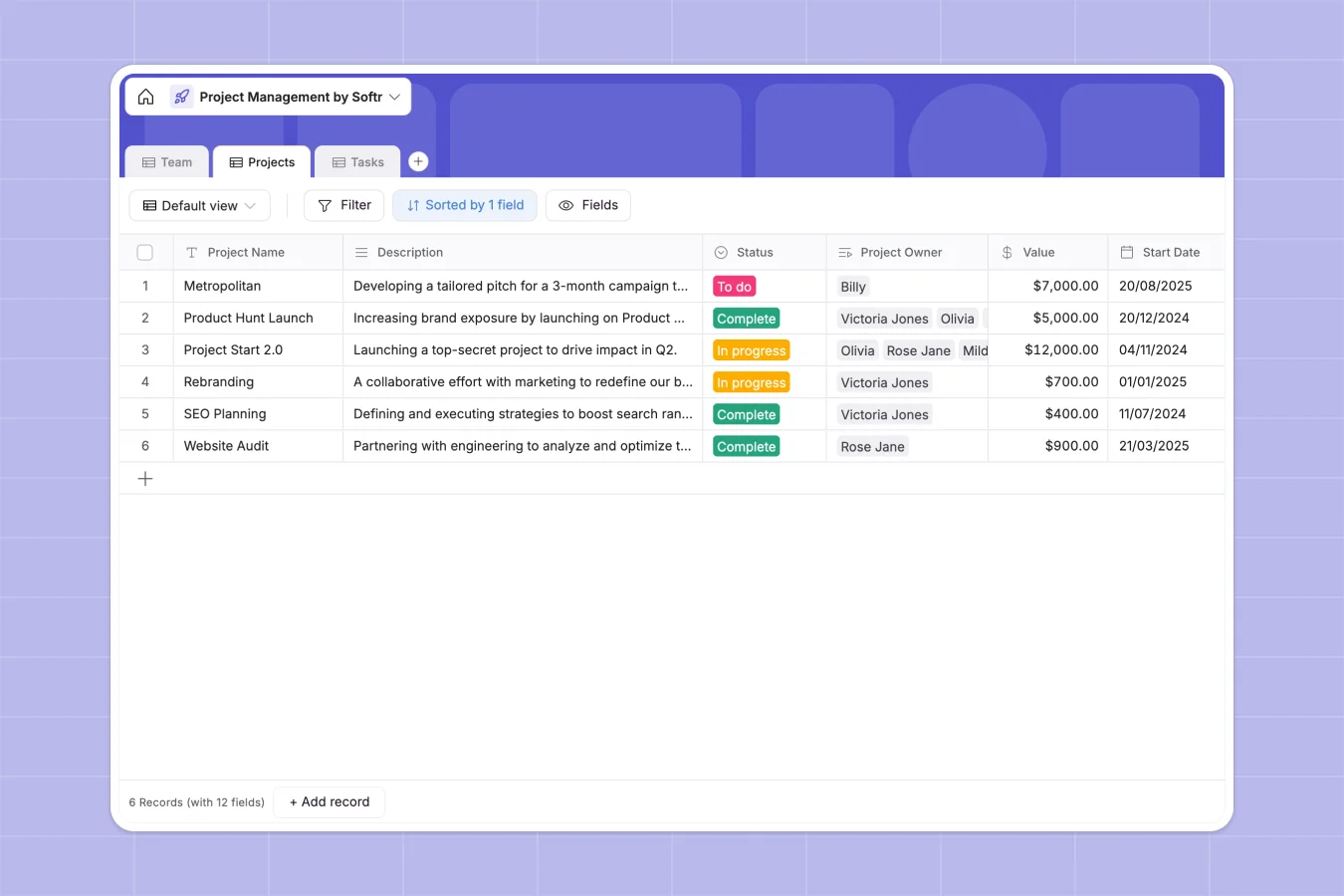
Your Project Management database at a glance
Track projects, assign tasks, and monitor team workloads effortlessly. This template offers a single structured place to keep every priority and deadline in check.
It connects three native tables: Projects, Tasks, and Team. Tasks are linked directly to specific projects and assignees, generating automatic rollups that show active progress instantly.
Why project management gets messy in Google Sheets
When you manage projects in spreadsheets, tracking breaks down as your team grows. Rows get accidentally deleted and linking specific tasks to members turns into a tangle of broken formulas.
What a structured database changes
In a structured database, every column enforces rigid formatting. Project statuses stay as precise dropdowns and task deadlines remain cleanly formatted dates.
Instead of copying names across rows, you securely link a task directly to a specific team member. This is exactly what Softr Databases are designed for.
What you can do with this template
Start actively tracking project scopes, task statuses, and team assignments immediately. Instantly filter views by project owner or find high-priority bottlenecks effortlessly.
You can also utilize automated background fields to summarize project briefs or draft status updates based on task progress. This keeps your team aligned without constant manual data shifting.
-
Team
Manage team members with roles, contact details, and assigned project responsibilities
-
Projects
Monitor internal project lifecycles including financial value, ownership, and timelines
-
Tasks
Track individual action items with priority levels and direct links to parent projects
Who is this Project Management database for
This template is built for modern teams needing absolute clarity to ship deliverables reliably.
- Project Managers: Oversee budgets, rolling deadlines, and project scope logically.
- Department Leads: Track multiple workloads and quickly identify who owns specific tasks.
- Operations Teams: Organize underlying operational processes and clarify immediate action items.
How to take it further
Customize this database quickly to match your exact processes. Easily rename columns, add new review statuses, or create custom tags without writing code.
Avoid starting from scratch by pulling in current lists directly. Import existing task logs via CSV to populate your clean, new infrastructure in seconds.
When ready, you can seamlessly build an app on top of this foundation to create an interactive internal dashboard or client portal. By configuring flexible users and permissions, clients securely view only their specific deliverables while managers see overarching timelines. A perfectly organized database securely underpins this effortless application development.
-
1
-
2
-
3
-
4
Frequently asked questions
-
What is a project management database?
-
Why use a no-code database to build a project management tool?
-
How can AI help managing data for project management?
-
Can I build an app with this project management database?
-
Is this Project Management template free?
-
How is a project management database different from Google Sheets?
Start building today. It's free!
Build and launch your first app in under 30 minutes.