


Overview
This template manages project lifecycles by tracking time spent against allocated budgets to ensure profitability and efficiency. It serves as a central hub where project details, employee assignments, and daily hour logs connect to provide real-time utilization visibility without manual heavy lifting.
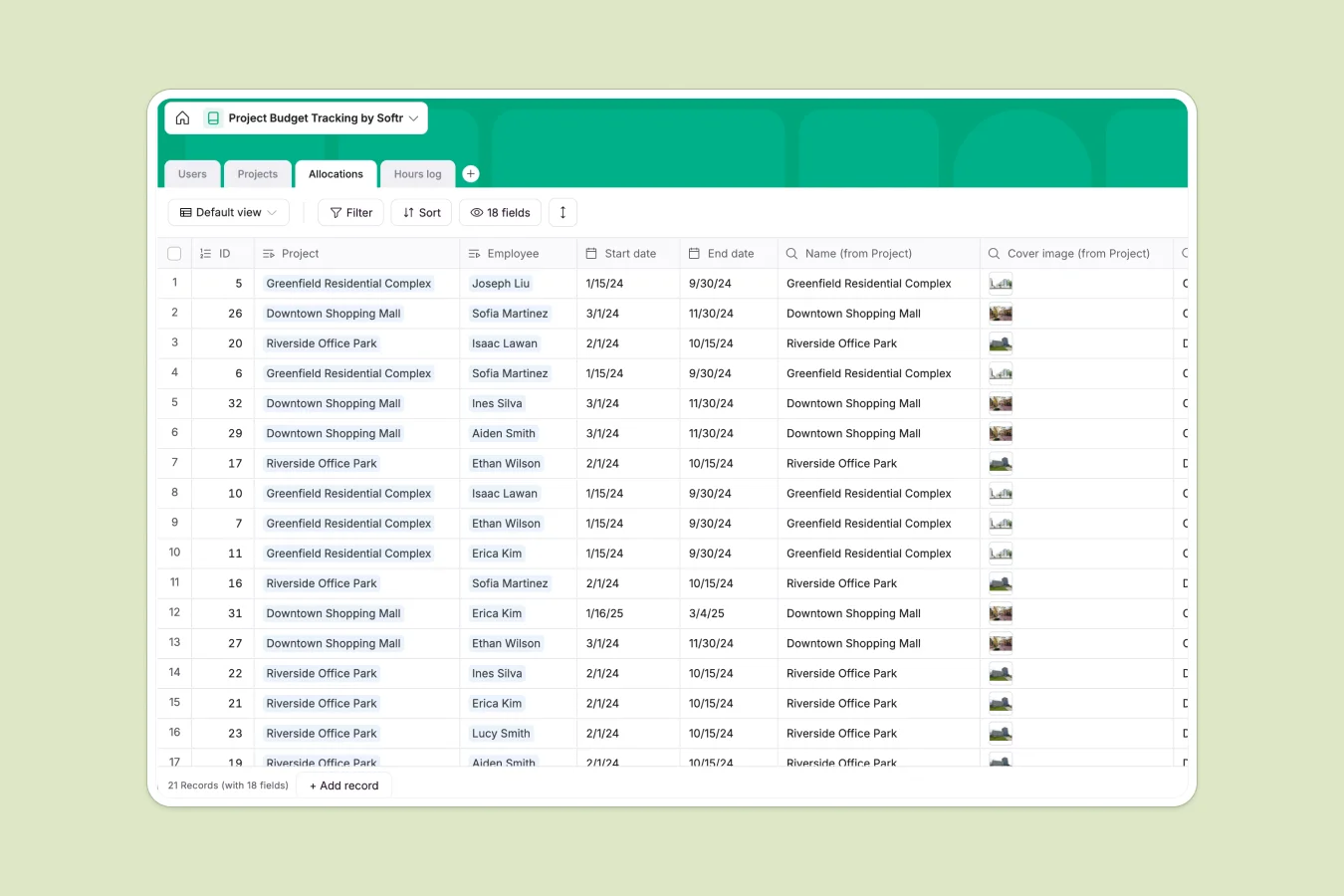
The system relies on four relational tables—Projects, Users, Allocations, and Hours Log—to maintain data integrity. Every hour logged links directly to a specific employee allocation and project, automatically updating status formulas to instantly flag budgets as "At risk" or "Off track" whenever utilization thresholds are crossed.
Why choose a Project Budget Tracking database over Google Sheets
Spreadsheets often break when trying to link daily time logs to overall project budgets, requiring complex array formulas and manual aggregation that becomes unmanageable as your team grows.
The power of Softr Databases
Softr Databases use native relationships, meaning you can view all logged hours for a specific project without running fragile VLOOKUPs. Unlike free-form cells in Google Sheets, strict field types ensure dates remain dates and numbers remain numbers, preventing common data entry errors. The structural separation of objects—one table for Projects, another for Allocations—ensures your data remains clean and app-ready.
Core features and functionality
This template includes built-in utilization formulas that automatically calculate project health based on real-time data. The dedicated Allocations table allows you to manage team capacity efficiently, ensuring specific roles like site engineers or surveyors are not overbooked across multiple active projects.
-
Users
Manage team staff profiles including professional titles and total logged work hours
-
Projects
Monitor official projects with timelines and budget utilization tracking via automated formulas
-
Allocations
Assign team members to specific projects and monitor their individual utilization status
-
Hours log
Record daily time entries and task descriptions to track real-time project progress
Who is this Project Budget Tracking Database for
This template is designed for service-based teams and engineering firms needing precise resource management:
- Project Managers: Track burn rates and budget status across multiple construction or engineering sites.
- Department Heads: Assign site, civil, and structural engineers to projects without creating scheduling conflicts.
- Operations Leads: Monitor team utilization and ensure billable hours do not exceed project caps.
How to take it further
Customize the database
You can easily adapt the "Title" options in the Users table to match your specific team roles or add a validation field to the Projects table. Since this is a native Softr Database, structural changes like adding a "Billable Rate" currency field only take a few clicks.
Import your existing data
Transition from your current system by using the CSV import feature. Upload your list of active clients, ongoing projects, and current staff members to populate the tables instantly and start tracking budget health immediately.
Build an app on top
Turn this database into a secure time-tracking portal where engineers log hours directly from their mobile devices. Use Softr's interface builder to create restricted views so employees only see their assigned allocations, while admins get a full dashboard, managed through granular users and permissions.
-
1
-
2
-
3
-
4
Frequently asked questions
-
What is a project budget tracking database?
-
Why use a no-code database to build a project tracking tool?
-
How can AI help managing data for project tracking?
-
Can I build an app with this project budget tracking database?
-
Is this Project Budget Tracking Database free?
-
How is this database different from tracking budgets in Google Sheets?
Start building today. It's free!
Build and launch your first app in under 30 minutes.