


Overview
This Product Roadmap template turns scattered feature requests and strategic goals into a cohesive system. Instead of managing static lists, you gain a dynamic command center where high-level Epics connect directly to the actionable Features and Releases required to deliver them.
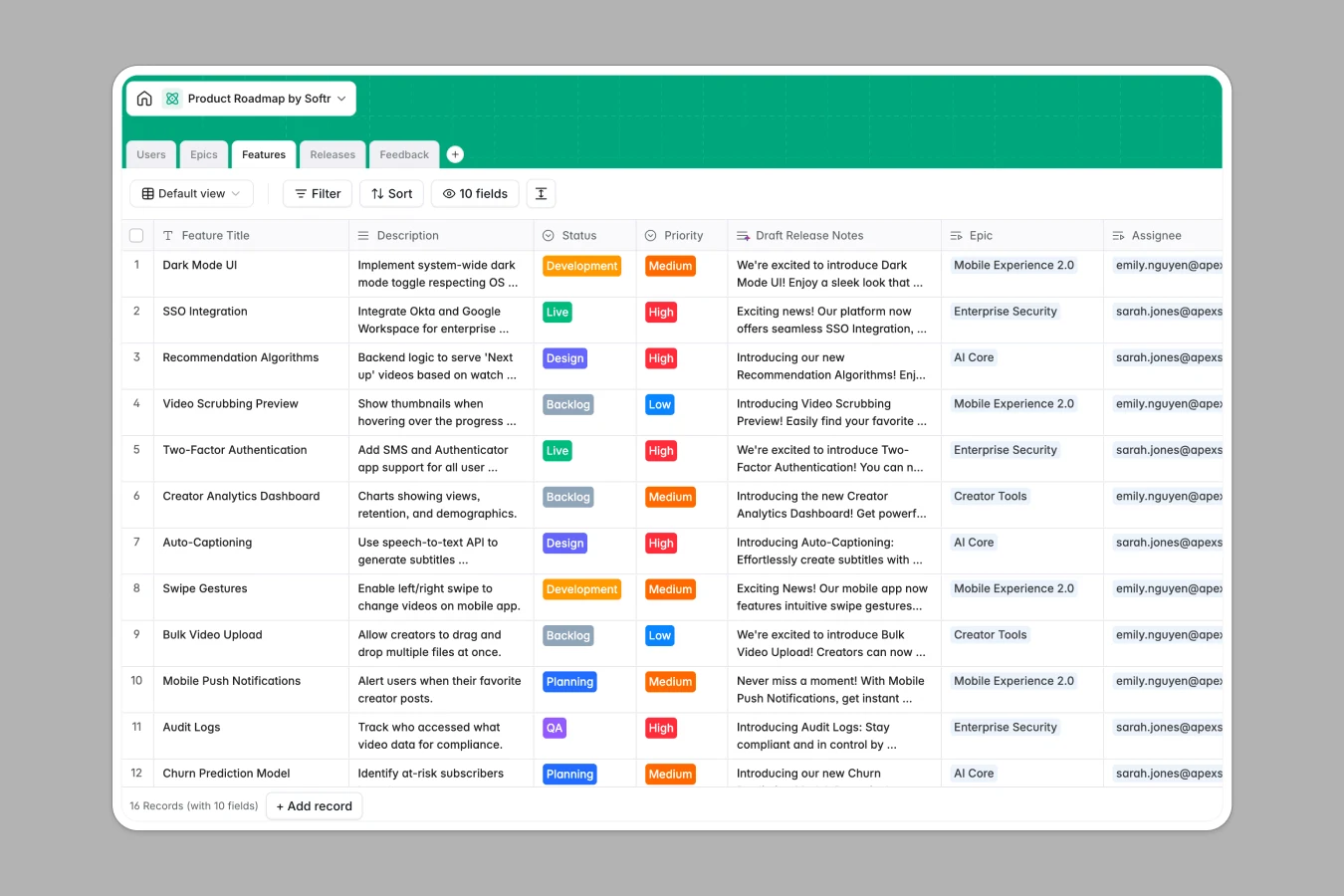
The database is structured to link specific Features to parent Epics, ensuring every task serves a strategic goal. It also connects Feedback directly to Features, allowing you to trace user sentiment right to the code being written. A dedicated Users table manages permissions for Product Managers, Developers, and Stakeholders.
Built-in AI features automate manual work by drafting release notes based on feature descriptions, researching optimal tech stacks from the web, and analyzing sentiment in user feedback automatically.
Why choose a Product Roadmap database over Google Sheets
While spreadsheets are easy to start, they quickly become unmanageable "frankensheets" lacking structure, relationships, and automation.
The power of Softr Databases
Unlike flat spreadsheets, Softr Databases use a relational structure where objects like Epics, Features, and Releases live in separate, connected tables. This ensures data integrity—no more broken VLOOKUPs or mixed data types in a single column. You can roll up progress from Features to Epics automatically and enforce strict status flows (e.g., Backlog → Design → Live), making your data app-ready rather than just a static grid.
Core features and functionality
This template goes beyond storage with Database AI agents that actively work for you. The "Draft Release Notes" field automatically generates marketing announcements from technical descriptions, while the "Target Tech Stack" agent browses the web to recommend libraries. Additionally, feedback is automatically categorized by sentiment (Frustrated, Neutral, Excited), giving you instant insight into user satisfaction without manual tagging.
-
Users
Manage product team members and stakeholders with associated roles and tasks
-
Epics
Define strategic goals using AI-generated executive summaries to group features
-
Features
Plan roadmap items with AI-drafted release notes and suggested tech stacks
-
Releases
Coordinate deployment timelines and version buckets for scheduled product updates
-
Feedback
Process user input using AI to detect sentiment and categorize feature requests
Who is this Product Roadmap for
This template is designed for product teams who need to bridge the gap between strategy and execution.
- Product Managers: Connect daily tasks to strategic Epics and automate roadmap updates.
- Developers: View assigned features with context, priority, and AI-researched tech recommendations.
- Stakeholders: Access high-level summaries and release schedules without wading through backlog details.
How to take it further
Customize the database
This template is fully flexible. You can easily modify the "Status" choices in the Features table to match your team's specific workflow (e.g., add "In QA" or "UAT"), or add a new column to track budget estimates for each Epic.
Import your existing data
If your current roadmap lives in Jira exports, Trello, or messy CSV files, you can import that data directly. This populates your tables immediately, allowing you to restructure legacy data into a clean relational format.
Build an app on top
The true power unlocks when you build a full roadmap portal using the interface builder. You can create separate views where developers only see their assigned tickets, while stakeholders view a read-only timeline. By configuring users and permissions, you ensure sensitive strategic data remains secure while keeping the entire organization aligned.
-
1
-
2
-
3
-
4
Frequently asked questions
-
What is a product roadmap database?
-
Why use a no-code database to build a product roadmap tool?
-
How can AI help managing data for product roadmaps?
-
Can I build an app with this roadmap database?
-
Is this Product Roadmap template free?
-
How is a roadmap database different from Google Sheets?
Start building today. It's free!
Build and launch your first app in under 30 minutes.