


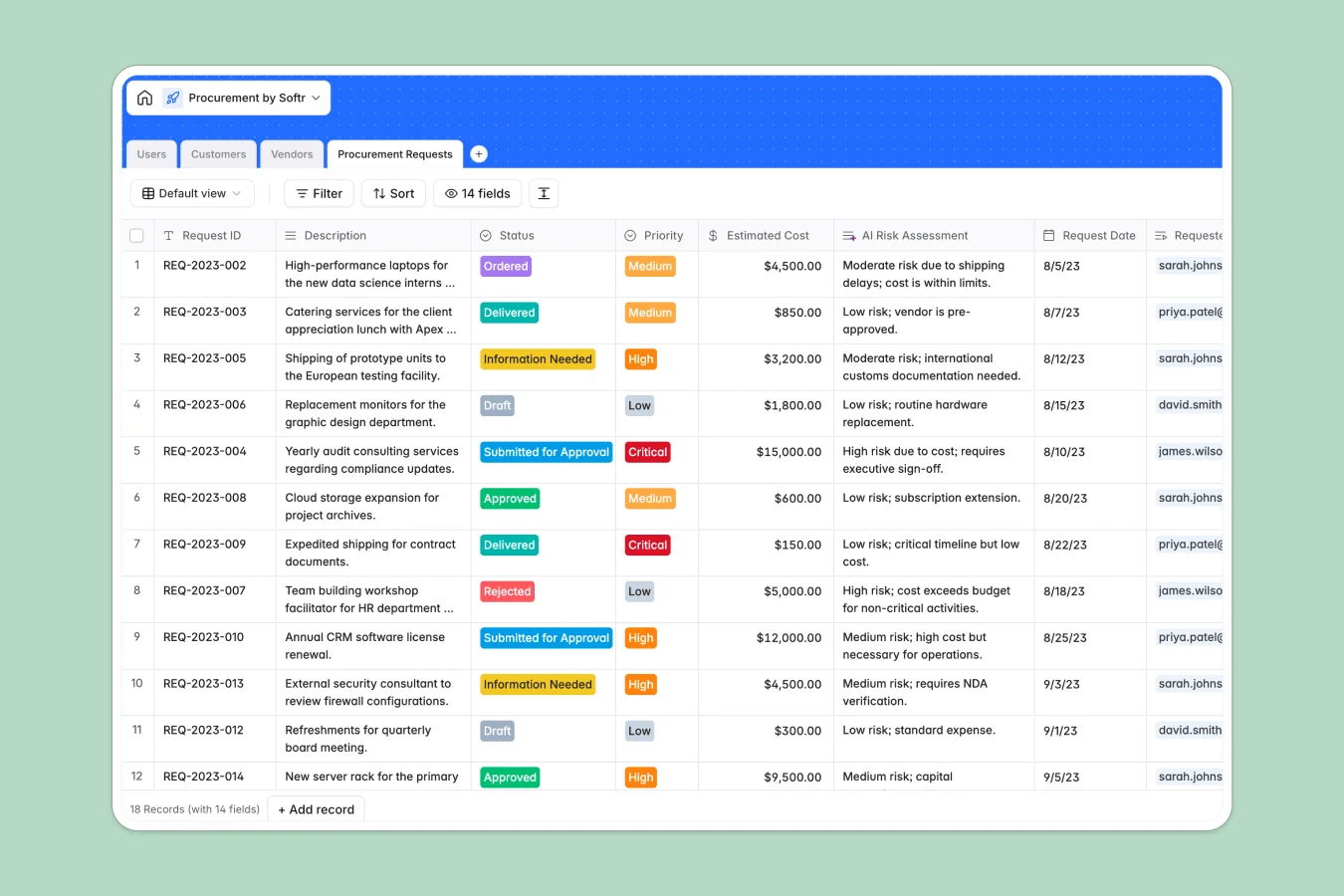
Your Procurement database at a glance
This template centralizes your entire purchasing workflow, helping your team track purchase requests, manage approvals, and monitor budgets in one place. It eliminates lost invoices and slow sign-offs by keeping every request tied to the right stakeholder.
Four dedicated tables structure your operation: Procurement Requests, Vendors, Customers, and Users. Requests link directly to the assigned manager, requester, supplier, and client project, ensuring accurate budget rollups and complete visibility across departments.
Built-in AI fields draft concise request titles, classify vendor categories automatically via live web search, and generate risk assessments based on estimated costs.
When purchase requests get lost across monthly tabs
Procurement in a spreadsheet usually starts simple, but quickly fragments into separate tabs for every quarter, department, or office location. When a column is edited in one tab, the rest fall out of sync, and team members end up working from stale, disconnected copies.
What a structured database changes
A database replaces disposable files with structured, persistent records. Columns maintain strict data types, ensuring currency values, dates, and invoice attachments stay intact rather than getting overwritten by unstructured notes.
Relational tables link purchase orders directly to specific vendors and internal requesters without fragile VLOOKUP formulas. This is exactly what Softr Databases are designed for, keeping your spending data clean and reliable as operations grow.
What you can do with this template
Assign managers to incoming requests, update approval stages, and track delivery statuses in real time. Because customer records rollup project spend automatically, leadership always has clear visibility into total expenditures.
Native Database AI agents analyze financial risks on large purchase orders and enrich vendor profiles by pulling verified business categories straight from the web.
-
Users
Directory of internal staff and procurement managers tracking request roles
-
Customers
Manage client organizations with AI-enriched industry insights and spend
-
Vendors
Track suppliers and service providers categorized via automated AI research
-
Procurement Requests
Handle purchase approvals, orders, and automated AI risk assessments
Who is this Procurement database for
This template helps growing organizations standardize purchasing workflows and maintain financial accountability:
- Procurement Managers: Review purchase requests, evaluate financial risks, and track vendor fulfillment in real time.
- Department Leads: Submit team budget requests, attach quotes, and monitor approval timelines effortlessly.
- Finance Teams: Maintain clean purchase order audit trails and monitor total project spend across clients.
- Operations Heads: Eliminate rogue spending and centralize supplier contact details and performance records.
How to take it further
1. Customize the database
Adapt the database to your organization's exact purchasing policies in minutes. You can add custom approval stages, introduce new vendor categories, or adjust priority tiers to match your internal review workflows.
2. Import your existing data
Bring your current vendor lists and purchase logs into the system using simple CSV imports. You can also connect via API to sync purchase records directly with your accounting software.
3. Build a full app around it
When you are ready, turn your data into a secure internal purchasing portal. You can generate an app with AI by describing your ideal workflow in a single prompt, creating dedicated submission forms and approval dashboards.
Granular users and permissions ensure employees only see their own submissions while procurement managers access full approval queues and financial overviews.
-
1
-
2
-
3
-
4
Frequently asked questions
-
What is a procurement database?
-
Why use a no-code database to build a procurement system?
-
How can AI help managing data for procurement?
-
Can I build an app with this procurement database?
-
Is this Procurement template free?
-
How is a procurement database different from a procurement spreadsheet?
Start building today. It's free!
Build and launch your first app in under 30 minutes.