


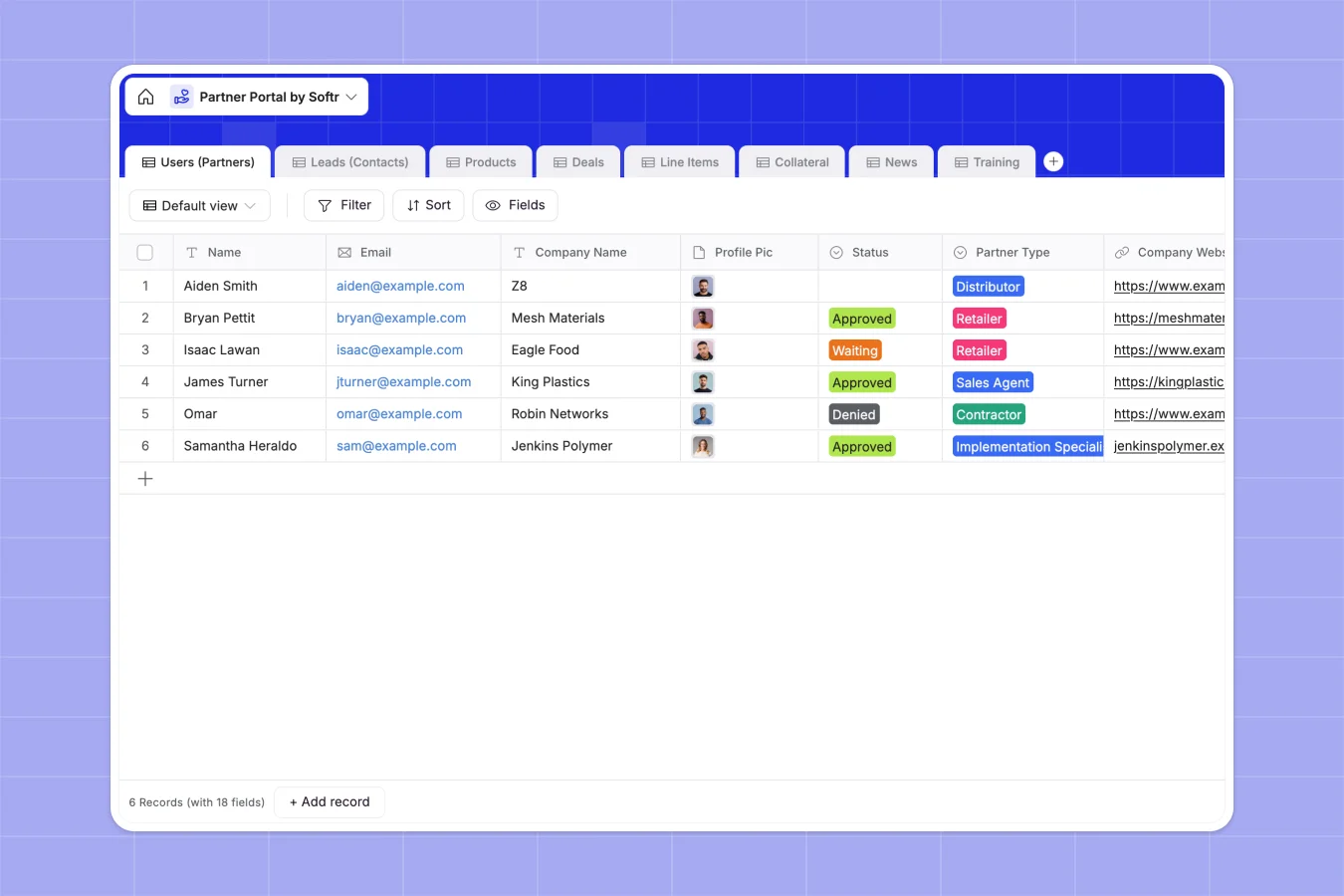
Your Partner Portal database at a glance
This template provides a ready-to-use foundation for tracking external partners, their active deals, and the leads they bring in. It replaces fragmented workflows with a single source of truth for your entire channel sales operation.
Information is organized into clean, connected tables for Users, Leads, Deals, Line Items, and Products. Instead of jumping between tabs, related records automatically link up—so you can instantly see which partner owns a specific deal and exactly what products are in it.
Why partner pipelines get messy in Google Sheets
Tracking dozens of external partners, their ongoing deals, and product line items in Google Sheets quickly turns into a chaotic mess of broken VLOOKUPs and unauthorized edits.
What a structured database changes
In a proper database, every piece of data has a strict structure. Relationships between tables handle the heavy lifting, meaning a partner is permanently linked to their leads and deals without brittle formulas.
This data integrity is exactly what Softr Databases are designed to provide. You gain the simplicity of a grid view with the power of a fully relational backend.
What you can do with this template
You can immediately start tracking partner performance using built-in rollups that calculate total deal values and deal counts automatically. It keeps your sales metrics perfectly accurate month over month.
The template also includes dedicated spaces for storing company news, training links, and marketing collateral. You can organize downloadable resources with simple tags so partners always find what they need.
-
Users (Partners)
Manage partner profiles, application status, and track aggregate sales performance
-
Leads (Contacts)
Store lead and contact information linked to assigned partners for tracking
-
Products
Maintain a catalog of available goods with pricing and technical unit labels
-
Deals
Track sales opportunities from draft to close with linked revenue rollups
-
Line Items
Detail specific products and quantities within each individual sales deal
-
Collateral
Centralize marketing assets and branding downloads for partner outreach
Who is this Partner Portal database for
This structure is perfect for teams looking to scale their channel sales without technical friction.
- Channel Managers: Track the performance, leads, and deal status of multiple partners across different industries in one view.
- Sales Directors: Monitor the entire pipeline health by seeing rolled-up deal totals and line-item breakdowns instantly.
- Marketing Teams: Maintain a centralized, organized repository for company news, branding collateral, and training materials.
How to take it further
It is incredibly simple to customize the fields to match your specific hardware or software catalog. You can easily adjust the product types—like swapping out filament or resin for your own categories—and modify the partner status choices.
Once the structure looks right, you can import your existing partner and deal lists using a simple CSV upload. The database connects directly to Softr's native API, allowing you to sync data with your other sales tools instantly.
When your team is ready, the most powerful next step is to build an external partner portal on top of this data naturally. You can create a custom app where external partners log in to submit their own deals securely.
By leveraging robust users and permissions, you ensure that each partner only sees their specific leads and deals, never exposing competitor data. Because your data is already structured properly, launching the portal takes minutes.
-
1
-
2
-
3
-
4
Frequently asked questions
-
What is a partner portal database?
-
Why use a no-code database to build a partner portal system?
-
How can AI help managing data for partner portals?
-
Can I build an app with a partner portal database?
-
Is this Partner Portal template free?
-
How is a partner database different from Google Sheets?
Start building today. It's free!
Build and launch your first app in under 30 minutes.