


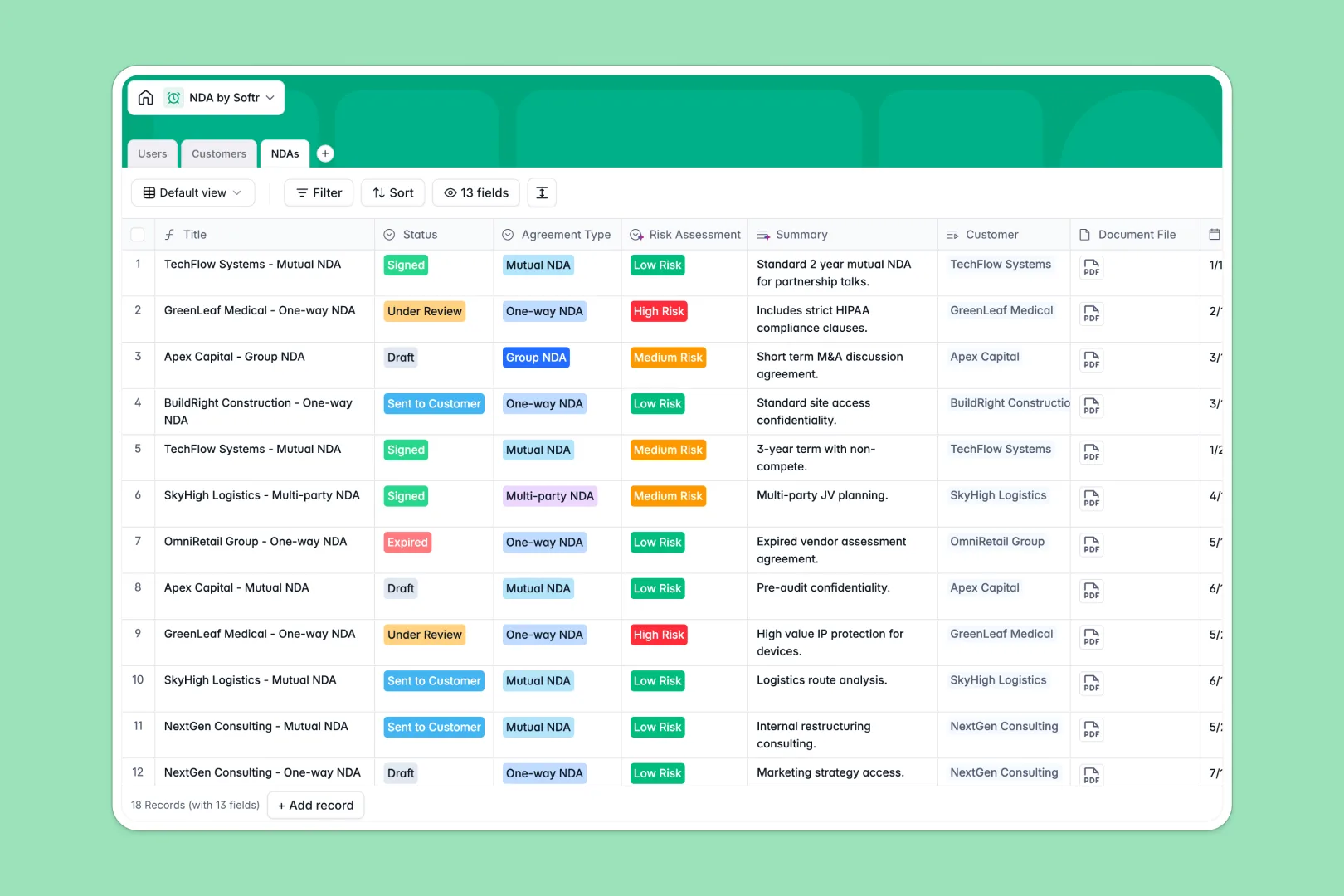
Your NDA Database at a glance
This template provides a central, secure repository for all your non-disclosure agreements. It helps you track contract statuses, expiration dates, and associated risks without losing files in scattered folders.
The system seamlessly connects three core tables: Users, Customers, and NDAs. When you add a new agreement, you simply link it to a specific client and assign an internal staff member to oversee the contract.
Built-in AI automatically researches new clients and categorizes their industry focus. It also scans your special agreement terms to instantly generate summaries and automatically assess potential legal risks.
Why managing NDAs gets messy in Google Sheets
Tracking legal documents and deadlines in spreadsheets quickly becomes a serious liability. Rows accidentally get deleted, contract PDF files won't attach cleanly to raw grid cells, and tracking expiration dates turns into a manual nightmare.
What a structured database changes
A proper database enforces structure, meaning important dates stay perfectly formatted and document files upload reliably. You can easily link a single client profile to multiple independent agreements without manually copying and pasting information across endless spreadsheet rows.
This robust peace of mind is exactly what Softr Databases are specifically engineered to deliver. Your legal data stays impeccably organized, instantly searchable, and deeply secure as your contract volume scales.
What you can do with this template
Stop manually tracking contract renewal deadlines and hunting through shared folders for signed PDFs. This template gives your team an immediate, automated view of every single draft, active, and expired confidentiality agreement.
Empowered by native Database AI agents, the system actually works for you by independently researching client websites and automatically flagging high-risk terms. You can start managing your critical documents with complete confidence starting today.
-
Users
Manage internal staff members with roles, departments and assigned contracts
-
Customers
Store client profiles with AI-generated industry analysis and business descriptions
-
NDAs
Track legal agreements with AI-powered risk assessment and automated clause summaries
Who is this NDA Database for
This template is built for modern teams that need to securely manage and scale their legal agreements without administrative friction.
- Legal Teams: Track complete contract lifecycles, immediately flag high-risk terms, and reliably monitor upcoming expiration dates.
- Sales Representatives: Send agreements much faster while linking crucial NDAs directly to specific customer tracking profiles.
- HR Departments: Maintain secure files for employee confidentiality agreements in one neatly centralized system.
- Executive Leaders: Gain a unified, high-level overview of all active operational constraints and intellectual property protections.
How to take it further
You can easily customize this database structure to perfectly match your unique legal workflows. Add entirely new contract status options or refine the AI's risk assessment prompts with just a few simple clicks.
Bring your historical contract records over seamlessly by dragging and dropping a bulk CSV file directly into the system. You can even connect external APIs to automatically push newly signed agreements straight into the designated database table.
When your organization is ready, you can seamlessly transform this database into a robust, securely controlled app. Softr's interface builder lets you design customized dashboard views so individual sales reps only see the specific contracts they actively manage.
By leveraging custom users and permissions, you guarantee that sensitive legal texts remain utterly inaccessible to unauthorized staff. Organizing your data inside a beautifully structured database ultimately makes launching this secure web portal incredibly straightforward.
-
1
-
2
-
3
-
4
Frequently asked questions
-
What is an NDA database?
-
Why use a no-code database to manage legal agreements?
-
How can AI help manage my non-disclosure agreements?
-
Can I build an app with an NDA database?
-
Is this NDA template free?
-
Why is an NDA database vastly superior to Google Sheets?
Start building today. It's free!
Build and launch your first app in under 30 minutes.