


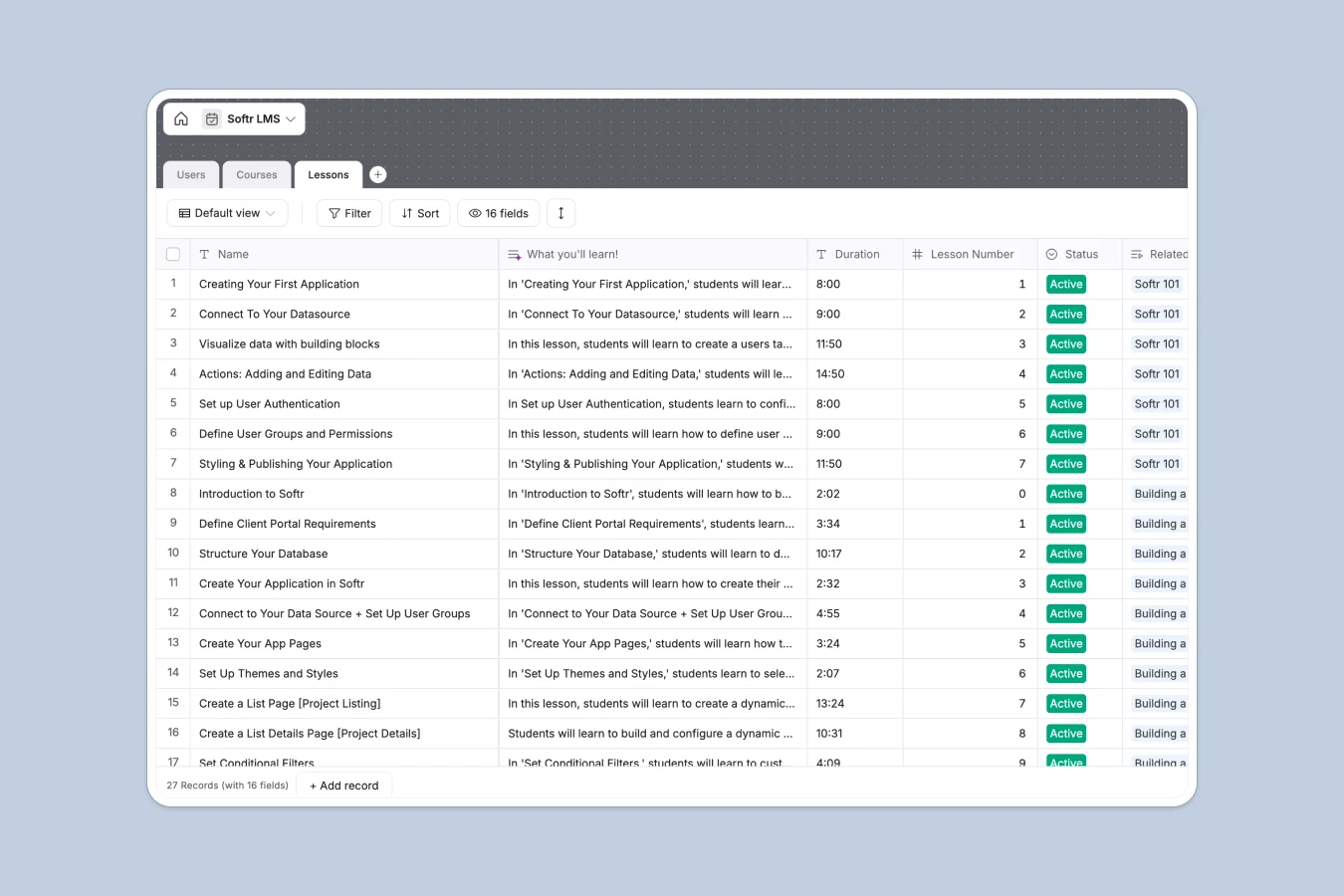
Your LMS Database at a glance
This template organizes your entire curriculum, tracks video links, and monitors student progress natively. It provides a solid learning management foundation perfectly structured for scale.
The database seamlessly connects three main tables: Users, Courses, and Lessons. When a student completes a specific video lesson, it links directly back to their user profile.
Our built-in AI assistant automatically generates "What you'll learn" summaries for every new module. It reads your titles and descriptions to write compelling copy so you don't have to.
Why managing an LMS in Google Sheets breaks down
Running an online course or training program in a spreadsheet quickly becomes a nightmare. Tracking which student completed which video usually means manually cross-referencing endless tabs.
What a structured database changes
Spreadsheets aren't built to connect relational data cleanly. If you update a lesson name or URL, you manually have to fix every single row that references it.
A proper system natively links your learners to the exact modules they are taking without fragile formulas. This is exactly what Softr Databases are designed for.
Every column enforces a strict data type. Video URLs stay clickable, student profiles securely hold images, and course difficulties remain clearly tagged as your system scales.
What you can do with this template
Instantly map out comprehensive curriculums by assigning individual lessons to broader courses chronologically.
Leverage our Database AI agents to automatically write compelling lesson summaries the moment you draft a new topic.
Monitor exactly who is engaging with your material by natively tracking student check-ins and completed lesson histories.
-
Users
Manage student profiles, learning levels, and track their lesson progress
-
Courses
Organize educational curricula with status tracking and lesson rollups
-
Lessons
Store video content and use AI to generate key learning objectives
Who is this LMS Database for
This template provides a reliable tracking system for any team delivering educational content.
- Course Creators: Organize curriculums, video links, and lesson sequences in a clean, scalable format.
- HR Managers: Track employee onboarding programs and verify completion of mandatory training modules.
- Community Builders: Manage member access levels and follow engagement visually across different video tutorials.
How to take it further
Customizing this schema to fit your exact teaching style takes just seconds. You can easily add new fields to track custom grading metrics or rename difficulty levels to match your target audience.
Get up and running instantly by importing your existing student roster or curriculum via CSV. Your previous data seamlessly populates the structured tables so you experience zero downtime.
When you are completely ready, you can transform this database into a robust student login portal. Using our interface builder, it takes just a few clicks to create a front-end where students view their assigned courses and watch embedded YouTube videos directly.
Because you can implement custom permissions, students only see the specific content they are authorized to access. You gain a customized student portal while safely maintaining full administrative control over the backend curriculum.
-
1
-
2
-
3
-
4
Frequently asked questions
-
What is an LMS database?
-
Why use a no-code database to build a learning management system?
-
How can AI help manage data for an online course?
-
Can I build an app with this LMS database?
-
Is this LMS Database free?
-
Why is a database better than Google Sheets for an LMS?
Start building today. It's free!
Build and launch your first app in under 30 minutes.