


Overview
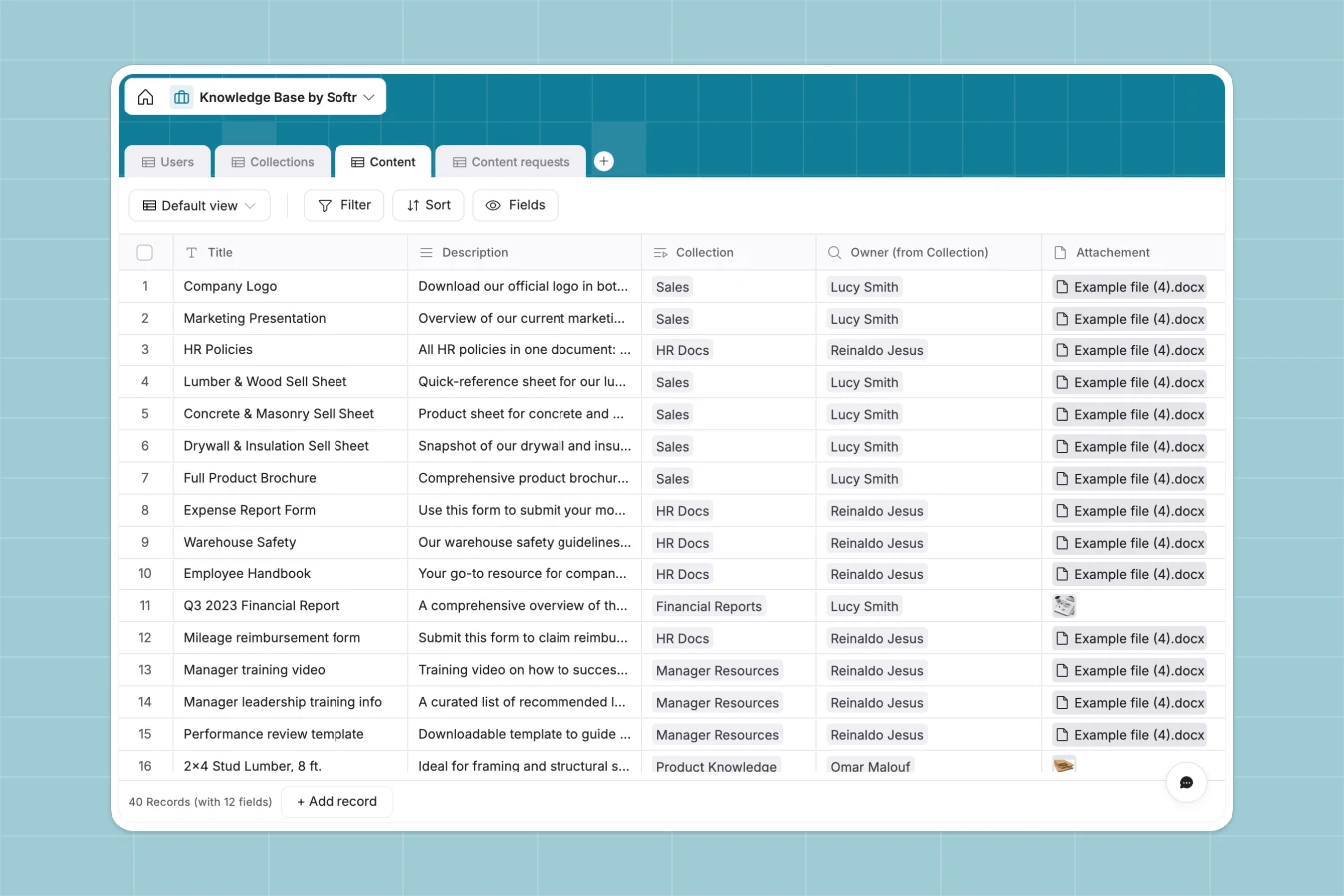
This Knowledge Base database helps teams organize and access documentation, SOPs, training materials, and resources through structured collections. Instead of scattered files and folders, everything lives in connected tables where content links to collections, users track ownership, and lookup fields automatically show who manages each piece of knowledge.
The database includes four tables: Users (team members with roles and departments), Collections (themed groups of content), Content (individual documents, files, and links with metadata), and Content requests (submissions for new materials). Collections link to owners, Content connects to both collections and creators, and lookups pull collection ownership into content records—making it easy to see who's responsible for each knowledge area without manual updates.
Why choose a Knowledge Base database over Google Sheets
Google Sheets struggles with knowledge management because teams create multiple tabs for different content types, filter views become unwieldy, and tracking ownership across documents requires fragile formulas. As your knowledge base grows, navigation becomes difficult and finding the right information turns into a search-and-scroll exercise.
The power of Softr Databases
Softr Databases solve these issues with relational structure and enforced data types. Instead of mixing text and dates in the same column or using complex VLOOKUPs to connect content to collections, you get native linked records and lookup fields that maintain relationships automatically. The one table = one object principle keeps your knowledge base clean: Users stay in one table, Collections in another, Content in a third—no duplicate records, no manual syncing. This structure makes your data app-ready with API access and proper foundations for building interfaces with permissions.
Core features and functionality
This template tracks content ownership through linked records from Collections to Users, then uses lookups to show collection owners directly in Content records. Product-specific fields (SKU, Category) let you tag technical documentation or product guides, while timestamp fields (Created at, Last updated) automatically track when knowledge was added or changed. Users can submit requests for new content through a dedicated table, creating a feedback loop that keeps your knowledge base current and comprehensive.
-
Users
Manage team members with roles, contact info, and department assignments
-
Collections
Organize knowledge base entries into logical groups with defined owners
-
Content
Store technical product information, documents and category metadata
-
Content requests
Track user inquiries for new documentation or knowledge base updates
Who is this Knowledge Base for
This database works for teams that need to centralize and organize information:
- Customer support teams: Store troubleshooting guides, product documentation, and response templates with clear ownership.
- Training departments: Organize onboarding materials, SOPs, and learning resources by topic and track content creators.
- Operations teams: Maintain process documentation, compliance materials, and best practices in searchable collections.
- Product teams: Keep technical specs, feature documentation, and product guides linked to specific SKUs or categories.
- Growing companies: Replace scattered Google Drives and shared folders with structured knowledge that scales as teams expand.
How to take it further
Customize the database to match your content types and organization structure. Modify the Product Category select field to reflect your actual product lines, departments, or content themes. Add custom fields like "Review Date" for compliance documentation or "Access Level" for sensitive materials. Since this is a native Softr Database, editing fields, adding columns, or adjusting select values happens directly in your workspace.
Import your existing data from spreadsheets or other systems using CSV upload for bulk content migration, or connect via API to sync documentation from external tools automatically. This gets your team working with organized, relational knowledge immediately instead of starting from scratch.
Build an app on top to create an internal knowledge portal where team members can browse collections, search content, and submit requests—without editing the database directly. Using Softr's interface builder, you can create different views for different departments: Support sees customer-facing docs, IT sees technical guides, and managers see everything. Users and permissions let you control who can read versus edit content, ensuring knowledge stays organized while remaining accessible. Because the database structure is already clean—with proper relationships between Users, Collections, and Content—building these interfaces takes minutes, not weeks.
-
1
-
2
-
3
-
4
Frequently asked questions
-
What is a knowledge base database?
-
Why use a no-code database to build a knowledge base?
-
How can AI help managing data for a knowledge base?
-
Can I build an app with a knowledge base database?
-
Is this Knowledge Base database free?
Start building today. It's free!
Build and launch your first app in under 30 minutes.