


Overview
This Jobboard Database acts as a central engine for recruiting agencies, HR teams, or community managers to handle the entire hiring lifecycle. By centralizing data in a structured format, it enables you to manage open roles, track applicants through pipeline stages, and maintain detailed company profiles without the clutter of disconnected files.
The system is built on four connected tables: Users (candidates and recruiters), Companies, Jobs, and Applications. Unlike a flat list, these tables talk to each other—linking specific jobs to companies and tracking which candidate applied to which role. This relational structure ensures that when a candidate updates their profile or a company changes its details, that information reflects accurately across every related application and job posting.
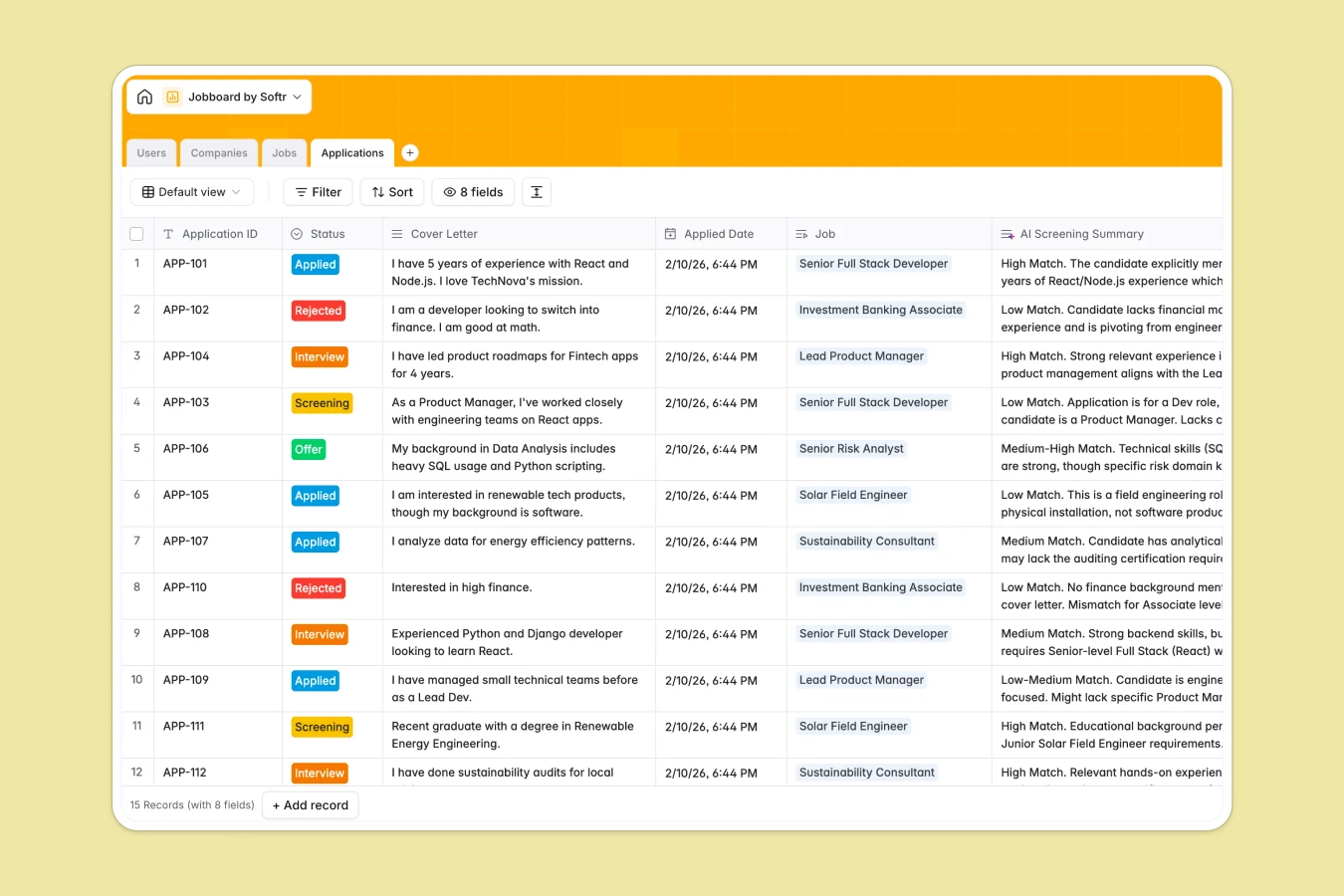
Integrated AI capabilities automate manual administrative work to save hours of effort. The template can auto-generate detailed company bios using web search, draft job descriptions based on titles, and even provide AI-generated screening summaries by analyzing cover letters against job requirements.
Why choose a Jobboard Database over Google Sheets
The power of Softr Databases
While Google Sheets is great for simple lists, it breaks down when managing complex relationships between candidates, jobs, and companies. Softr Databases solve this by using native links instead of fragile VLOOKUPs, ensuring your data stays clean and scalable. With enforced column types for statuses, salaries, and attachments using the principle of "one table = one object," you avoid the data integrity issues common in shared spreadsheets.
Core features and functionality
This template goes beyond storage by actively working for you. It includes built-in Database AI agents that can research company industries via the web and summarize applicant fit automatically. Instead of manually copying data between tabs or writing endless emails, the database handles the heavy lifting of content generation and data enrichment directly within your records.
-
Users
Manage candidate and recruiter profiles with contact info and resumes
-
Companies
Store corporate details with AI-powered industry and bio generation
-
Jobs
Post career opportunities with AI-drafted job descriptions per role
-
Applications
Track candidate progress with AI screening summaries of cover letters
Who is this Jobboard Database for
This template is designed for operators who need to manage hiring processes efficiently:
- Recruiting Agencies: Track multiple client companies and candidate pipelines in a single, organized view.
- Niche Community Managers: Launch a specialized job board for members without complex technical setup.
- HR Departments: Manage internal job openings and incoming applications while keeping candidate data secure.
- Startups: Centralize hiring efforts and automate screening to process applicants faster with small teams.
How to take it further
Customize the database
Since this is a fully functional Softr Database, you can easily adapt it to your specific workflow. You might add a "Remote/On-site" select field to the Jobs table or create a "Rating" field in the Applications table to score candidates during interviews. Changes reflect immediately without breaking existing connections.
Import your existing data
If you are currently tracking candidates or jobs in Excel or Google Sheets, you can migrate instantly using the CSV import feature. This allows you to bulk upload your existing rosters and immediately benefit from the relational structure and AI features of the template.
Build an app on top
The true power of this database is its ability to power a full-stack application using the interface builder. You can create a public-facing portal where companies post jobs and candidates apply, while maintaining a private admin dashboard for your team. By setting up users and permissions, you ensure logged-in users only see and edit their own applications or listings, turning this database into a fully functional SaaS product or internal tool.
-
1
-
2
-
3
-
4
Frequently asked questions
-
What is a job board database?
-
Why use a no-code database to build a recruiting tool?
-
How can AI help managing data for recruiting?
-
Can I build an app with this job board database?
-
How is this database different from Google Sheets?
-
Is this Jobboard Database free?
Start building today. It's free!
Build and launch your first app in under 30 minutes.