


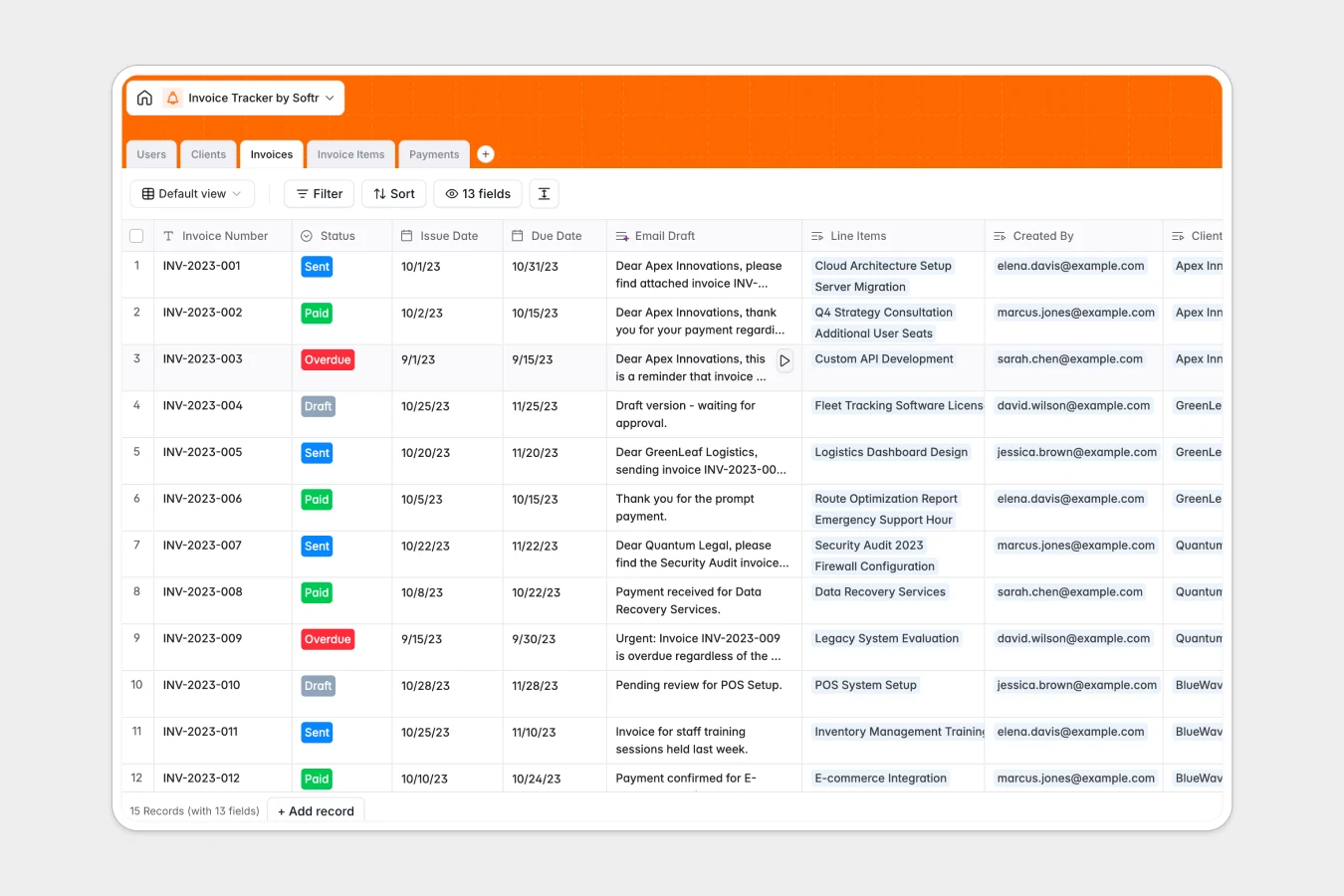
Your Invoice Tracker database at a glance
This template gives your team a clear, organized way to manage client billing, monitor outstanding balances, and track payment histories in one place. It eliminates manual math and disjointed communication by keeping your financial records structured.
Everything connects natively: clients link directly to invoices, line items calculate total amounts automatically, and logged payments update balances due in real time across your team.
Built-in Database AI agents draft custom invoice follow-up emails based on payment status and research client websites to keep company profiles up to date.
When monthly invoice tabs multiply and balances fall out of sync
Most billing workflows start in a sheet that works fine until multiple clients, partial payments, and overdue reminders create endless clutter. Tabs multiply by month or client, formulas break when rows are added, and team members end up referencing outdated versions.
What a structured database changes
A structured database replaces disconnected rows with real relationships. Instead of copying and pasting client information across sheets, every invoice links to a single client profile and itemized line items.
Columns stay strictly typed so payment dates remain dates, currencies calculate reliably, and balances due update instantly when a payment is logged. This is exactly what Softr Databases are designed for.
What you can do with this template
Track every invoice from draft to paid status while automatically aggregating total invoiced volume by client or team member. Log partial payments against specific invoices to maintain accurate balances due without manual calculations.
AI fields help you draft context-aware follow-up emails for overdue balances instantly, giving your team a clean and reliable billing pipeline from day one.
-
Users
Manage internal team members, roles, and tracked invoice volumes
-
Clients
Store client accounts with AI-generated company overview descriptions
-
Invoices
Track billing statuses and balances with automated AI email drafting
-
Invoice Items
Detail individual billable products and services for each invoice
-
Payments
Record payment receipts, transaction methods, and invoice balances
Who is this Invoice Tracker database for
This template is designed for teams that need accurate billing management without complex accounting software:
- Freelancers and Agencies: Keep client project invoices, payment logs, and outstanding balances organized in one clean view.
- Finance and Operations Leads: Monitor company-wide cash flow and track invoice aging across multiple clients and sales reps.
- Sales Teams: Link closed deals directly to billing records and track invoiced volume by representative.
- Small Business Owners: Replace messy manual spreadsheets with reliable tracking for line items and partial payments.
How to take it further
You can easily tailor this database to match your exact billing lifecycle. Add custom payment terms, modify select options for invoice statuses, or create additional tables for recurring subscriptions and contracts in seconds.
If you have existing billing records, import them directly via CSV or sync them programmatically using the API to get up and running immediately.
When your team is ready, you can build an app on top of this database. Describe your desired client portal or internal billing dashboard in one prompt to generate interfaces, workflows, and granular users and permissions so clients only see their own invoices while accountants manage full records.
-
1
-
2
-
3
-
4
Frequently asked questions
-
What is an invoice tracker database?
-
Why use a no-code database to build an invoice tracker?
-
How can AI help managing data for an invoice tracker?
-
Can I build an app with this invoice tracker database?
-
Is this Invoice Tracker database free?
-
How is an invoice tracker database different from an invoice tracker spreadsheet?
Start building today. It's free!
Build and launch your first app in under 30 minutes.