


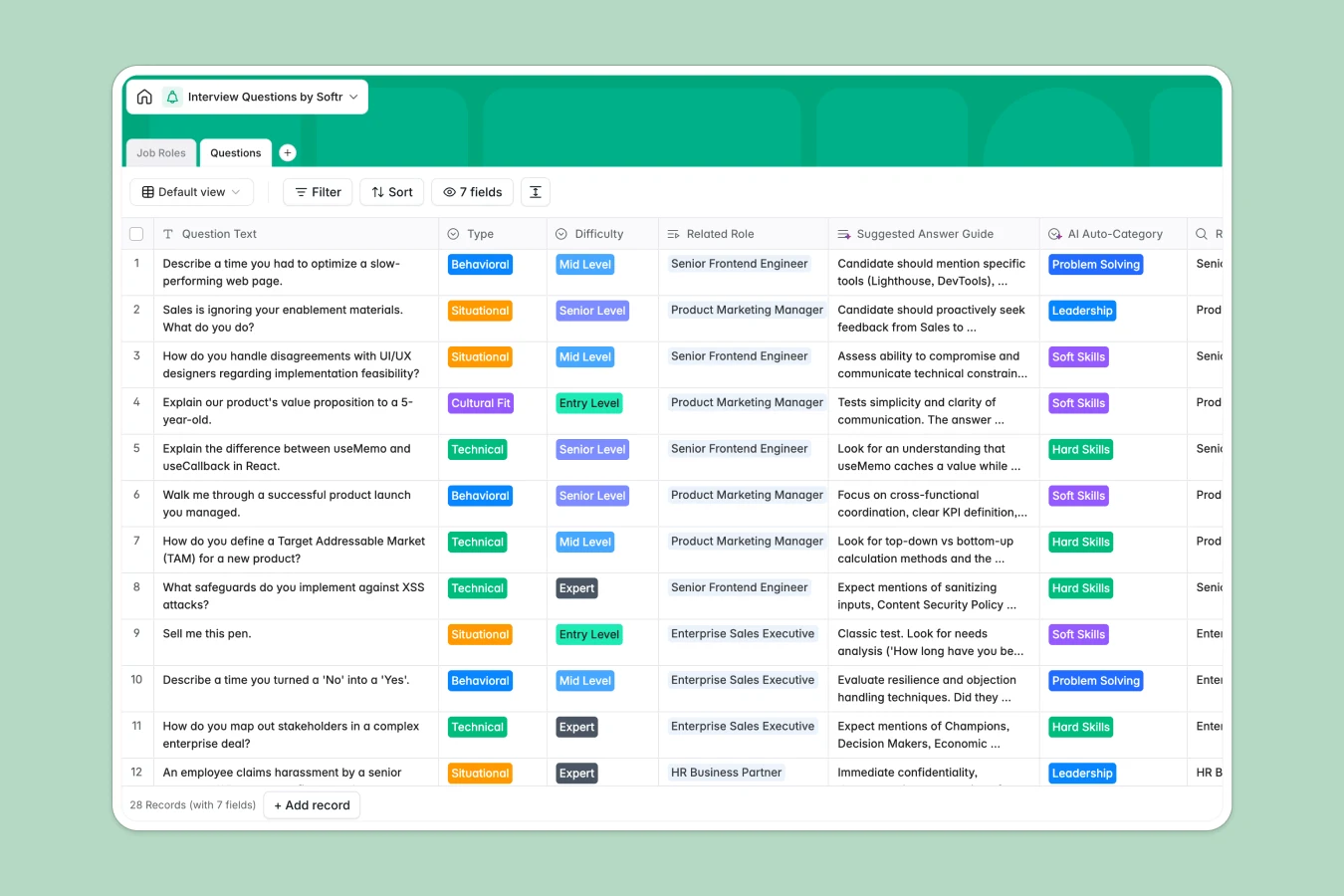
Your Interview Questions Database at a glance
Stop reinventing the wheel for every candidate. This template creates a central library of vetted interview questions, ensuring every interviewer evaluates talent consistently across departments like Engineering or Sales.
It works by linking "Job Roles" directly to specific "Questions." You can tag questions by type (Behavioral, Technical) and difficulty, making it instant to pull the right script for an entry-level vs. expert interview.
Why managing interview questions in Google Sheets gets messy
Spreadsheets are great for lists, but terrible for libraries. You end up with endless tabs for different roles, version control issues where good questions get deleted, and no easy way to filter for "Senior Level" questions without scrolling forever.
What a structured database changes
A database separates your data from the view. Instead of copy-pasting rows to create interview scripts, you define a question once and link it to multiple roles. This keeps your library clean even as you scale to hundreds of positions.
This is exactly what Softr Databases are designed for. You get strict field types—like Select menus for "Difficulty" or "Type"—so your data stays consistent, searchable, and ready to use.
What you can do with this template
Instantly filter for "Cultural Fit" or "Problem Solving" questions before a call. You can also standardise scoring by including a "Suggested Answer Guide" right next to the question, ensuring every interviewer knows what "good" looks like.
With Database AI agents, you could even automate the creation of new questions based on role descriptions or generate scoring rubrics automatically.
-
Job Roles
Define specific job positions and manage question sets across departments
-
Questions
Store interview prompts with AI-driven categorization for skill tagging
Who is this Interview Questions database for
This template helps hiring teams standardize their evaluation process.
- Recruiting Leads: Build a consistent bank of approved questions to share with hiring managers.
- Department Heads: Quickly update technical requirements for Engineering or Marketing roles without breaking the main list.
- Interview Panels: Access specific "Behavioral" or "Situational" questions instantly during the interview.
How to take it further
Customize the database
Tailor the "Department" choices to match your org chart or add a "Time Limit" field for technical challenges. Softr makes it easy to modify fields without technical skills.
Import your existing data
If your current questions are trapped in docs or spreadsheets, export them to CSV. You can map your existing columns to this template and migrate your library in minutes.
Build a full app around it
Turn this database into an "Interviewer Portal" using Softr's interface builder. You can give hiring managers read-only access to approved questions while keeping the master list secure.
By adding users and permissions, you can ensure interviewers only see questions relevant to their specific department or the roles they are hiring for.
-
1
-
2
-
3
-
4
Frequently asked questions
-
What is an interview questions database?
-
Why use a no-code database instead of Google Sheets for interview questions?
-
How can AI help manage interview questions?
-
Can I build an app for my hiring team with this database?
-
Is this Interview Questions template free?
Start building today. It's free!
Build and launch your first app in under 30 minutes.