


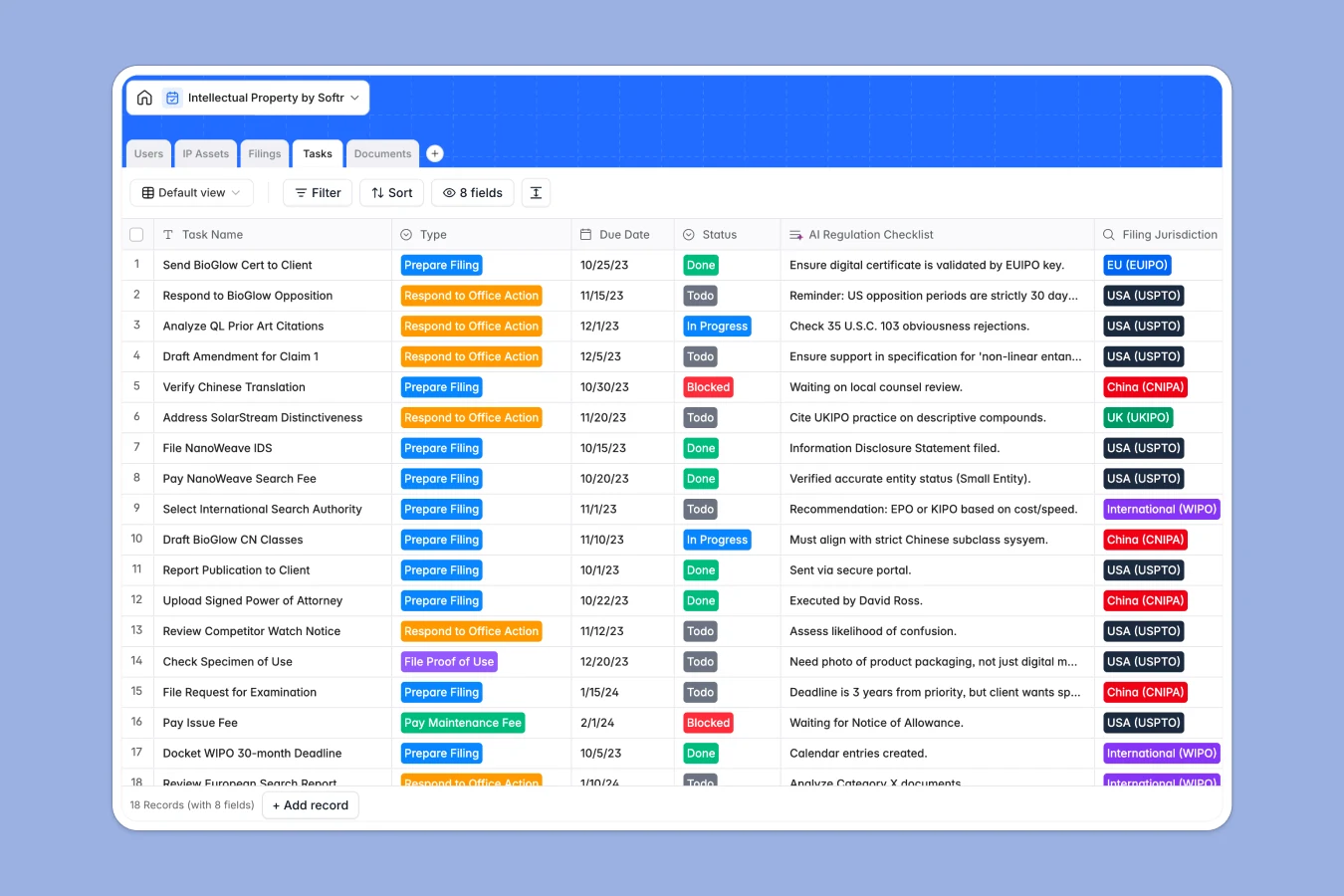
Your Intellectual Property database at a glance
Track your trademarks, patents, and copyrights alongside their international filings to ensure nothing slips through the cracks. This template gives you a clear, consolidated view of your entire IP portfolio and upcoming maintenance actions.
It works by connecting five distinct tables—from core IP Assets to specific Filings, Documents, and Tasks. You can click on any trademark and instantly see its application status, linked correspondence, and deadlines across different jurisdictions.
Built-in AI features automatically step in to assist your workflow. The system can run preliminary conflict checks on new assets and automatically generate regulation checklists for specific regional tasks.
Why managing intellectual property gets messy in Google Sheets
Tracking global IP portfolios in spreadsheets quickly becomes a nightmare of missed deadlines, broken formulas, and scattered legal documents.
What a structured database changes
Spreadsheets struggle because one trademark might have five different regional filings, each with separate renewal dates, office actions, and legal briefs. Forcing this complex web into flat rows leads to massive data duplication and confusion.
In a structured database, every asset acts as a central hub. You can link multiple application instances, documents, and task deadlines to a single patent without copy-pasting across tabs.
This is exactly what Softr Databases are designed for. They give you a reliable, scalable foundation where dates stay structured as dates, files stay attached to the right records, and relationships remain intact.
What you can do with this template
Instantly see the exact status of any filing across jurisdictions like the USPTO or EUIPO, complete with linked registration certificates and relevant correspondence in one view.
Leverage Database AI agents to automatically draft custom regulation checklists whenever a new task is created for a specific global region.
Keep attorneys, paralegals, and clients perfectly aligned on upcoming maintenance fees and required office action responses without sending endless status update emails.
-
IP Assets
Manage trademarks and patents with AI-powered conflict check analysis
-
Users
Track internal staff and clients with roles, rates and assigned assets
-
Filings
Monitor applications across jurisdictions with status and renewal tracking
-
Tasks
Organize legal deadlines using AI to generate regulation checklists
-
Documents
Store official certificates and legal briefs linked to specific filings
Who is this Intellectual Property database for
This template gives legal and business teams a robust, reliable foundation to protect and manage their valuable assets.
- In-house Legal Teams: Consolidate your company's trademarks and patents into a single, reliable source of truth.
- Law Firms & Attorneys: Track filings across multiple jurisdictions and manage critical deadlines for client portfolios securely.
- Paralegals: Stay on top of office actions, maintenance fees, and document uploads without hunting through messy shared drives.
- Founders & Creators: Keep a clear, organized inventory of your copyrights and trade secrets as your business scales.
How to take it further
First, customize the database structure to match your specific geographic focus. You can safely add new jurisdictions to the select fields, modify task types, or adjust the built-in AI prompts to check for conflicts specific to your industry.
Next, import your existing portfolio. Bring in your current spreadsheet tracker via CSV upload, or connect via API to sync application statuses directly from external legal databases.
When your practice is ready, you can easily transform this foundation into a secure client portal. By using the interface builder to create an app on top of this database, you can give external clients a professional way to view their specific assets.
With native users and permissions, you can ensure clients only see their own filings, while your attorneys maintain full editing access. A well-structured database makes building these dynamic web portals completely effortless.
-
1
-
2
-
3
-
4
Frequently asked questions
-
What is an intellectual property database?
-
Why use a no-code database to build an IP management system?
-
How can AI help managing data for intellectual property?
-
Can I build an app with this intellectual property database?
-
Is this Intellectual Property database free?
-
How is an IP database different from Google Sheets?
Start building today. It's free!
Build and launch your first app in under 30 minutes.