


Overview
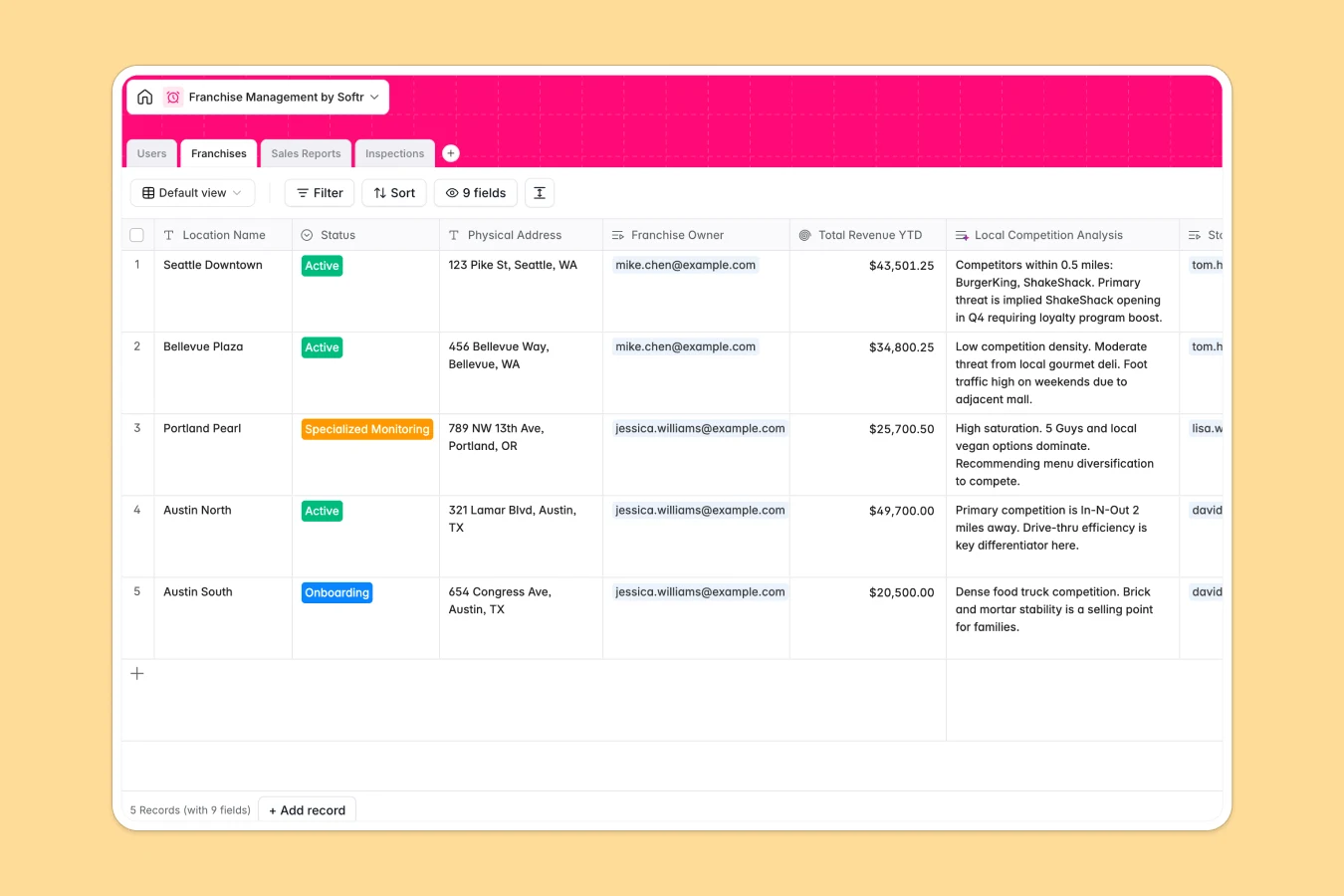
This template provides a comprehensive system to manage franchise operations, tracking everything from store locations to weekly financials in one place. It centralizes communication between HQ admins, franchise owners, and store managers, ensuring everyone operates from a single source of truth rather than scattered files.
The database connects Users to specific Franchises, allowing you to link Sales Reports and Inspections directly to each location via relational fields. Unlike isolated spreadsheets, this structure ensures that every revenue report or quality audit automatically rolls up to the correct store and owner for accurate, consolidated analysis.
Built-in AI capabilities automate manual tasks by instantly generating local competition analyses via web search, creating remedial action plans based on inspection findings, and analyzing sentiment in manager reports.
Why choose a Franchise Management database over Google Sheets
While spreadsheets are fine for simple lists, they struggle with the complex relationships and security needs of a growing franchise network.
The power of Softr Databases
Softr Databases enforce strict data integrity with specific field types for currency, attachments, and dates, preventing the messy data errors common in Google Sheets. Instead of relying on fragile VLOOKUPs to connect owners to stores and reports, you use native relational connections that scale effortlessly as you open new locations. This structure ensures your data remains distinct, organized, and app-ready, following the principle of one object per table. Learn more about Softr Databases.
Core features and functionality
This template goes beyond simple row-tracking by enabling role-based data organization that spreadsheets cannot offer securely. It includes automated rollups for calculating Year-To-Date revenue and specialized fields for tracking inspection pass/fail rates. Additionally, integrated Database AI agents can automatically research local competitors nearby or generate specific task checklists for failing inspections, turning static data into actionable operational insights.
-
Users
Manage system accounts including HQ administrators, owners, and store managers
-
Franchises
Track store locations and use AI to analyze local competition and market threats
-
Sales Reports
Monitor weekly revenue and leverage AI to determine sentiment and performance trends
-
Inspections
Log quality audits and use AI to generate remedial action plans for store issues
Who is this Franchise Management database for
This template is designed for growing franchise networks that need to move beyond scattered, disconnected files.
- Operations Directors: Monitor system-wide performance and compliance without chasing down emails.
- Franchise Owners: Track individual store revenue and access simplified reporting views.
- Field Auditors: Perform quality inspections and generate instant remedial checklists.
- Store Managers: Submit weekly sales reports and receive automated feedback.
How to take it further
Customize the database
You can easily adapt this template to your specific franchise model. For example, add a "Royalty Fee" formula field to calculate what is owed based on weekly revenue, or modify the "Status" select options to match your specific onboarding stages (e.g., "Construction," "Permitting").
Import your existing data
Migrating from Google Sheets is simple using the CSV import feature. You can bulk upload your existing list of franchise locations, user details, and historical sales data to populate the tables immediately and fix data structure issues.
Build an app on top
The true power of this database is unlocked when you use Softr's interface builder to create a secure client portal. You can set users and permissions so that Franchise Owners only see their own stores, while HQ Admins see the full dashboard. This turns your raw data into a professional internal tool for your entire network.
-
1
-
2
-
3
-
4
Frequently asked questions
-
What is a franchise management database?
-
Why use a no-code database to build a franchise system?
-
How can AI help managing data for franchises?
-
Can I build an app with this franchise database?
-
Is this Franchise Management template free?
-
How is this different from franchise management in Google Sheets?
Start building today. It's free!
Build and launch your first app in under 30 minutes.