


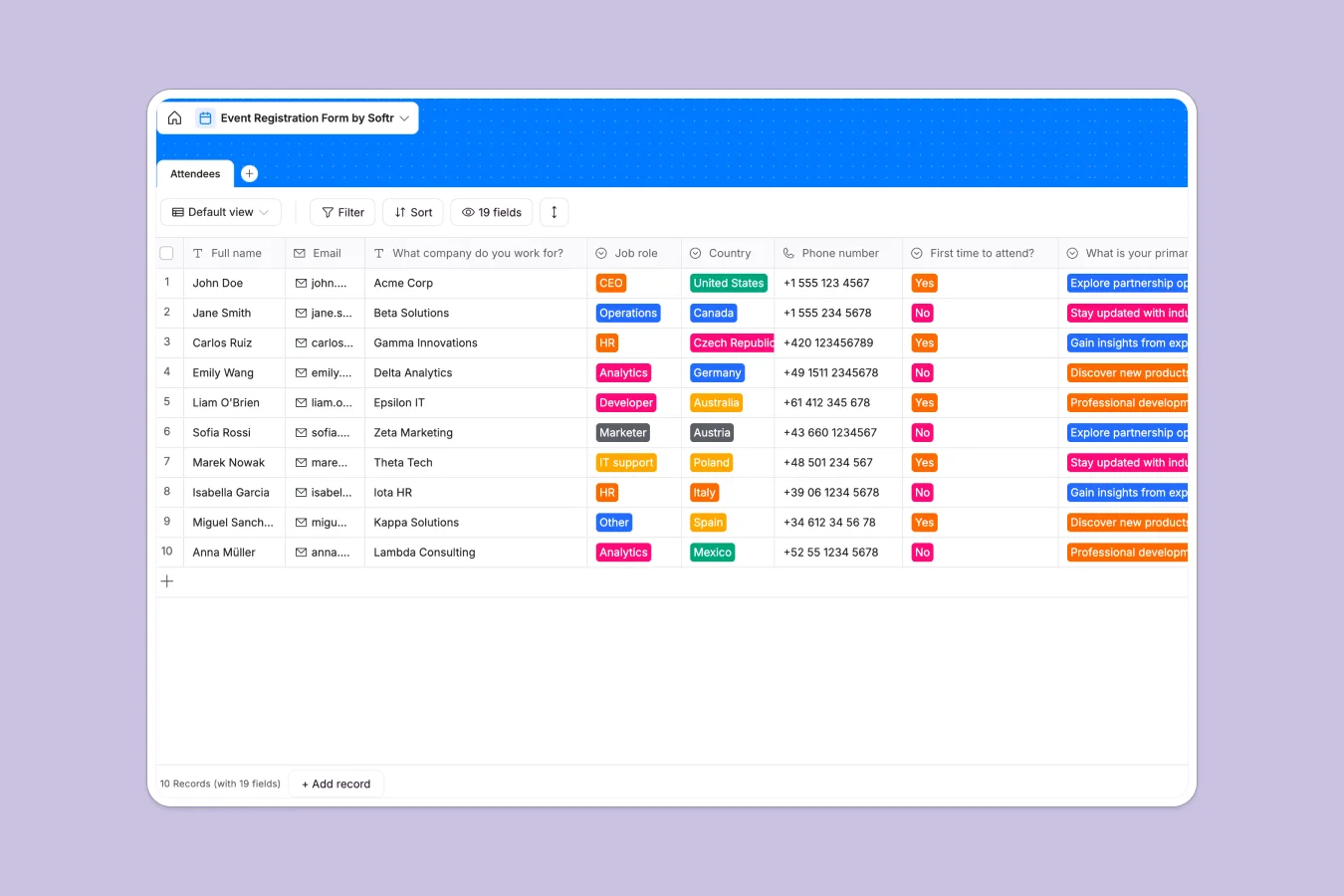
Your Event Registration database at a glance
This template tracks everything from basic contact details to sensitive meal preferences and accommodation needs in one clear place.
It neatly captures profile pictures, company roles, and networking opt-ins without the clutter of a rigid spreadsheet.
Why event registration gets messy in Google Sheets
Tracking hundreds of attendees, dietary restrictions, and hotel choices in a spreadsheet quickly becomes chaotic and prone to human error.
What a structured database changes
In a spreadsheet, columns get mixed up, profile pictures float awkwardly over cells, and filtering T-shirt sizes or meal choices often leads to manual mistakes.
A structured database enforces rules so emails stay as emails, attachments are securely stored, and checkboxes clearly track networking opt-ins.
This is exactly what Softr Databases are designed for—keeping data perfectly organized and actionable as your guest list grows.
What you can do with this template
Collect and sort attendee preferences for meals like "Salmon Teriyaki" or specific food restrictions without losing track.
Safely manage accommodations, track room assignments, and securely store guest profile pictures in a ready-to-use format.
-
Attendees
Manage guest registrations with contact details, job roles, and logistics
Who is this Event Registration database for
This ready-to-use template is built for organizers who need reliable, structured attendee data without the manual upkeep.
- Event Managers: Track RSVPs, select hotel accommodations, and manage complex dietary requirements in a single view.
- HR Teams: Organize internal company offsites, capturing team T-shirt sizes and travel needs effortlessly.
- Community Builders: Collect member introductions and securely track networking opt-ins for conferences.
How to take it further
Customize the database instantly to fit your exact event logistics. You can easily modify the select fields to add your specific hotel options, new meal choices, or custom attendee job roles.
Import your existing attendee lists directly via CSV or API. This allows you to migrate from your current messy spreadsheets and populate the clean system in seconds.
When you are ready, you can build a full app around this data. Using the interface builder, you can create an external attendee directory or an interactive guest portal.
You can easily configure permissions to ensure attendees can only view and edit their own meal or accommodation details, keeping everything completely secure.
-
1
-
2
-
3
-
4
Frequently asked questions
-
What is an event registration database?
-
Why use a no-code database to build an event registration tool?
-
How can AI help managing data for event registration?
-
Can I build an app with an event registration database?
-
Is this Event Registration database free?
-
How is an event registration database different from Google Sheets?
Start building today. It's free!
Build and launch your first app in under 30 minutes.