


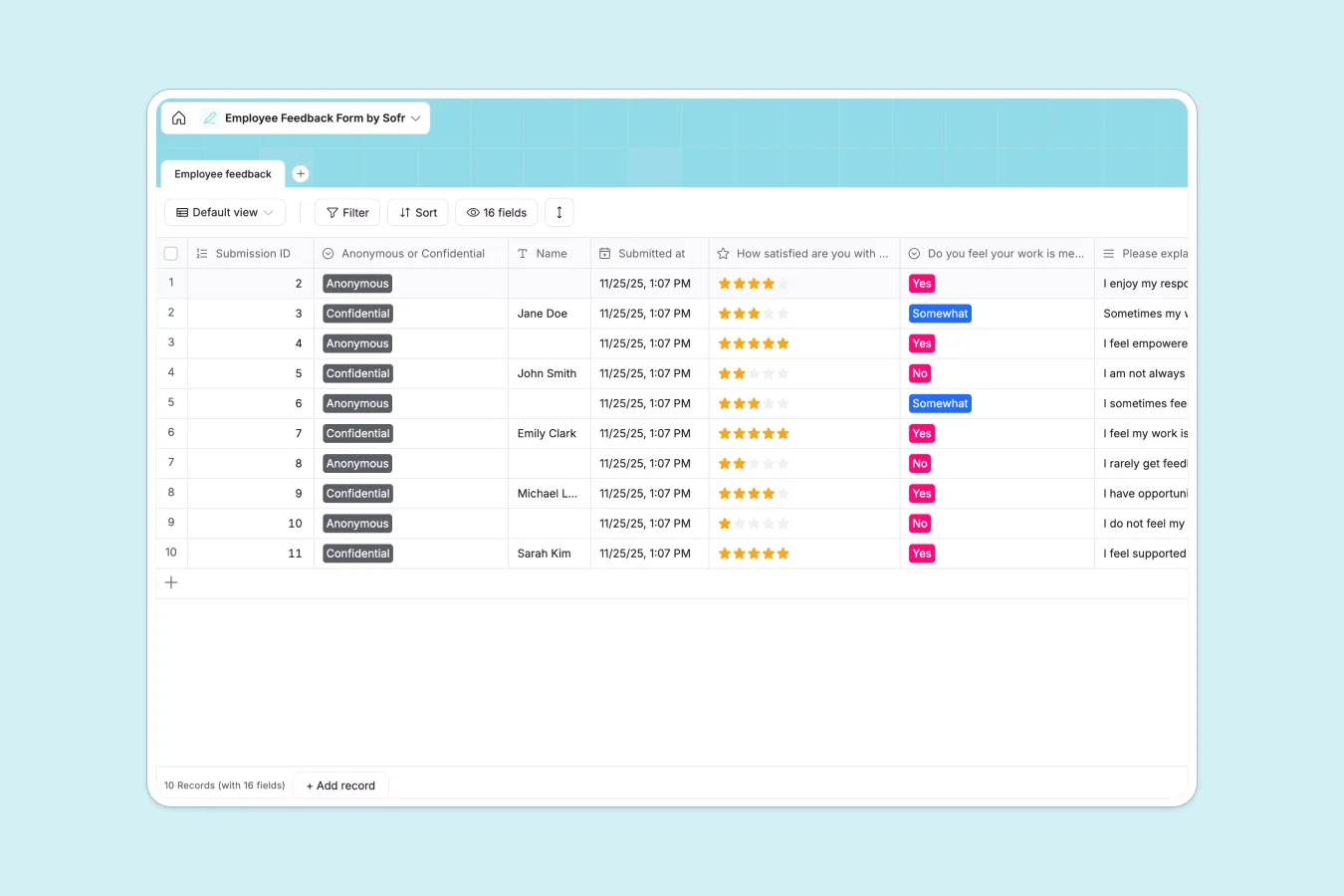
Your Employee Feedback database at a glance
This template gives you a secure, structured way to collect and review team sentiment. It replaces scattered forms and fragile spreadsheets with a clean system of record.
Every submission gets assigned an auto-created timestamp to keep records perfectly organized. You can easily track satisfaction ratings, multiple-choice responses, and open-ended answers all in one view.
Why employee feedback gets messy in Google Sheets
Tracking sensitive employee feedback in a shared spreadsheet is a recipe for disaster. Rows get accidentally deleted, columns get mixed up, and keeping responses truly confidential is nearly impossible.
What a structured database changes
A database enforces strict data types, meaning ratings stay as numbers and multiple-choice answers remain perfectly consistent. You never have to worry about broken formulas or messy data entry from different team members.
This is exactly what Softr Databases are designed to solve. They securely store your data while keeping everything structured and completely reliable at scale.
What you can do with this template
Immediately start logging responses with built-in fields for role satisfaction, growth opportunities, and culture check-ins. You can easily toggle whether a response is anonymous or confidential right in the record.
You can also add intelligent fields to automatically summarize long-form text answers. This effortlessly turns paragraphs of dense feedback into quick, actionable insights.
-
Employee feedback
Collect and organize staff sentiments on culture, growth, and team dynamics
Who is this Employee Feedback database for
This template is an ideal starting point for leaders and HR professionals who need a reliable way to gauge team sentiment.
- HR Managers: Track company culture trends without wrestling with disorganized files.
- Department Heads: Gather honest feedback about growth opportunities and team collaboration safely.
- Founders: Monitor overall employee satisfaction and identify critical areas for improvement early.
How to take it further
You can easily customize this database to fit your exact review cycles. Simply modify the select options to match your company's wording or add new columns for specific departments.
If you have past survey results, you can quickly import them via CSV. This instantly centralizes your historical data so you can compare past and current sentiment in one place.
When you are ready, you can build a complete HR web application around your data. This lets employees submit feedback securely without directly accessing the database backend.
By configuring users and permissions, you guarantee managers only see feedback relevant to their direct reports. A well-organized database makes building these secure, scalable internal tools completely effortless.
-
1
-
2
-
3
-
4
Frequently asked questions
-
What is an employee feedback database?
-
Why use a no-code database to track employee feedback?
-
How can AI help managing employee feedback?
-
Can I build an app with this employee feedback database?
-
Is this Employee Feedback database free?
-
How is this employee feedback database different from Google Sheets?
Start building today. It's free!
Build and launch your first app in under 30 minutes.