


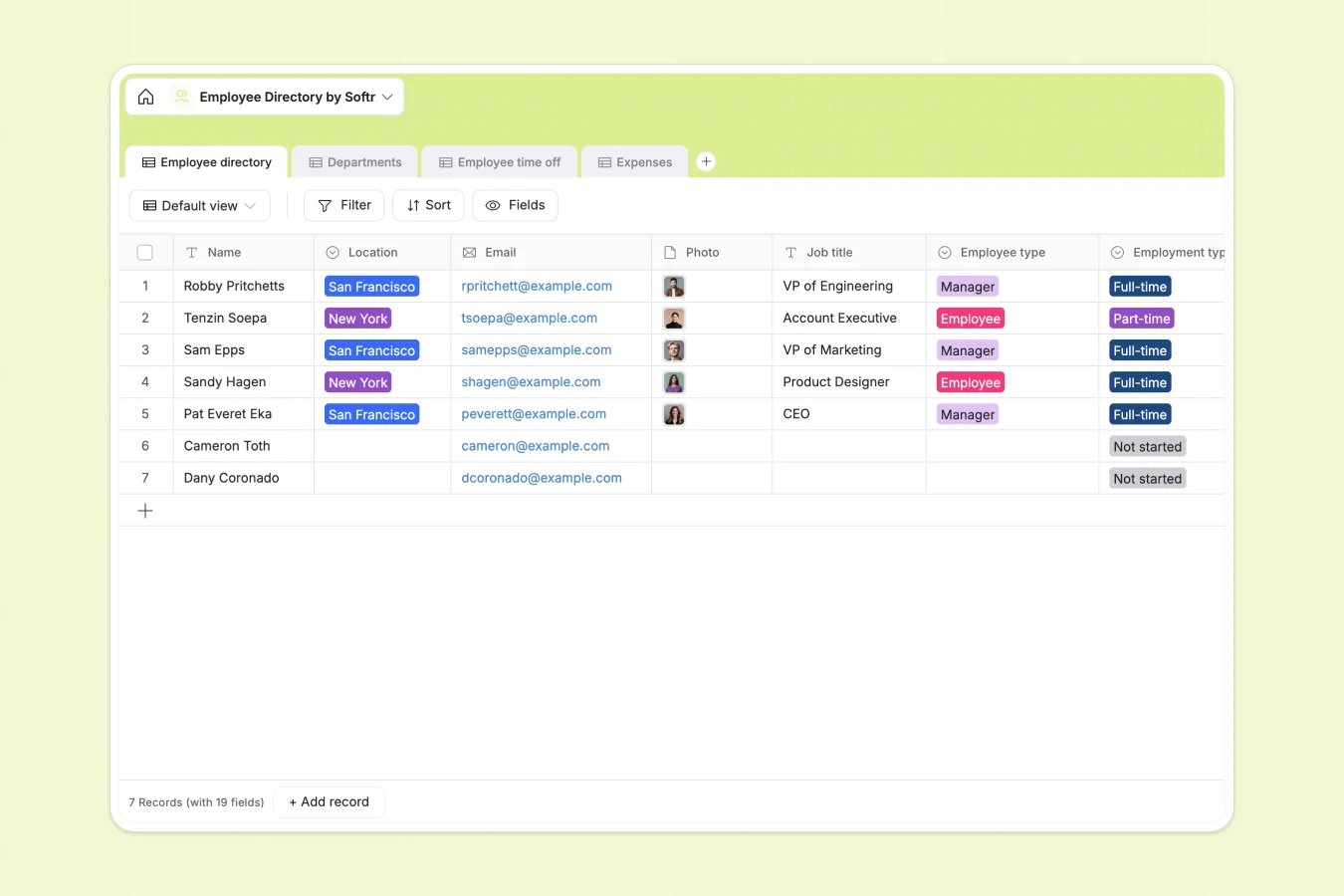
Your Employee Directory database at a glance
This ready-to-use template helps you manage your entire workforce seamlessly. It centralizes employee contact details, department structures, time-off requests, and expense reports into one connected system.
Instead of scattering data across multiple tabs, this system uses connected tables. You can easily link an employee in the directory directly to their specific department, approved expenses, and sick leave history.
Why growing your employee directory in Google Sheets breaks down
As your team grows, managing staff details, time-off, and expenses in Google Sheets quickly becomes a messy administrative headache.
What a structured database changes
Spreadsheets aren't built to handle relationships between different types of data. Tracking an employee's profile alongside their travel expenses and vacation days usually means relying on fragile formulas or duplicating data across hundreds of rows.
A structured database solves this by giving every piece of information a specific home and data type. Dates, currency, dropdowns, and file attachments (like expense receipts or profile photos) stay clean and organized.
This is exactly what Softr Databases are designed for. You can easily link an expense report directly to an employee profile without ever copying and pasting cells.
What you can do with this template
You can immediately organize your core employee roster while automatically calculating department headcounts.
Track categorized time-off requests and log employee expenses complete with attached receipts, all tied perfectly to individual staff records.
-
Employee directory
Centralize staff profiles with contact info, job roles, and personal details
-
Departments
Organize company structure by grouping employees under designated heads
-
Employee time off
Manage leave requests including vacation and sick days with date tracking
-
Expenses
Track business spending with categorized costs, receipts, and employee links
Who is this Employee Directory database for
This template gives growing teams a structured way to manage their personnel data.
- HR Managers: Centralize staff contact information, emergency contacts, and employment types without hunting through folders.
- Department Heads: Track who is taking sick leave or vacation without navigating complex spreadsheet tabs.
- Finance Teams: Keep expense reports, amounts, and receipt attachments neatly linked to the right employee.
How to take it further
You can easily customize this database to fit your exact internal policies. Add new expense categories, update department names, or add fields for quarterly performance reviews.
Bring your team on board instantly by importing your existing staff list via CSV. You can map your current columns directly into the new structured format to get up and running in minutes.
When your team needs self-service access, you can use the interface builder to turn this database into a secure company portal.
By configuring users and permissions, you can let employees log in to update their own bios, submit new time-off requests, or upload expense receipts while keeping administrative data completely private.
-
1
-
2
-
3
-
4
Frequently asked questions
-
What is an employee directory database?
-
Why use a no-code database to build an employee directory?
-
How can AI help managing employee data?
-
Can I build an app with this employee directory database?
-
Is this Employee Directory database free?
-
Why is this database better than Google Sheets for managing employees?
Start building today. It's free!
Build and launch your first app in under 30 minutes.