


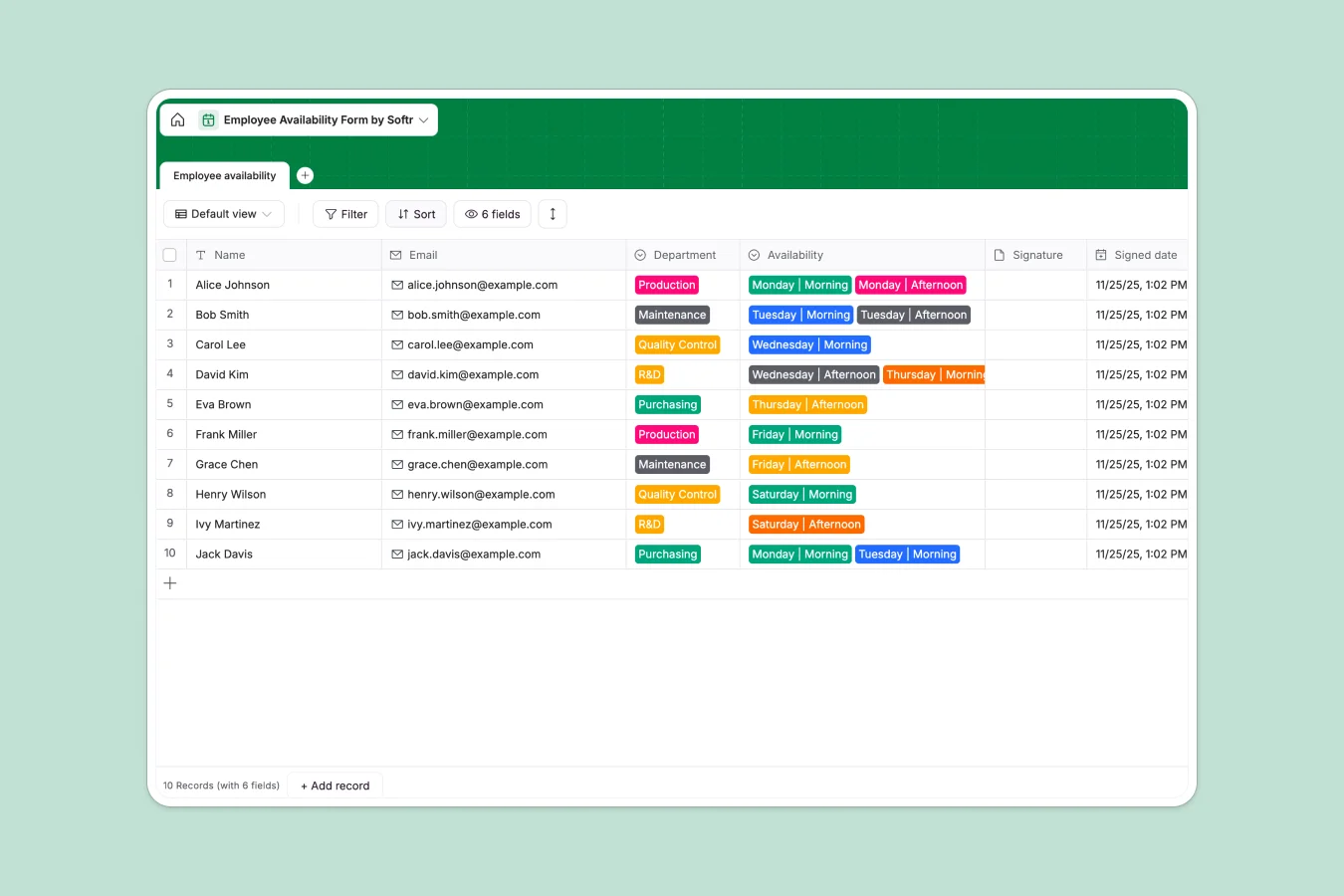
Your Employee Availability database at a glance
This template provides a reliable system to track staff schedules, ensuring you have clear visibility into who is working across departments like Production or maintenance. It captures availability preferences and formal sign-offs in one secure location.
Employees trigger a record by selecting their department and shift slot, adding a signature, and the system automatically logs the exact "Signed date" timestamp. This creates an indisputable record of availability.
Why employee availability in Google Sheets gets messy
Spreadsheets offer flexibility, but for scheduling, that flexibility often leads to errors. Cells get overwritten accidenally, availability history is lost when rows are deleted, and there is no way to enforce a valid signature.
What a structured database changes
A database locks down the structure so your data remains trustworthy. Departments are selected from a fixed list, dates are automatically generated by the system, and files are stored securely as attachments.
This structure ensures that "Monday | Morning" always means the same thing and prevents data entry errors. This is exactly what Softr Databases are designed for.
What you can do with this template
You can instantly filter records to see coverage gaps, such as checking if "Quality Control" has enough staff for "Friday | Afternoon".
By using Database AI agents, you could even automate the process to analyze weekly coverage and flag understaffed shifts automatically.
-
Employee availability
Log staff schedules and shift preferences across industrial departments
Who is this Employee Availability database for
- Operations Managers: Ensure adequate staffing across Production, R&D, and Maintenance teams without manual counts.
- HR Departments: Maintain a compliant, numerically signed record of employee availability declarations.
- Shift Supervisors: Quickly identify available personnel for specific slots like "Saturday | Morning" to fill gaps fast.
How to take it further
Customize the database
Update the "Department" choices to match your specific organizational structure or rename the "Availability" options to reflect exact shift hours. You can easily add new columns for notes or manager approval status.
Import your existing data
If you have current schedules in a CSV file, you can upload them directly to populate your database in seconds. This lets you transition from static files to a dynamic system immediately.
Build a full app around it
Turn this database into a self-service portal using the interface builder. Instead of manual entry, employees can log in to a branded page to update their own status.
With users and permissions, you can ensure employees only see their own records while managers have full access to the master schedule.
-
1
-
2
-
3
-
4
Frequently asked questions
-
What is an employee availability database?
-
Why use a no-code database instead of Google Sheets for scheduling?
-
How can AI help manage availability data?
-
Can I build an app with this availability database?
-
Is this template free?
-
Can I capture signatures with this database?
Start building today. It's free!
Build and launch your first app in under 30 minutes.