


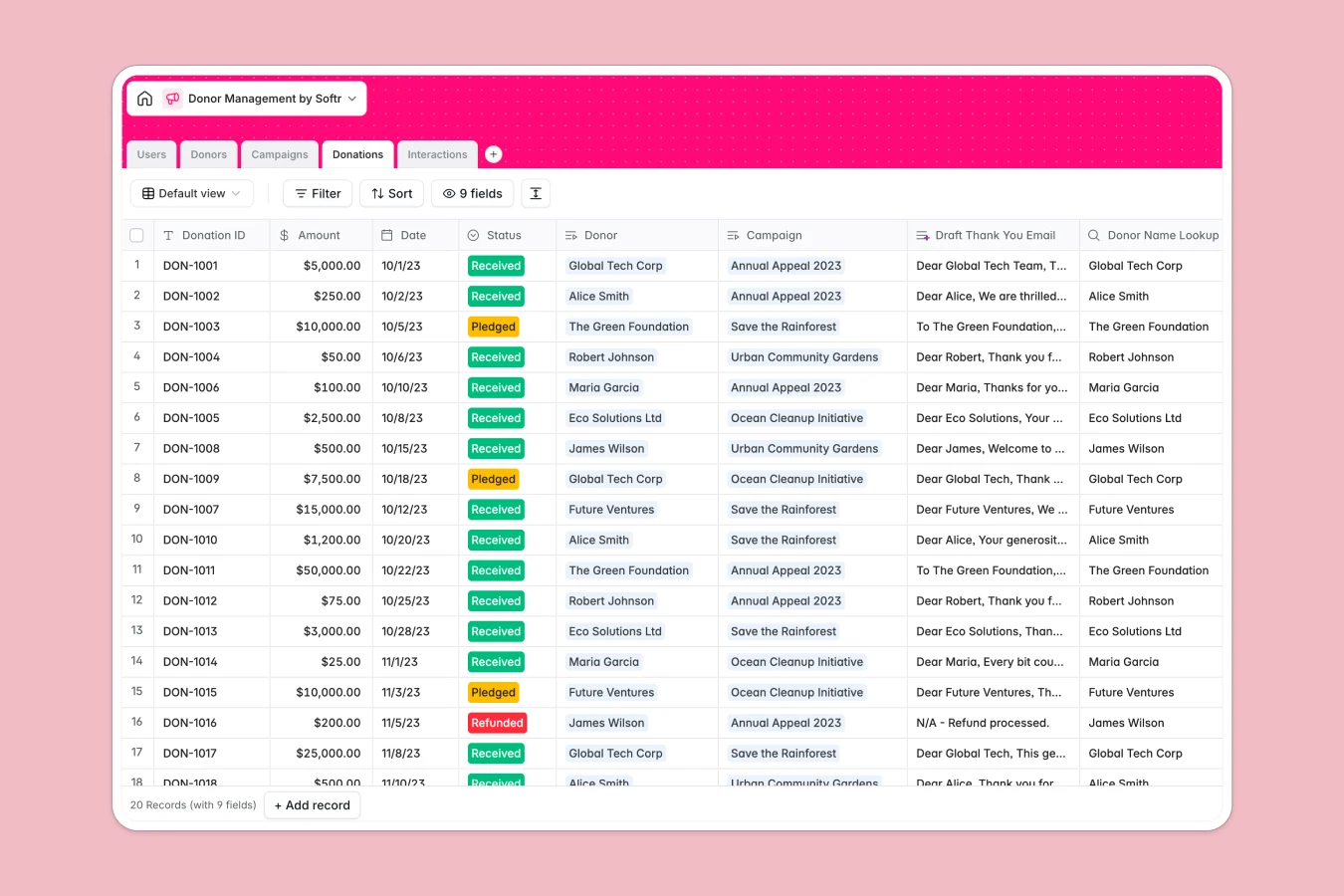
Overview
This Donor Management Database enables non-profits and fundraising teams to centralize their entire donor operation efficiently. It tracks individual and corporate profiles, monitors campaign progress, and logs every interaction—from emails to in-person meetings—ensuring no opportunity is slipped through the cracks.
The system is built on a relational structure where Donors are directly linked to Donations and Interactions. This means you can instantly view a donor's full giving history or communication log without manual cross-referencing. Campaign tables automatically roll up total funds raised compared to goals, giving you real-time visibility into your fundraising health.
Included AI automation significantly reduces administrative work. The database automatically categorizes interaction sentiment, drafts personalized thank-you emails based on donation amounts, and even searches the web to enrich donor profiles with background information found online.
Why choose a Donor Management Database over Google Sheets
Spreadsheets are great for calculation but terrible for relationship management. As your donor list grows, Google Sheets becomes cluttered with duplicate rows, broken formulas, and difficult navigation.
The power of Softr Databases
Softr Databases provide a robust, relational foundation that spreadsheets cannot match. Instead of relying on fragile VLOOKUPs to connect donations to donors, this template uses native linked records. This ensures data integrity by enforcing specific column types—like currency for donations and email formats for contacts—preventing the mixed-data chaos common in Excel or Google Sheets. Following the "one table = one object" principle allows you to scale your data without breaking your workflow.
Core features and functionality
This template goes beyond simple storage by incorporating intelligent automation. Database AI agents work in the background to analyze interaction notes for sentiment (positive/negative/neutral) and draft professional thank-you notes immediately after a donation is logged. Additionally, the web-search enabled profile summary field automatically pulls public insights about corporate or foundation donors, helping you tailor your approach strategy without spending hours on research.
-
Users
Manage staff members and administrators with specific access levels and roles
-
Donors
Maintain donor profiles with giving history and AI-generated interest summaries
-
Campaigns
Track fundraising initiatives using AI to generate compelling campaign descriptions
-
Donations
Log financial records and gifts with AI-drafted personalized thank-you emails
-
Interactions
Record communication logs while using AI to detect donation sentiment patterns
Who is this Donor Management Database for
This template is designed for non-profit organizations and fundraising teams who need a scalable alternative to spreadsheets.
- Fundraising Managers: Track campaign goals, monitor real-time progress, and identify top donors instantly.
- Donor Relations Officers: Log interactions, analyze donor sentiment, and maintain detailed history of every touchpoint.
- Non-profit Administrators: Manage staff permissions and ensure donor data is accurate, secure, and accessible.
How to take it further
Once you have copied this database, you can evolve it into a full donor operating system.
Customize the database
You can easily adapt the template to your specific needs. For instance, you might modify the "Type" selections in the Donors table to include specific categories like "Government Grant" or "Alumni," or add a new currency field to track pledges versus actual cash received. Customization is intuitive and doesn't require any code.
Import your existing data
Moving away from Google Sheets is simple. You can export your current donor spreadseets to CSV and import them directly into the Donors and Donations tables. This allows you to migrate your historical data immediately and start benefiting from the relational structure right away.
Build an app on top
The true power of this template is its ability to power a full-stack application. Using Softr's interface builder, you can create a secure internal portal where staff can view and edit donor records without touching the raw database. You can also configure users and permissions to ensure that only admins can modify sensitive financial data while fundraisers can update interaction logs and view donor profiles.
-
1
-
2
-
3
-
4
Frequently asked questions
-
What is a donor management database?
-
Why use a no-code database vs Google Sheets for donors?
-
How can AI help with donor management?
-
Can I build a staff portal with this database?
-
Is this Donor Management Database free?
-
How do I move my data from Google Sheets to this template?
Start building today. It's free!
Build and launch your first app in under 30 minutes.