


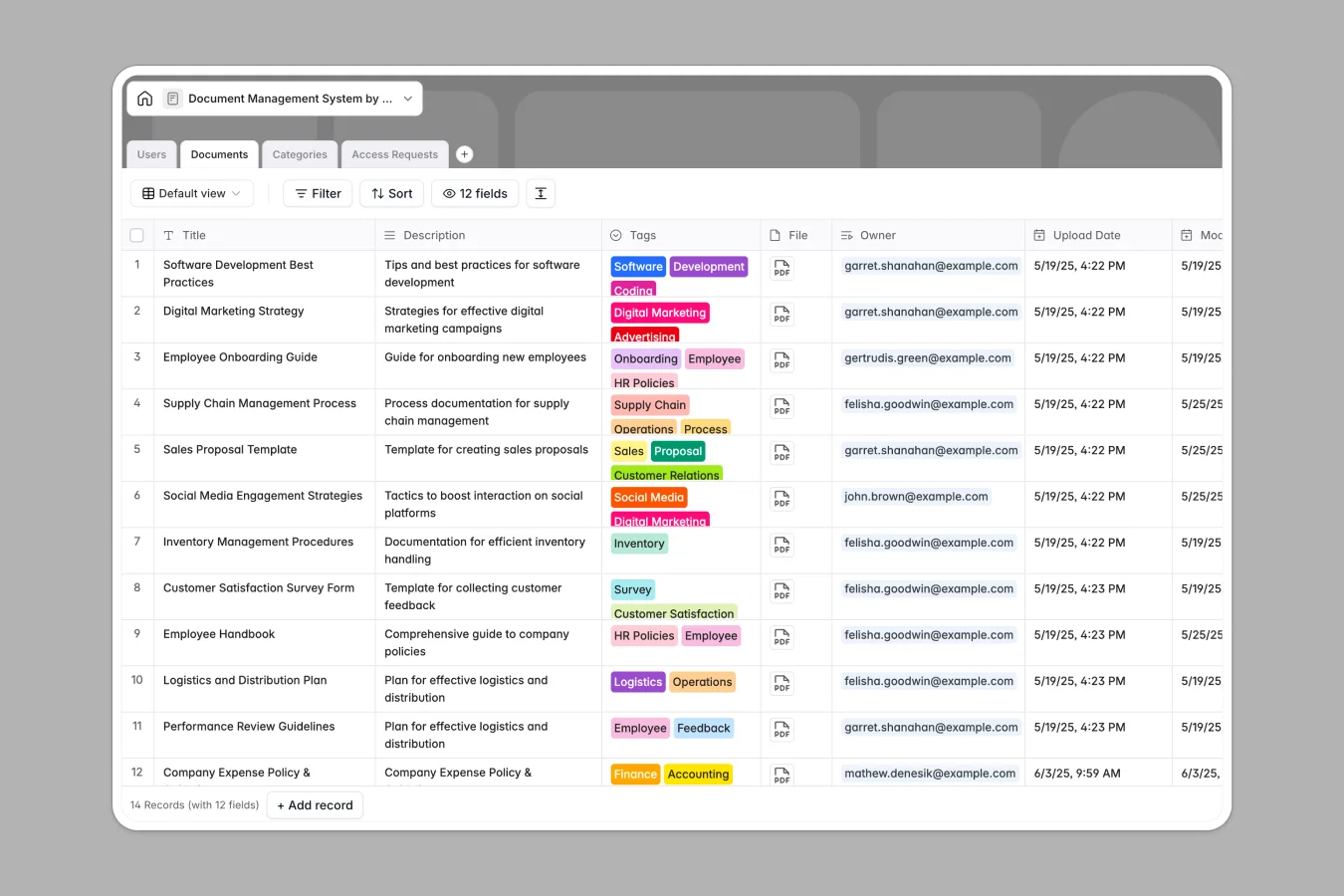
Your Document Management database at a glance
This template provides a single, structured system to store company files, track asset ownership, and handle internal permission workflows. It eliminates misplaced files and scattered email threads by centralizing every document under clear departmental categories.
Four connected tables organize your resources: Documents hold files, tags, and update logs, linked directly to Users and Categories. An automated Access Requests table logs pending, approved, or revoked permissions, connecting requesters with file owners automatically.
When your document index turns into tab sprawl and broken file links
Most teams start tracking company assets in a basic document management spreadsheet. Within months, copies duplicate across inboxes, tabs multiply into departmental silos, and shared links break whenever files move.
What a structured database changes
Spreadsheets treat file links and metadata as plain text, making it easy for someone to accidentally delete an owner or paste broken URLs. In a structured database, typed fields store attachments directly, lock timestamps, and enforce standard tags.
Instead of copy-pasting names between sheets, relational tables link each document to its verified category and owner. This is exactly what Softr Databases are designed for: keeping your operational records reliable, clean, and connected without fragile lookup formulas.
What you can do with this template
Manage the full lifecycle of your company files from a single view. Team members can request document access, while owners receive clear notifications and approve or revoke permissions instantly.
Categorize resources by department, track revision histories, and roll up document counts per user. You can also configure Database AI agents to automatically summarize lengthy document descriptions, assign tags, or clean up metadata upon upload.
-
Users
Manage user accounts, roles, category access rights, and owned documents
-
Documents
Store centralized document files with tags, ownership, and permission states
-
Categories
Organize document classification groups and configure user access levels
-
Access Requests
Track document permission requests, review approvals, and manage status
Who is this Document Management database for
- Operations teams: Centralize standard operating procedures, policies, and internal guidelines in an organized hub.
- HR departments: Manage onboarding paperwork, employee handbooks, and restricted staff files securely.
- IT and compliance leads: Audit document access history, manage category permissions, and track approvals seamlessly.
- Project managers: Keep project briefs, client assets, and shared deliverables organized by owner and category.
How to take it further
1. Customize the database
Tailor the template to your exact internal taxonomy. Add custom document tags, create extra document categories with unique icons, or add custom review stages for legal and compliance checks directly in the visual editor.
2. Import your existing data
Bring your current file registers and metadata into the database in seconds via CSV import. You can also connect your external tools using the REST API to automatically create document records whenever new assets are produced.
3. Build a full app around it
Turn this database into an interactive internal portal when your team is ready. Use Softr to build an app where employees browse approved files and submit access requests through an intuitive interface. With granular users and permissions, you can ensure employees only see documents permitted for their specific role or department.
-
1
-
2
-
3
-
4
Frequently asked questions
-
What is a document management database?
-
Why use a no-code database to build a document management tool?
-
How can AI help managing data for document management?
-
Can I build an app with this document management database?
-
Is this Document Management template free?
-
How is a document management database different from a spreadsheet?
Start building today. It's free!
Build and launch your first app in under 30 minutes.