


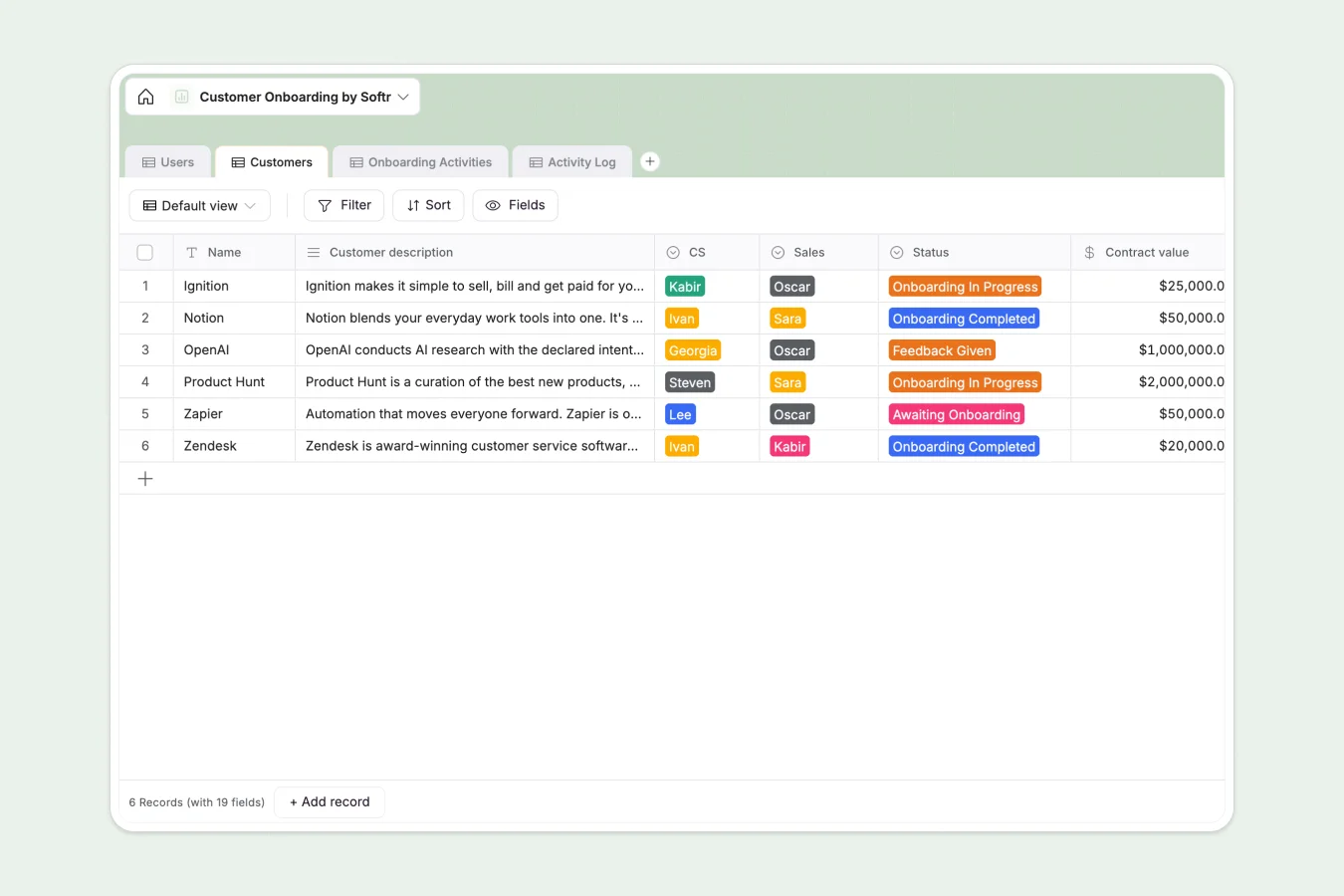
Your Customer Onboarding Database at a glance
This template helps you manage the entire implementation lifecycle, ensuring every client moves from "Awaiting Onboarding" to "Go live" without delays. You can track contract values, success metrics, and assigned team members in one organized view.
It works by connecting Customers to specific Onboarding Activities through an Activity Log. This relational structure means you can track the status of individual tasks for each client—like "Kickoff call" or "Data import"—without creating messy duplicate rows or losing context.
Why customer onboarding gets messy in Google Sheets
Managing multiple clients with different timelines in a spreadsheet quickly turns into a nightmare of endless scrolling. Status updates get buried, and it’s impossible to see completed tasks versus pending ones clearly.
What a structured database changes
In spreadsheets, tracking a checklist for each customer requires creating new columns forever or duplicating rows, which breaks your data structure. If you want to see a history of what happened, you have to dig through cell comments.
Softr Databases allow you to keep data relational. You can have a clean list of companies in one table and a connected view of all their specific tasks in another, keeping your interface un-cluttered and scalable.
What you can do with this template
Instantly filter clients by "Status" to see who is "Onboarding In Progress" and assign specific CS reps like "Georgia" or "Ivan" to balance the workload. You can monitor the difference between "Est. hours" and "Logged hours" to ensure profitability.
Automate your workflow by using AI to summarize "Sales notes" or draft update emails based on the "champion name" and current progress.
-
Users
Manage CS and Sales team members with roles, emails and profile photos
-
Customers
Track client onboarding status, contract values and success metrics for accounts
-
Onboarding Activities
Define standardized onboarding steps, agendas and activity sequences for clients
-
Activity Log
Monitor real-time progress of onboarding tasks with status updates and notes
Who is this Customer Onboarding database for
- Customer Success Teams: Monitor "Go live" dates and manage "Activity logs" to ensure no client feels neglected.
- Sales Managers: Review "Contract value" and "Status" to forecast revenue recognition without bugging the CS team.
- Implementation Specialists: Track specific task agendas and update statuses from "ToDo" to "Done" in real time.
How to take it further
Customize the database
Add a "Renewal Date" field or modify the "Onboarding Activities" list to match your specific process. Since it's a native Softr Database, changing a select option value updates everywhere instantly.
Import your existing data
Don't start from scratch—upload your current client list via CSV. You can map your existing columns to fields like "Champion email" or "Region" in seconds to get immediate value.
Build a full app around it
Spreadsheets can't give clients a secure login. With the interface builder, you can turn this database into a client portal where customers log in to view their own progress and upload "Logo" files directly. You can set users and permissions so they never see anyone else's data.
-
1
-
2
-
3
-
4
Frequently asked questions
-
What is a customer onboarding database?
-
Why use a no-code database to build a customer onboarding tool?
-
How can AI help managing data for customer onboarding?
-
Can I build an app with customer onboarding database?
-
Is this Customer Onboarding Database free?
-
How is this different from tracking onboarding in Google Sheets?
Start building today. It's free!
Build and launch your first app in under 30 minutes.