


Overview
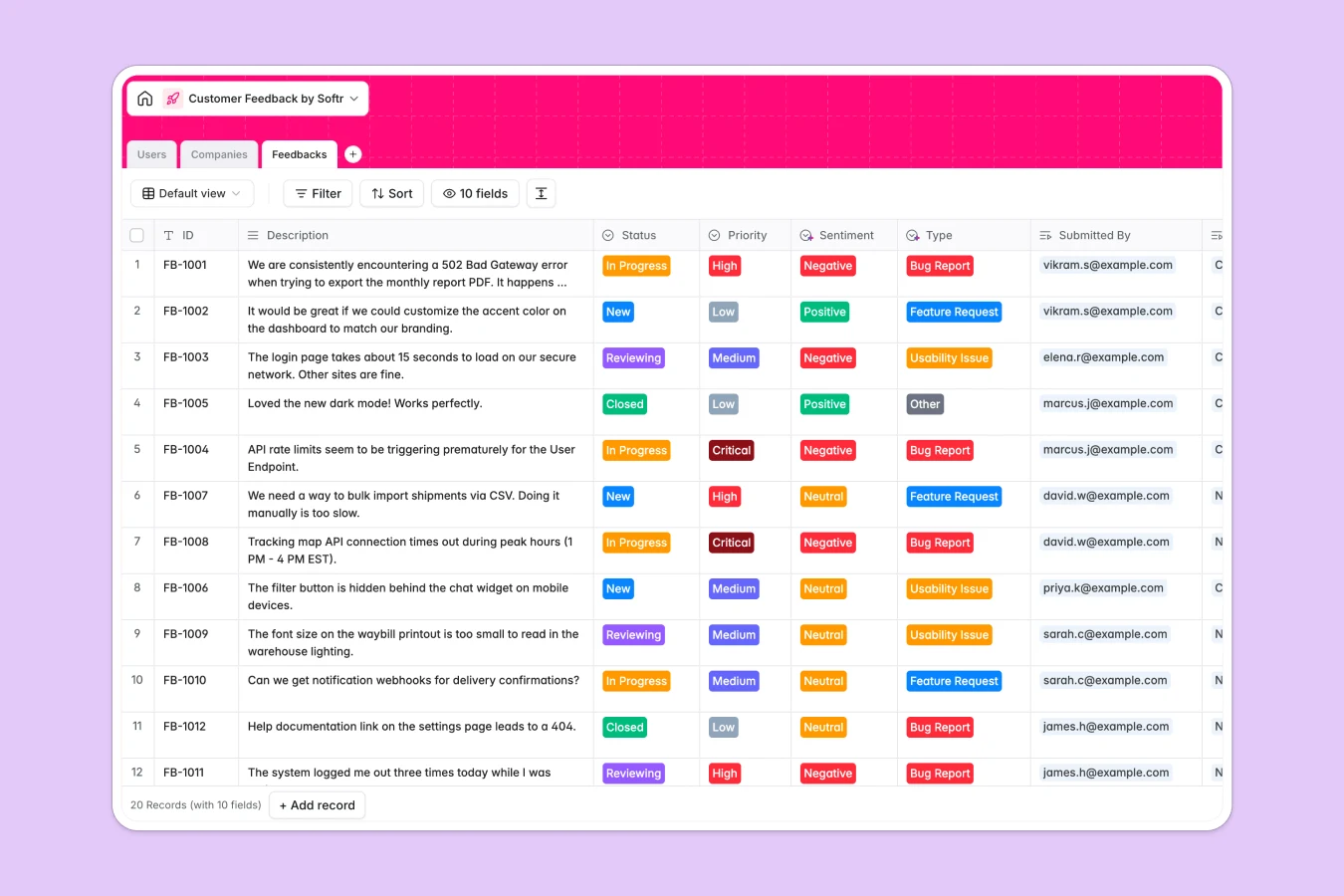
This template serves as a centralized repository for all customer insights, enabling you to capture bugs, feature requests, and usability issues in a structured format. Instead of managing scattered messages, you can categorize every piece of feedback by type, priority, and sentiment to ensure nothing falls through the cracks.
The database consists of three interconnected tables: Feedbacks, Users, and Companies. Every feedback item is automatically linked to the submitting user and their organization, providing immediate context on who is asking for what. You can also view aggregated metrics, such as the total volume of feedback per company, using rollup fields.
With built-in AI capabilities, the Companies table can automatically enrich profiles with industry details and logos based on domains. This keeps your CRM data robust without requiring manual data entry.
Why choose a Customer Feedback Database over Google Sheets
Google Sheets works for simple tracking, but as feedback volume grows, it becomes nearly impossible to maintain clean links between requests and customers without creating duplicate data or navigational headaches.
The power of Softr Databases
Softr Databases use a relational structure that enables you to link infinite feedback records to a single company or user without redundancy. Unlike spreadsheets that rely on fragile VLOOKUPs which often break, this database enforces strict data integrity with specific column types. Following the "one table = one object" principle ensures your data remains scalable and ready for app-building, resolving the structural chaos often found in shared sheets.
Core features and functionality
This template includes advanced features like Rollup fields to count total feedback per client, helping you identify high-engagement accounts instantly. It is also compatible with Database AI agents, which can automatically analyze the sentiment of feedback descriptions or enrich company information. This automation turns raw text into actionable insights much faster than manual sorting in a spreadsheet.
-
Users
Manage user accounts including admins and customers with roles and profiles
-
Companies
Organize client organizations with AI-enriched data and industry insights
-
Feedbacks
Centralize customer feedback items for sentiment analysis and tracking
Who is this Customer Feedback Database for
This template is designed for teams that need to listen to their users and prioritize work without technical complexity:
- Product Managers: Organize requests by priority and status to build a data-driven roadmap.
- Customer Success Teams: Monitor client sentiment and health by tracking issues per company.
- Founders: Capture early user feedback and bug reports centrally without engineering resources.
How to take it further
Customize the database
You can easily adapt this template to your specific workflow within minutes. For example, you might modify the "Status" selection choices to include steps like "In QA" or add an "Impact Score" formula field to refine your prioritization logic.
Import your existing data
If your current backlog lives in Google Sheets, Typeform, or Excel, you can import it via CSV to populate this database instantly. The system allows you to map your existing columns to the correct fields, ensuring you don't lose any historical data.
Build an app on top
The most powerful step is turning this database into a user-facing portal using Softr's interface builder. You can let customers log in to submit requests directly while leveraging users and permissions to ensure they only see their own submissions. This transforms a static database into an interactive feedback management system.
-
1
-
2
-
3
-
4
Frequently asked questions
-
What is a customer feedback database?
-
Why use a no-code database vs Google Sheets for feedback?
-
How can AI help managing data for customer feedback?
-
Can I build an app with this feedback database?
-
Is this Customer Feedback Database free?
-
How is this different from tracking feedback in Google Sheets?
Start building today. It's free!
Build and launch your first app in under 30 minutes.