


Overview
This corporate travel database replaces scattered Google Sheets with a structured system for managing business trips end to end. Track destinations, approvals, flights, hotels, and expenses in one connected workspace.
The database includes five linked tables: Users, Trips, Flights, Accommodations, and Expenses. Each trip connects to a traveler, related bookings, and expense line items, with a rollup that automatically calculates Total Cost. Approval Status keeps requests moving from Draft to Completed without manual tracking.
AI-powered fields enrich your data automatically. Generate destination travel guides with safety tips, summarize hotel amenities from their website, pull flight amenities, and auto-categorize expenses as they’re added.
Why choose a Corporate Travel database over Google Sheets
Managing corporate travel in Google Sheets often leads to multiple tabs, duplicated data, and fragile formulas. As trips grow, approvals, costs, and receipts become harder to track reliably.
The power of Softr Databases
Unlike spreadsheets, Softr Databases enforce structured field types—dates, currency, select options, and linked records—so your data stays clean. Trips, flights, hotels, and expenses are connected through native relationships instead of VLOOKUPs that break. Rollups automatically calculate total trip costs, and the same database can power apps and connect via API. One table = one object, making your system scalable and app-ready.
Core features and functionality
This template centralizes trip approvals, booking details, and expense tracking with automatic cost rollups. Linked records give finance instant visibility into spend per trip or per employee. Built-in Database AI agents generate travel guides, summarize hotel information, fetch flight amenities, and classify expenses—reducing manual research and data entry.
-
Users
Manage employee profiles, departmental roles, and personal travel preferences
-
Trips
Organize itineraries with AI-generated travel guides and safety tips
-
Flights
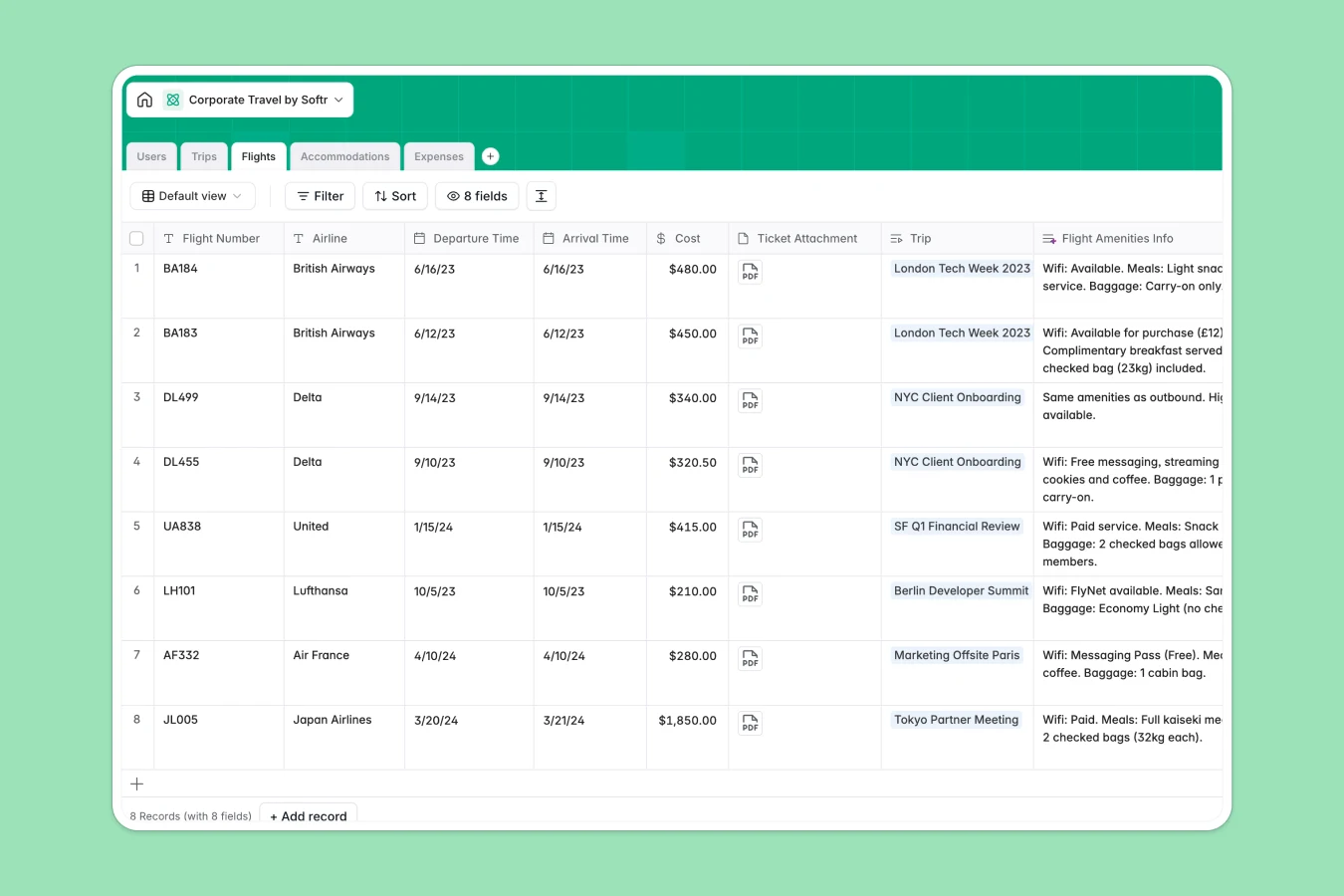
Log flight details with AI research on aircraft amenities and services
-
Accommodations
Track hotel stays with AI summaries of lodging ratings and amenities
-
Expenses
Process travel spending with AI-driven categorization for easier reporting
Who is this Corporate Travel Database for
This template is built for teams that manage recurring business travel.
- Operations teams: Coordinate trips, approvals, and bookings without juggling spreadsheets.
- Finance departments: Monitor expenses, receipts, and total trip costs in real time.
- HR teams: Keep employee travel preferences and trip history organized.
- Department managers: Review and approve travel requests with full cost visibility.
How to take it further
Start by customizing fields to match your travel policy. Adjust expense categories, add approval steps, or create new select options for departments and roles. As a native Softr database, every field can be edited without breaking relationships.
Import existing travel data from Google Sheets using CSV, or sync bookings and expenses via API. This lets you consolidate past and future trips into one structured system.
Next, build an internal travel portal using Softr’s interface builder. Create separate views for travelers, managers, and finance, and control who can submit, approve, or edit records with granular users and permissions. With database, interface, and workflows connected, you turn a simple tracker into a complete corporate travel management app.
-
1
-
2
-
3
-
4
Frequently asked questions
-
What is a corporate travel database?
-
Why use a no-code database to build a corporate travel management system?
-
How can AI help managing data for corporate travel?
-
Can I build an app with this corporate travel database?
-
Is this Corporate Travel Database free?
-
How is this different from using corporate travel Google Sheets?
Start building today. It's free!
Build and launch your first app in under 30 minutes.