


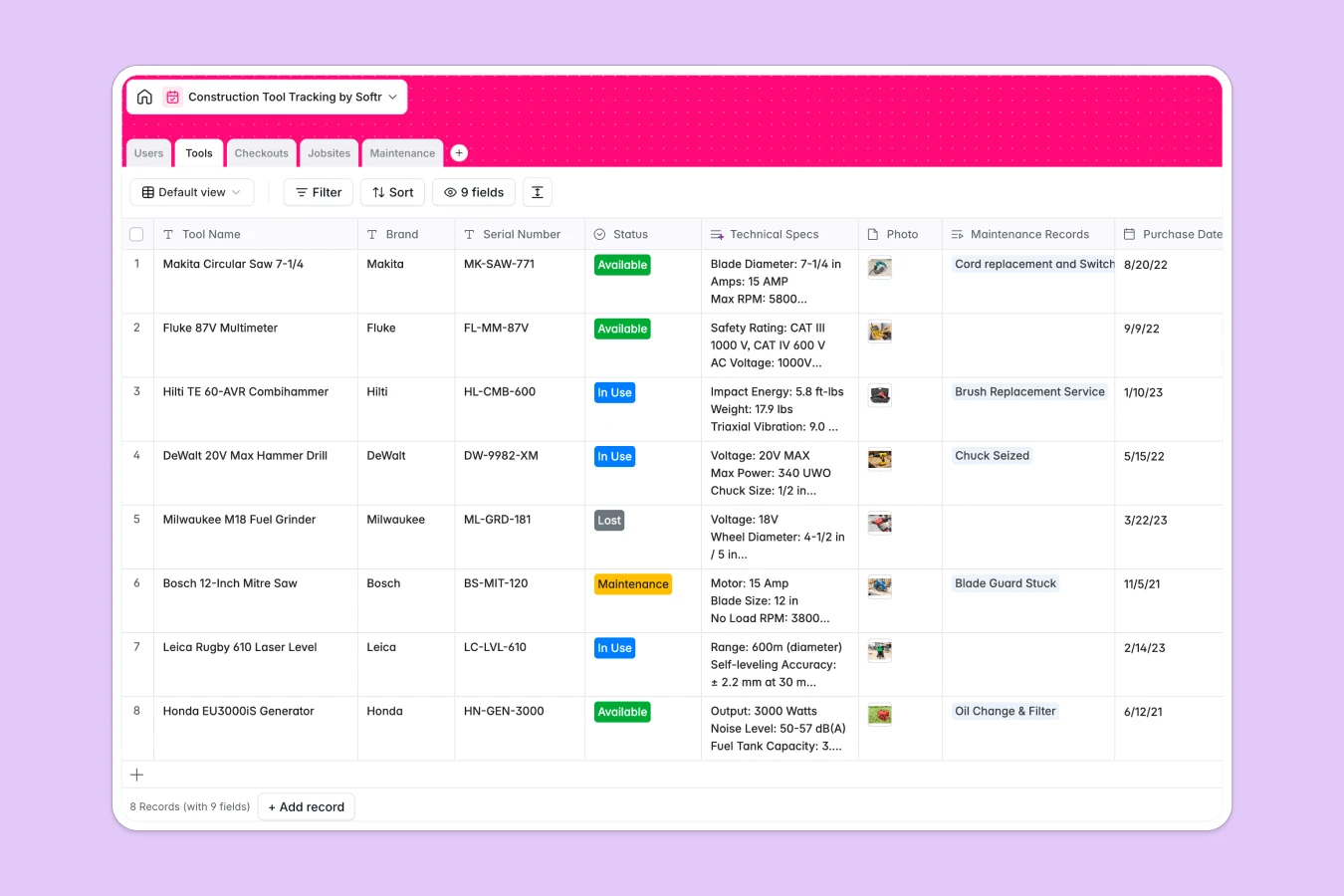
Your Construction Tool Tracking database at a glance
Keep track of physical equipment, jobsite assignments, and maintenance logs securely without relying on chaotic spreadsheets. This template ensures you always know exactly where your gear is.
It works by connecting your `Tools` inventory directly to specific `Jobsites` and `Users`. The built-in `Checkouts` log tracks every movement, showing exactly which worker holds what equipment and when it is due back.
Built-in AI automatically searches the web to populate technical specs for your tools based on the brand and model. It also actively researches maintenance tickets to suggest step-by-step repair solutions for your technicians.
Why tracking tools gets messy in Google Sheets
Managing expensive construction equipment across multiple active jobsites quickly outgrows standard spreadsheets. When rows get accidentally deleted or checkout statuses are overwritten, you lose valuable gear and waste time hunting it down.
What a structured database changes
In a structured system, columns strictly enforce data types so return dates stay dates and statuses stay consistent. Instead of using easily broken VLOOKUPs to tie a tool to a worker or jobsite, relational tables link these records automatically and flawlessly.
This is exactly what Softr Databases are designed for. As your equipment inventory grows, everything stays clean, centralized, and instantly traceable across all job locations.
What you can do with this template
Instantly see which equipment is at which location and who checked it out, all in one real-time view. You can also track individual tool repair costs and log maintenance histories without cluttering your core inventory list.
Plus, this template uses Database AI agents to automatically pull technical specs and repair manual steps straight from the web. This guarantees your technicians have the right documentation immediately, saving hours of manual data entry.
-
Users
Manage worker profiles, specific site roles, and contact information for staff
-
Tools
Inventory list with AI-powered technical specs for physical equipment management
-
Checkouts
Track the current location and return schedule for assigned construction tools
-
Jobsites
Organize active construction locations and the volume of equipment assigned
-
Maintenance
Log repairs using AI to generate projected solutions and manuals for technicians
Who is this Construction Tool Tracking database for
This system is built for construction operations teams that need to protect their equipment investments and eliminate jobsite delays.
- Site Managers: Identify immediately where essential equipment is located and who holds it.
- Inventory Administrators: Monitor overarching tool statuses, purchase dates, and lifecycle costs across the entire company.
- Maintenance Technicians: Access automated repair suggestions and track the ongoing costs of fixing broken or worn gear.
- Workers & Foremen: See clear logs of what tools they are currently responsible for returning.
How to take it further
1. Customize the database
You can easily modify the `Status` options to fit your tracking needs, such as adding tags for specific storage lockers. Adjusting these values or adding new fields for custom tool categories takes seconds.
2. Import your existing data
If you currently use a massive spreadsheet for tracking inventory, simply import your tools and jobsites via CSV. Your team can start assigning equipment to sites immediately without losing their historical data.
3. Build a full app around it
When you are ready to give site managers and workers their own logins, turn this database into a custom portal using the interface builder. This creates a mobile-friendly way for crews to check out tools directly from the jobsite.
You can implement users and permissions so workers only see the tools they have actively checked out, while admins see the entire company inventory. Starting with a properly structured database makes launching a secure, workflow-ready app incredibly simple.
-
1
-
2
-
3
-
4
Frequently asked questions
-
What is a construction tool tracking database?
-
Why use a no-code database to build a tool tracking system?
-
How can AI help managing data for tool tracking?
-
Can I build an app with this tool tracking database?
-
Is this tool tracking template free?
-
How is a tool tracking database different from Google Sheets or Excel?
Start building today. It's free!
Build and launch your first app in under 30 minutes.