


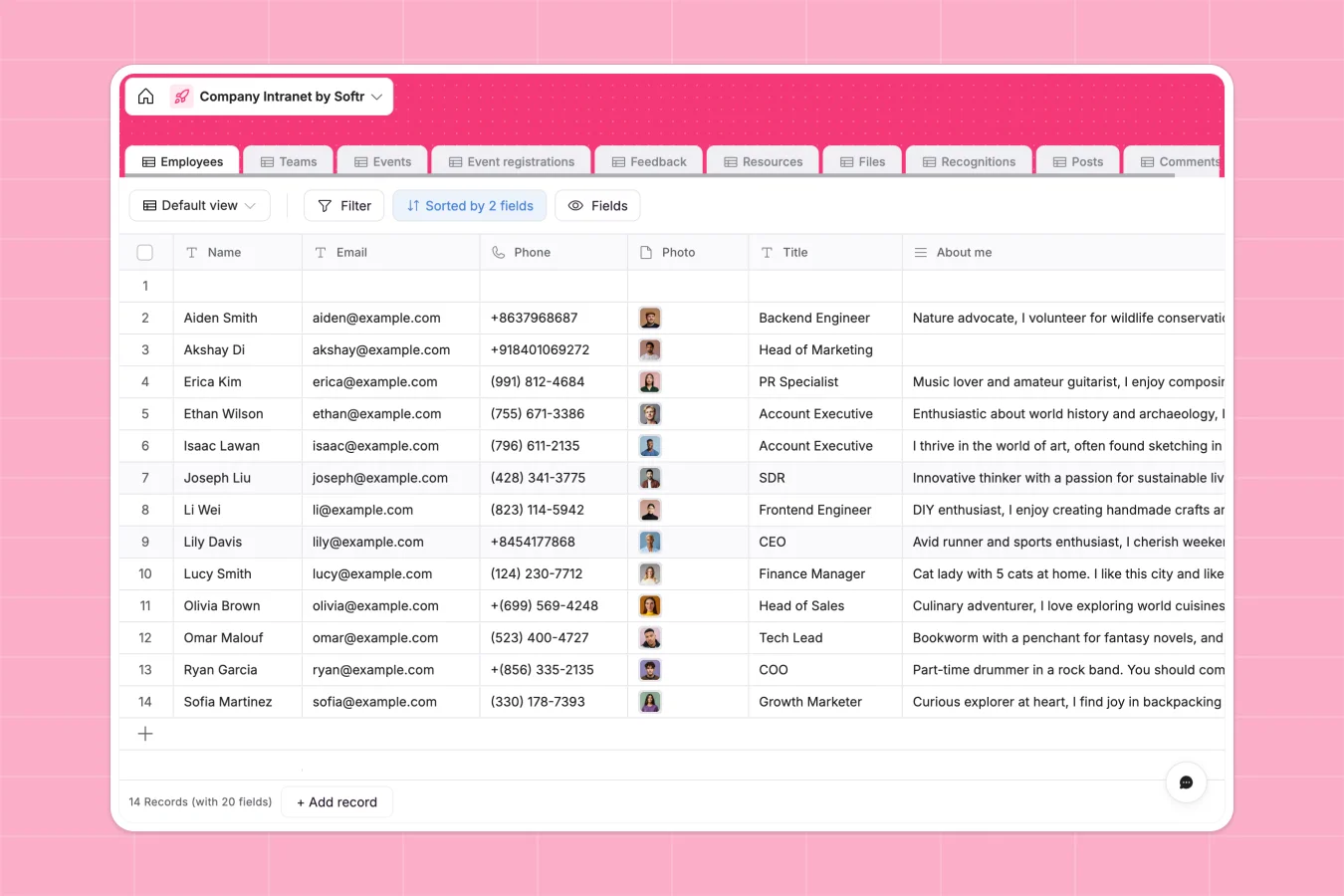
Your Company Intranet database at a glance
The Company Intranet database centralizes your team directory, resources, and company updates in one secure place. It helps teams stay connected and aligned without constantly digging through chat histories or messy shared drives.
This template naturally connects essential employee information with team structures, upcoming company events, and shared files. Linked tables ensure that when an employee joins a team, their team access and associated resources update instantly.
Why building a company intranet in Google Sheets breaks down
Trying to run your entire company hub out of Google Sheets quickly turns into a logistical nightmare. Rows get accidentally deleted, sharing permissions become impossible to manage securely, and attaching files or photos directly in cells rarely works.
What a structured database changes
A structured database enforces clear rules for your data, meaning text stays as text and file attachments stay cleanly formatted. You can safely store employee photos, HR documents, and event locations without breaking the entire layout.
Instead of relying on fragile VLOOKUPs, tables naturally connect to each other. You can link an employee directly to a specific team and instantly pull up their related feedback, event registrations, or recognition posts.
This level of secure, connected structure is exactly what Softr Databases are built to deliver from day one.
What you can do with this template
Use this ready-made template to manage RSVPs for upcoming events, collect team feedback, and store essential company files in one clean view.
You can easily track employee recognition, manage external resource URLs, and keep a reliable historical record of company announcements without manual copy-pasting.
-
Employees
Manage staff profiles with roles, reporting lines and internal activity logs
-
Teams
Organize departments with managers, members and collective documentation
-
Events
Schedule company workshops and town halls with location and RSVP details
-
Event registrations
Track participant attendance and registration times for internal company events
-
Feedback
Centralize employee suggestions and reports linked to specific company teams
-
Resources
Directory of company perks and software tools categorized for staff use
Who is this Company Intranet database for
This database is built for teams looking to replace scattered documents with a reliable, unified company hub.
- HR Managers: Maintain accurate employee directories and securely manage onboarding files.
- Operations Leads: Centralize company resources, software links, and essential team requests in one location.
- Internal Comms: Publish company-wide posts, celebrate wins, and track event registrations effortlessly.
How to take it further
Start by customizing the database to fit your exact operational needs. You can easily add new file categories, update the available event types, or modify the recognition awards directly in your workspace.
Next, quickly import your existing employee directory using a CSV file. You can also connect via API to sync your existing HR tools, ensuring your team data is immediately valuable.
When you are ready, you can build an app to turn this data into a secure employee portal. By setting up proper users and permissions, you can confidently ensure managers see team feedback while general employees only access public resources.
Starting with a cleanly structured database makes deploying internal apps and team portals dramatically faster and more reliable.
-
1
-
2
-
3
-
4
Frequently asked questions
-
What is a company intranet database?
-
Why use a no-code database to build a company intranet?
-
How can AI help managing data for an intranet?
-
Can I build an app with this company intranet database?
-
Is this Company Intranet database free?
-
How is this intranet database different from Google Sheets?
Start building today. It's free!
Build and launch your first app in under 30 minutes.