


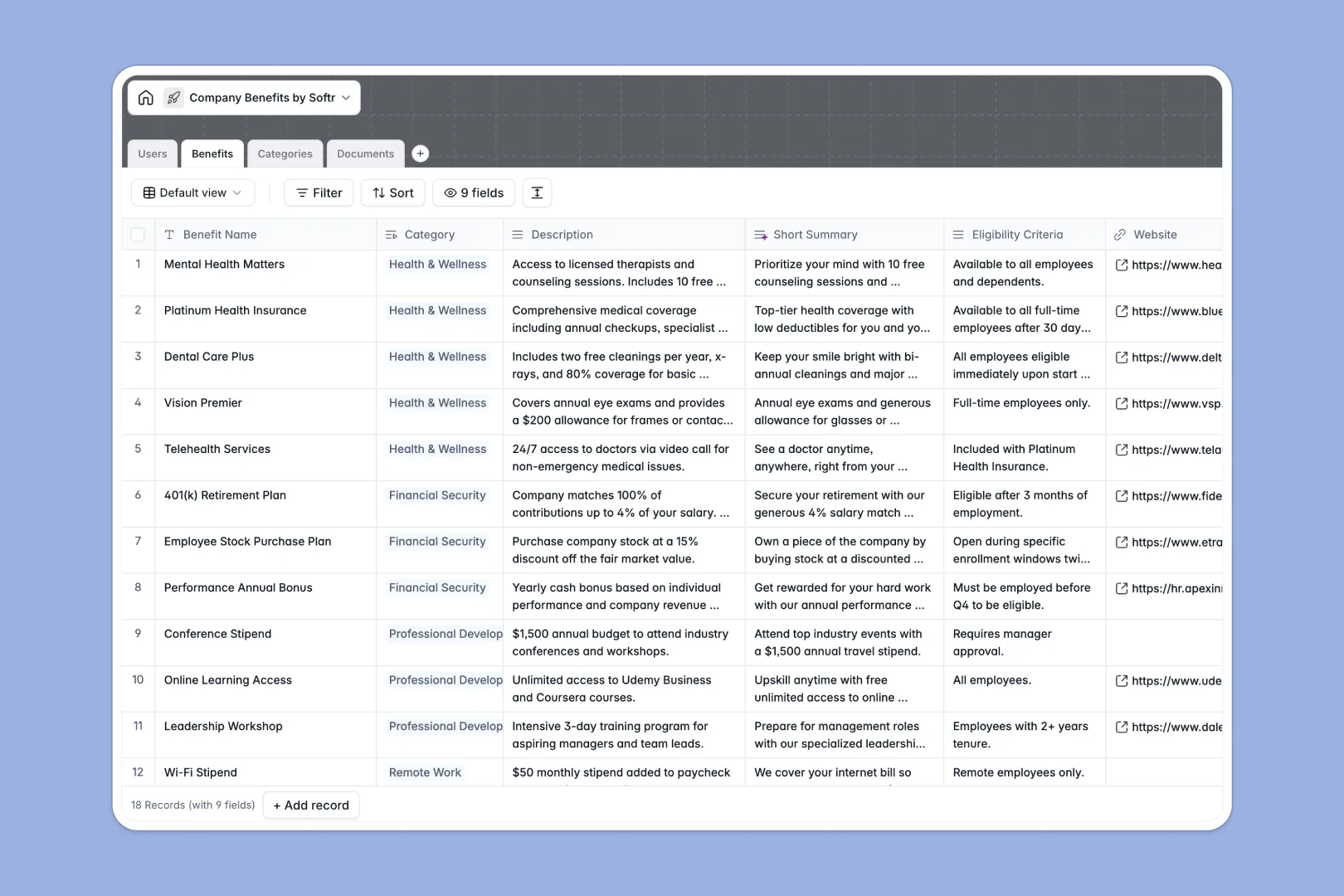
Your Company Benefits Database at a glance
This pre-built template gives HR teams a single source of truth for all employee perks, health plans, and policies. It ensures staff can easily find what they are entitled to without digging through messy folders.
The system organizes information across neatly connected tables for users, benefits, categories, and documents. Instead of fragmented lists, a specific health plan links directly to its claim forms and eligible employees naturally.
Built-in Database AI agents automatically summarize long benefit descriptions into quick elevator pitches and generate relevant search keywords. The AI can also browse the web to write clear descriptions for your benefit categories, saving you hours of manual typing.
Why company benefits get messy in Google Sheets
Tracking insurance policies, gym stipends, and hundreds of employees in a spreadsheet quickly turns into a logistical nightmare. Important PDFs get lost in cell comments, and eligibility rules become impossible to enforce reliably as your team grows.
What a structured database changes
In a relational system, data stays organized because every column has a strict purpose. Dates stay dates, files stay comfortably attached to records, and you never have to worry about someone accidentally deleting a critical formula.
You can easily link a specific insurance document to a broad health benefit without copying and pasting text across multiple rows. This is exactly what Softr Databases are designed for, keeping your HR data clean and continuously scalable.
What you can do with this template
Map out your entire rewards catalog while logically grouping them into distinct categories, making navigation effortless. Your HR team can securely upload claim forms and connect them straight to the exact perk they belong to.
With smart automation, the database naturally tags and summarizes each new benefit as you add it. It operates perfectly out of the box and is ready to replace your fragile spreadsheets on day one.
-
Users
Manage employee access and department roles within the benefits portal
-
Benefits
Catalog perks using AI-generated summaries and keywords for easy search
-
Categories
Group company perks using AI-powered insights for distinct benefit types
-
Documents
Centralize all policy files, guides, and claim forms for easy retrieval
Who is this Company Benefits Database for
This template is designed for growing businesses seeking a seamless way to manage and deliver employee perks.
- HR Managers: Centralize health plans, stipends, and company policies away from scattered spreadsheets.
- People Operations: Track which specific departments or employee roles have access to certain benefit tiers.
- Founders: Quickly launch an organized, searchable catalog to highlight company culture to the team.
How to take it further
You can easily customize the database to fit your exact internal terminology. Add new specific fields to track local regulations or adjust the predefined department lists to perfectly match your current organizational chart.
Moving away from older tools is simple using the CSV importer to bulk-upload your existing team roster and document links. You can also sync data smoothly via API to keep your employee directory updated automatically at all times.
When your HR operations are ready, you can seamlessly connect this precise data to an interface builder to create an employee portal. Team members can securely log in to browse and claim exactly the benefits they are eligible for.
Setting up granular users and permissions ensures that sensitive policy drafts remain hidden while active benefits are appropriately public. A well-structured database makes launching this kind of powerful internal application entirely frictionless.
-
1
-
2
-
3
-
4
Frequently asked questions
-
What is a company benefits database?
-
Why use a no-code database to build a benefits tool?
-
How can AI help managing data for employee benefits?
-
Can I build an app with this company benefits database?
-
Is this Company Benefits Database free?
-
How does a benefits database differ from Google Sheets?
Start building today. It's free!
Build and launch your first app in under 30 minutes.