


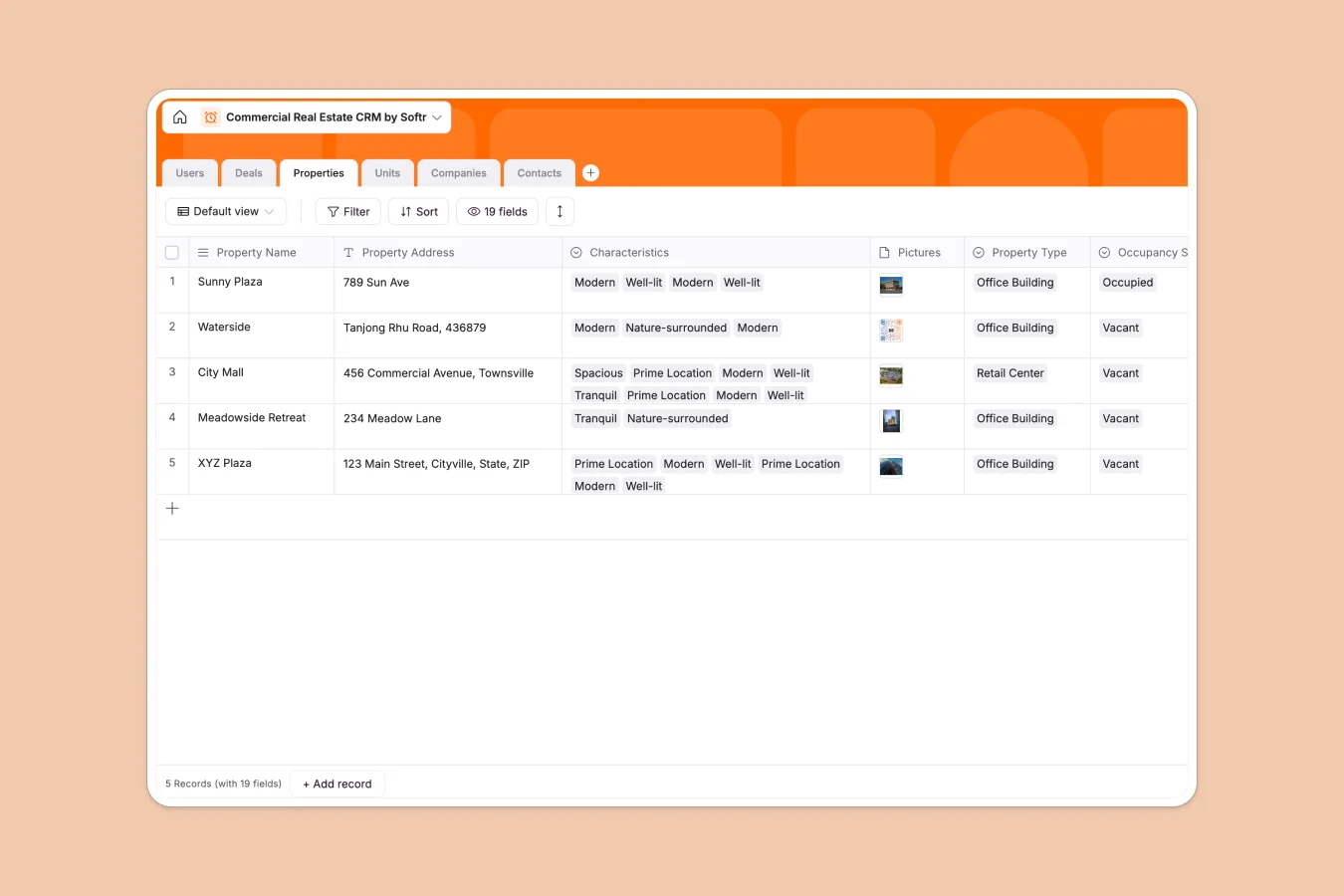
Your Commercial Real Estate CRM Database at a glance
Manage your entire CRE portfolio, from tracking properties and individual units to closing high-value leases. Keep all tenant and landlord details safely organized in one central hub.
This system connects everything natively. You can link a contact directly to a specific company, and tie that company to an active deal without duplicate data entry.
Real estate teams can maintain perfectly accurate records of lease end dates and unit occupancy statuses. It immediately provides the reliable structure that complex property portfolios require.
Why managing commercial real estate gets messy in Google Sheets
As your real estate portfolio grows, tracking lease dates, unit occupancies, and multiple agents across different spreadsheet tabs quickly becomes chaotic.
What a structured database changes
Instead of breaking when you sort rows or run complex VLOOKUPs, a true database separates your data logically. Every property, unit, and contact lives independently but stays perfectly connected.
You can easily tie an active deal to a specific landlord, assigned agent, and property unit without copying and pasting data. This is exactly what Softr Databases are designed for.
What you can do with this template
Track the exact occupancy pipeline across office buildings and retail centers in real time.
Monitor lease start and end dates with clear numerical values for total lease amounts. It keeps full visibility over multi-unit properties perfectly intact.
-
Users
Manage internal staff profiles with roles and assigned property portfolios
-
Deals
Track lease negotiations and transaction stages between landlords and tenants
-
Properties
Store commercial real estate assets with location data and occupancy status
-
Units
Organize individual spaces within properties including lease terms and media
-
Companies
Centralize landlord and tenant organizations with their full leasing history
-
Contacts
Maintain a directory of key stakeholders with direct communication details
Who is this Commercial Real Estate CRM Database for
This database is built for teams who need clear visibility over properties, leases, and relationships.
- Real Estate Agencies: Track multi-unit occupancies and assign agents to specific deals seamlessly.
- Property Managers: Monitor lease start and end dates directly alongside tenant contact information.
- Investment Firms: Keep a close eye on total lease values and the pipeline stage of every prospect.
How to take it further
Start by customizing your property characteristics and deal pipelines. You can easily modify the dropdown choices to match your exact building types and workflow stages.
Bring your portfolio to life immediately. Import your current tenant lists, unit details, and active deals via CSV to hit the ground running.
When your team is ready, you can easily surface this raw data into a secure management app.
For example, you can give external brokers restricted access to view only their specific properties using granular users and permissions. Well-structured records make creating these tailored portals effortless.
-
1
-
2
-
3
-
4
Frequently asked questions
-
What is a commercial real estate CRM database?
-
Why use a no-code database to build a commercial real estate CRM?
-
How can AI help managing data for commercial real estate?
-
Can I build an app with this commercial real estate CRM database?
-
Is this Commercial Real Estate CRM Database free?
-
How does managing properties in a database beat using Google Sheets?
Start building today. It's free!
Build and launch your first app in under 30 minutes.